
Go to Windows platform Display platforms icon
Go to Windows platform Go to Mac platform Go to Android platform Go to iOS platform
SmartCam icon

SmartCam

1.2
5 1 reviews
125.6 k downloads
security security

Use your Symbian S60 telephone as a webcam

Advertisement
Remove ads and more with Turbo
Advertisement
Remove ads and more with Turbo
Álvaro Toledo icon
Reviewed by
Álvaro Toledo
Chief Content Officer
Álvaro Toledo is part of Uptodown's in-house Editorial Team. Translated by Uptodown Localization Team

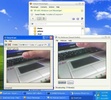
SmartCam is an app that allows you to connect your mobile phone’s camera to your computer for use as a webcam.

The program works in client-server mode, and once you have installed it on your PC and your phone, all you have to do is establish the Bluetooth connection to improvise a webcam anywhere.

Advertisement
Remove ads and more with Turbo

SmartCam is designed to act as a webcam on messaging clients such as MSN, Yahoo Messenger, or Skype, and can be a complement to your communication with your friends.

For now, SmartCam only works on the Symbian S60 operating system (Nokia N80, N91, N92, N95), and comes with a significant list of codecs to use for capturing images.

Information about SmartCam 1.2

Basic information

Developer Ionut Dediu
Category Screen Recorders
Rating All ages
Languages English

Distribution model

Pricing Free
License GPL 2.0
Source code
Copyright © 2026 Ionut Dediu
Why is this app published on Uptodown? (More information)

Security and privacy

Required permissions Not applicable
See security and antivirus report

Download info

Downloads 125,624
Date Jan 29, 2008
File type EXE
Size 345.69 KB
SHA256 61f3b2e9f0ef5b3e66656e21860908272a3c909aeb98c5a03b05a1bcf3f162fd
Advertisement
Remove ads and more with Turbo

Rate this App

Review the app
SmartCam icon

Rating

5.0
5
4
3
2
1
1 reviews

Comments

arthur9181 icon
arthur9181
in 2010

Great

7
Reply
Advertisement
Remove ads and more with Turbo
scrcpy icon
Control your smartphone and tablet from your computer
ManyCam icon
Take your live streams to the next level
oCam icon
A convenient tool for recording your screen
iTop Screen Recorder icon
Record your computer screen at the touch of a button
Yawcam icon
Stream videos with your webcam
Cap icon
Cap
Record your screen, edit the video, and share it with a link
TikTok LIVE Studio icon
Stream live more easily and to more people
Bandicam icon
Record your screen, even while playing video games
Snap Camera icon
Add fun Snapchat filters to your PC camera
Windows Camera icon
The official Windows Camera App
Cyberlink PowerDirector icon
Edit video clips and create complete original DVD's
ManyCam icon
Take your live streams to the next level
Iriun Webcam icon
Use your smartphone as a PC webcam
Leawo Free Screen Recorder icon
4-in-1 free recorder to record screen, webcam, audio & screenshot
IP Camera Viewer icon
Manage all your security cameras from a single app
iVCam icon
Use your smartphone as a webcam
Codex icon
OpenAI's official companion for programming with ChatGPT
Proton VPN icon
Powerful, free, secure and unlimited VPN
DLSS 5 Swapper icon
Install and manage DLSS 5 in games and emulators
DS4Windows icon
Use DualShock 4 controllers on your PC
PkgEditor icon
Edit PS4 files in PKG, SFO or PFS format
Sure icon
Track your personal finances from your PC
OpenIDEA icon
Everything you need to develop software
Disc Image Studio icon
Turn your images into designs burned on optical discs
CapCut icon
Incredibly powerful and easy-to-use video editor
HEVC Video Extensions from Device Manufacturer icon
Play HEVC (H.265) encoded videos on Windows
AV1 Video Extension icon
Playback and compress content with the AV1 codec in Windows
Adobe After Effects icon
The most advanced video-editing tool from Adobe
VLC Media Player icon
A powerful media player and streaming server
FormatFactory icon
Conversion between video, sound and image formats
Adobe Premiere Pro icon
Video editing for professionals and beginners
TikTok LIVE Studio icon
Stream live more easily and to more people