






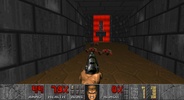
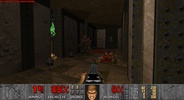



UZDoom is a fork of GZDoom that allows you to play Doom, Doom 2, Doom Ultimate, and all existing and future mods and variants, on computers with modern graphics cards, getting the very best out of the latest versions of Vulkan and OpenGL. The main difference between this version and LZDoom, another well-known ZDoom branch, is its emphasis on support for the most modern hardware and offering more features in this area.
Differences between UZDoom, GZDoom, and LZDoom
UZDoom came to be because the lead developer of GZDoom started using AI-generated code within this fork and, disagreeing with this move, a good portion of the other developers decided to leave the project and create a new one, with better support for modern hardware and more features for modders. That is precisely what UZDoom is: an AI-free fork with more features. LZDoom, on the other hand, is simply a variant of ZDoom aimed at less powerful computers with outdated hardware.
Unzip and start playing
As with other ZDoom variants, to run UZDoom you only need to unzip the contents of the compressed file into a folder and run uzdoom.exe. Of course, you'll also need the .WAD file of whichever version of Doom you want to play. Remember that this file can be found in the Doom, Doom 2, or Ultimate Doom installation folder. You can even use the .WAD files from Freedoom or the Shareware version. What's more, you can also drag any WAD or IWAD file onto the game executable to launch it directly.
New features within UZDoom
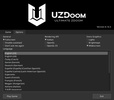
As discussed above, the main appeal of UZDoom compared to other forks is the presence of new features and support for the latest graphics cards. Thanks to this, you can enjoy higher resolutions and activate dynamic lighting effects. In the Launcher menu, you can choose whether you want to activate all these additional options. It's also much easier to use mods in Doom. And, of course, you can rest assured you're playing a version of ZDoom free of generative AI.
The best way to enjoy Doom on a modern PC
Like all ZDoom forks, UZDoom offers an experience very close to that of the original Doom, but with some changes that make everything more enjoyable on the latest PCs. You can increase the resolution, play in widescreen format, customize the controls, play with an Xbox controller, load new community-created campaigns, and much more. And the best part? All these changes are completely optional and can be deactivated, so if you want to experience the game as it was originally, you can also do so without any trouble.
The new king of ZDoom
Download UZDoom if you like Doom and its incredible community, which continues to release new campaigns and mods decades after the game's original launch. Thanks to this new fork, which aims to surpass GZDoom in popularity, you can keep playing one of the most legendary video game series of all time forever. One look at the Doomworld forums is enough to see that, if you wanted to, you could be playing new Doom content for years and years non-stop.
UZDoom is for you if
✓ You want to enjoy classic Doom and countless mods optimized for modern Vulkan/OpenGL hardware
✓ You prefer an easy setup: unzip, add WAD files, drag-and-drop to launch instantly
✓ You value enhanced options like higher resolutions, widescreen, controllers, and AI-free development for purist gameplay

















Comments
There are no opinions about UZDoom yet. Be the first! Comment