
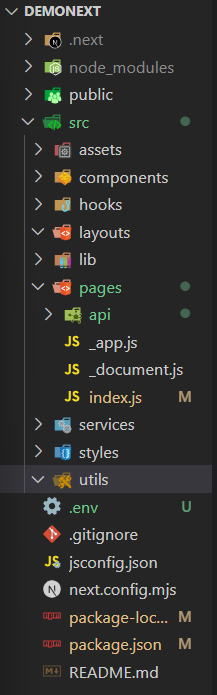
Next.js Folder Structure organizes files and directories in a way that helps manage pages, components, APIs, and assets efficiently. It follows a convention-based approach, where specific folders such as app define application routes, while other folders help organize the project structure.
- public/ – Stores static assets like images and icons.
- src/ – Contains the main application source code.
- assets/ – Holds reusable static files (images, fonts, etc.).
- components/ – Reusable UI components.
- hooks/ – Custom React hooks.
- layouts/ – Common layout components for pages.
- lib/ – Helper libraries or third-party integrations.
- app/ - Recommended routing directory for new Next.js projects using the App Router.
- pages/ – Used with the Pages Router and contains routing files and API routes.
- services/ – API calls and service logic.
- styles/ – Global styles and CSS modules.
- utils/ – Utility and helper functions.
Enhanced Files and Folders Structure
The structure helps maintain separation of concerns and improves code readability and collaboration among developers. Some folders listed below (such as assets, layouts, services, and utils) are optional project conventions used to organize larger Next.js applications.
Prerequisite: Before following this tutorial, make sure you have already created a Next.js project. If not, refer to the Next.js Create Next App
Steps to Create Folder Structure
Step 1: Open the Project in Visual Studio Code
Open your existing Next.js project in Visual Studio Code.
code .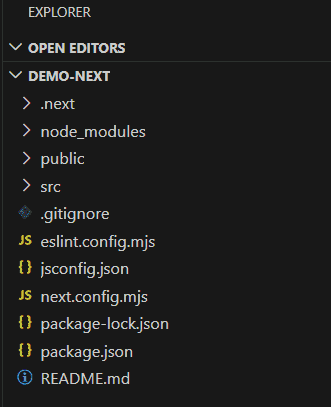
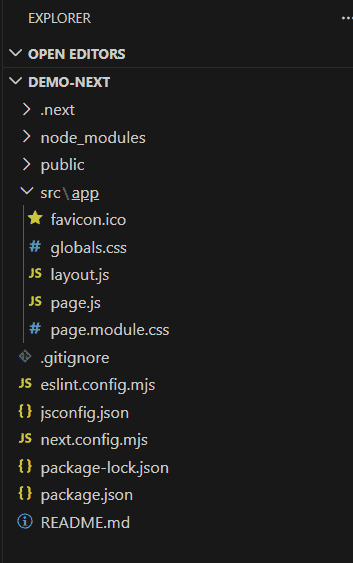
Step 2: Explore the Default Folder Structure
After opening the project, you will see the default folder structure generated by Create Next App.
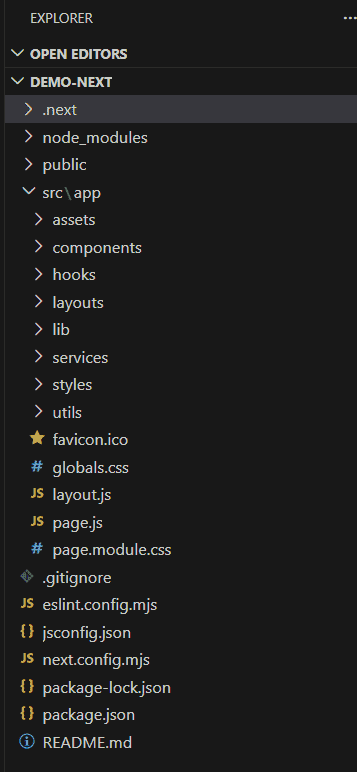
Step 3: Create the Recommended Project Folders
Create the folders name assets, components, hooks, layouts, lib, services, styles and utils inside the src directory.
Step 4: Create the .env.local File
Create a .env.local file in the project root directory to store environment variables such as API keys and other sensitive configuration values.
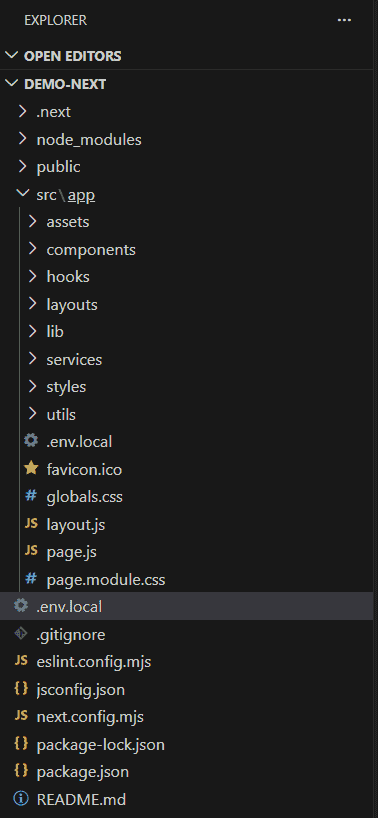
Recommended Project Folder Structure
It helps organize code logically so that projects remain scalable, maintainable, and easy for teams to navigate.
- Components: Contains reusable UI components used across the application.
- Layouts: The layouts folder is an optional project convention used to store shared layout components such as headers, footers, and sidebars.
- Lib: The lib folder contains shared utility functions and helper modules used across the application.
- Services: The services folder contains modules that handle communication with external services like APIs, databases, and authentication.
- Utils: This folder contains shared utility functions for common tasks across the application.
- Assets: The assets folder stores static files like images, fonts, and icons used in the UI.
- Hooks: The hooks folder contains custom React hooks that encapsulate reusable logic across the application.
