
Graphical User Interface (GUI) Testing is a software testing technique used to verify the functionality, behavior, and visual appearance of an application’s user interface from an end-user perspective. It ensures that UI elements and user interactions work correctly and provide a smooth user experience.
- Validates UI components such as buttons, text fields, menus, and navigation elements.
- Ensures correct behavior of user actions like clicks, inputs, and form submissions.
- Identifies issues related to layout, design consistency, responsiveness, and usability.
Example: In an e-commerce website, GUI testing verifies that users can search for products, open product pages, add items to the cart, proceed to checkout, and complete actions through a clear and working interface
Types of GUI Testing
GUI testing can be performed in different ways depending on what aspect of the interface needs to be validated.
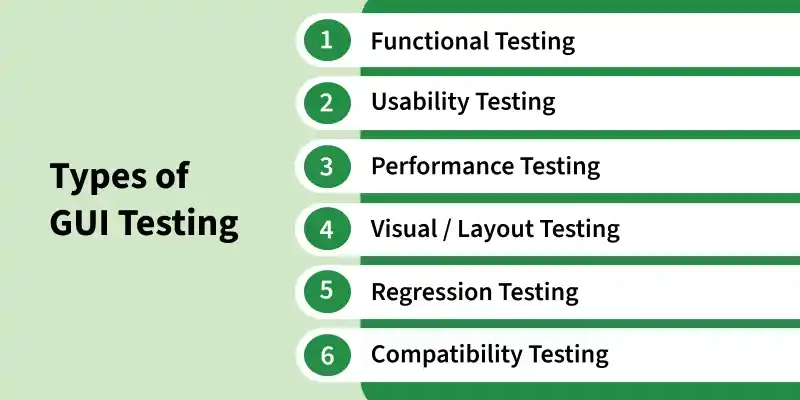
- Functional GUI Testing: Verifies that UI elements such as buttons, links, forms, menus, and navigation controls function correctly according to requirements.
- Usability Testing: Evaluates the ease of use, navigation, and overall user experience to ensure the interface is intuitive and user-friendly.
- Performance GUI Testing: Evaluates the responsiveness, loading speed, and stability of the user interface under various conditions and workloads.
- Visual/Layout Testing: Ensures that UI components such as fonts, colors, spacing, alignment, and icons are displayed correctly and maintain design consistency.
- Regression GUI Testing: Ensures that changes, updates, or bug fixes do not negatively impact existing UI functionality and previously tested features.
- Compatibility Testing: Verifies that the GUI works consistently across different browsers, operating systems, devices, and screen resolutions.
GUI Testing Process
Shows the step-by-step process of how GUI testing is performed to verify UI functionality, appearance, and user interactions.
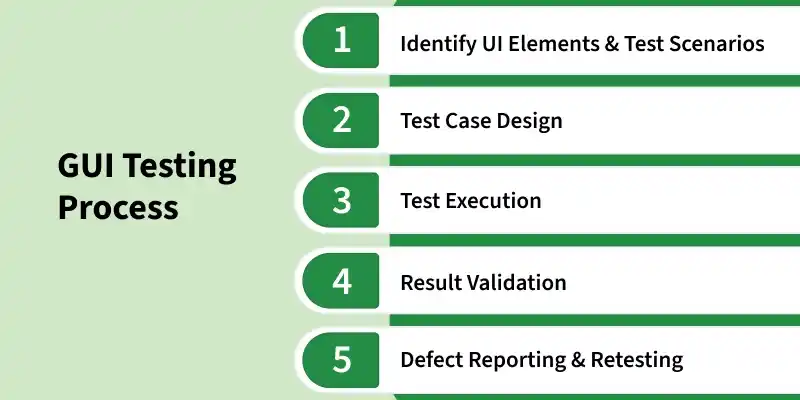
- Identify UI Elements and Test Scenarios: Testers identify interface components such as buttons, forms, menus, and links, and define test scenarios based on user interactions and expected behavior.
- Test Case Design: Testers create test cases to verify UI functionality, input validations, navigation flows, and system responses under different conditions.
- Test Execution: Test cases are executed manually or using automation tools to validate the behavior and functionality of UI elements across various environments.
- Result Validation: Actual results are compared with expected outcomes to ensure that UI elements, layouts, and functionalities work correctly.
- Defect Reporting and Retesting: Identified UI defects are documented, fixed by developers, and retested to confirm successful resolution and system stability.
Applying GUI Testing at Different Levels
GUI testing can be performed at different levels depending on the scope of validation, starting from individual components to the complete application interface.
- Component-Level GUI Testing: Focuses on individual UI elements such as buttons, text fields, checkboxes, dropdowns, and labels to ensure they are displayed correctly and respond to user actions.
- Screen-Level GUI Testing: Verifies the interaction between multiple UI components within a single screen, such as form validation, input handling, and navigation elements working together properly.
- System-Level GUI Testing: Tests the complete application interface end-to-end, including workflows, screen transitions, responsiveness, and consistency across different devices, browsers, and resolutions.
GUI Testing Architecture
GUI testing architecture is a structured approach used to organize UI test automation in a scalable and maintainable way. It separates the test solution into logical layers so that test scripts are easier to manage and update.
- Layered Structure: Follows a 3-tier model - Test Layer (test scenarios), Business Layer (page objects and workflows), and Core Layer (locators and driver interactions).
- Abstraction: Separates test logic from implementation details, allowing testers to focus on user behavior rather than technical complexity.
- Page Object Model (POM): A design pattern that stores UI elements and actions in separate classes, making tests easier to maintain and update.
- Maintainability: Reduces duplication and makes it easier to update tests when UI changes occur.
- Scalability: Supports testing across multiple platforms like web, mobile, and desktop applications.
Locator Strategies in GUI Testing
GUI automation tools use locators to identify and interact with interface elements. Choosing the right locator strategy improves test reliability and maintainability.
- ID and Name locators: Fast and reliable when elements have unique identifiers.
- CSS Selectors: Flexible and widely used for modern web applications.
- XPath: Useful for complex or dynamic UI structures.
- Class Name and Tag Name: Used for grouping similar elements.
- Link Text and Partial Link Text: Used specifically for hyperlinks.
Popular GUI Testing Tools
These are the most widely used tools for automating and validating GUI testing across web, mobile, and desktop applications.
- Selenium: Most widely used open-source framework for web GUI automation testing.
- Playwright: Modern, fast, and reliable tool for cross-browser web automation, widely preferred in recent years.
- Cypress: Popular for frontend testing due to its speed, simplicity, and strong debugging features.
- Appium: Standard tool for mobile GUI testing across Android and iOS platforms.
- Applitools: AI-based visual testing tool used for detecting UI changes and visual regression issues.
Characteristics of GUI Testing
This section highlights the key properties that define GUI testing and how it ensures the application works correctly from a user perspective.
- GUI testing validates the application from the end-user’s perspective by checking how users interact with buttons, forms, menus, links, and other interface elements.
- It verifies both the appearance of the interface, such as layout, alignment, colors, fonts, icons, and images, and the functionality of UI elements.
- It ensures that the user interface behaves consistently across different browsers, operating systems, devices, and screen sizes.
- It checks usability, navigation flow, and responsiveness to confirm that users can interact with the application easily and complete tasks smoothly.
Challenges in GUI Testing
GUI testing comes with several challenges due to the dynamic and visual nature of user interfaces:
- Frequent UI changes can break test cases and require regular updates.
- GUI test scripts usually need high maintenance because the interface changes often.
- Testing across different browsers, devices, operating systems, and screen sizes can be complex and time-consuming.
- GUI tests generally take longer to execute than unit or API tests.
- Dynamic elements, timing issues, animations, and unstable locators can cause flaky test results.
- Setting up the required test environment, browsers, devices, and test data can be difficult.
