This Week's Sponsor:

Goodnotes

It gives architects the freedom of a pencil and paper, with every project on one device


Apple Releases iOS and iPadOS 27.2 with Apple Pencil Support for iPhone Duo and Smarter Siri

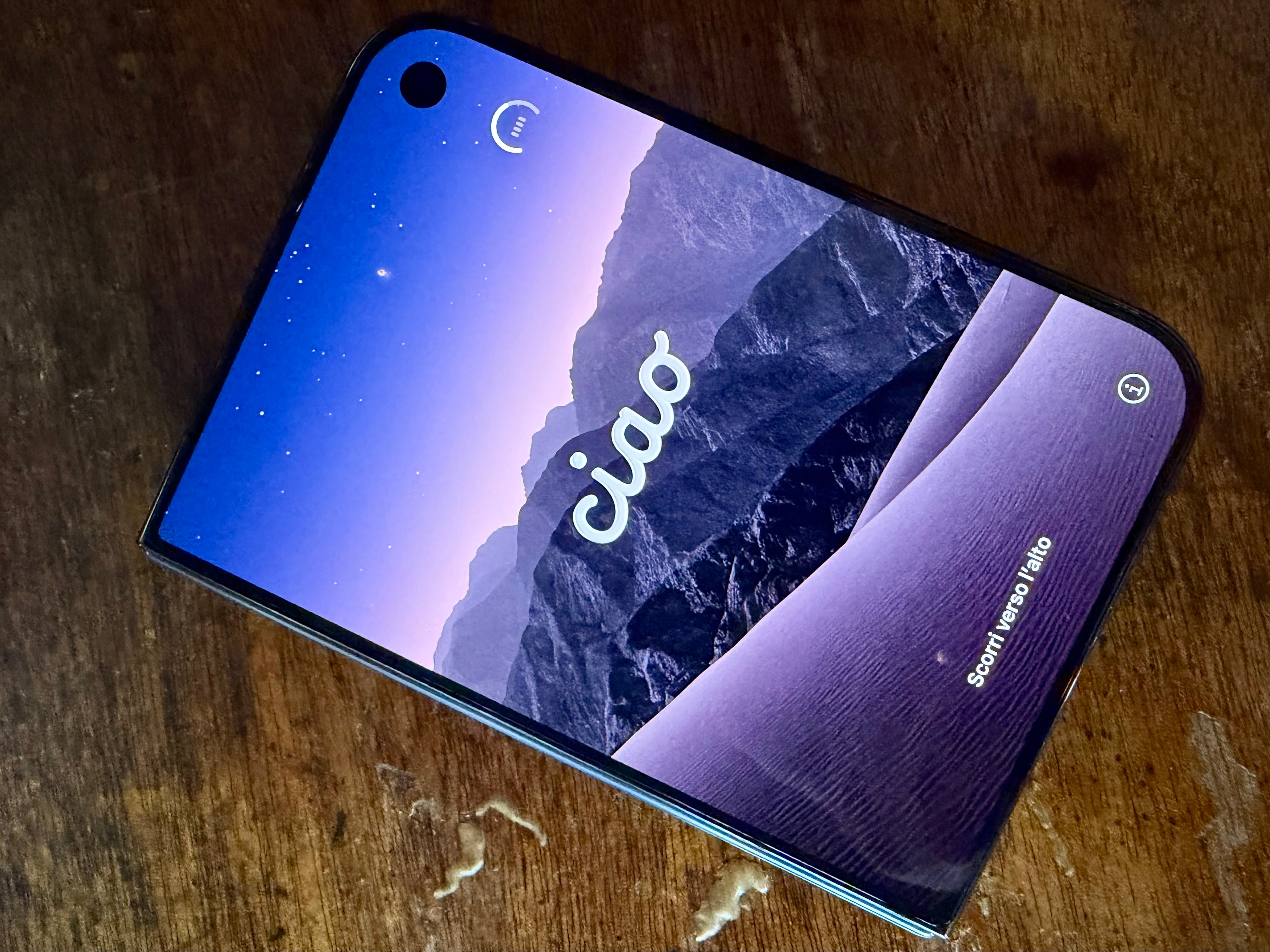
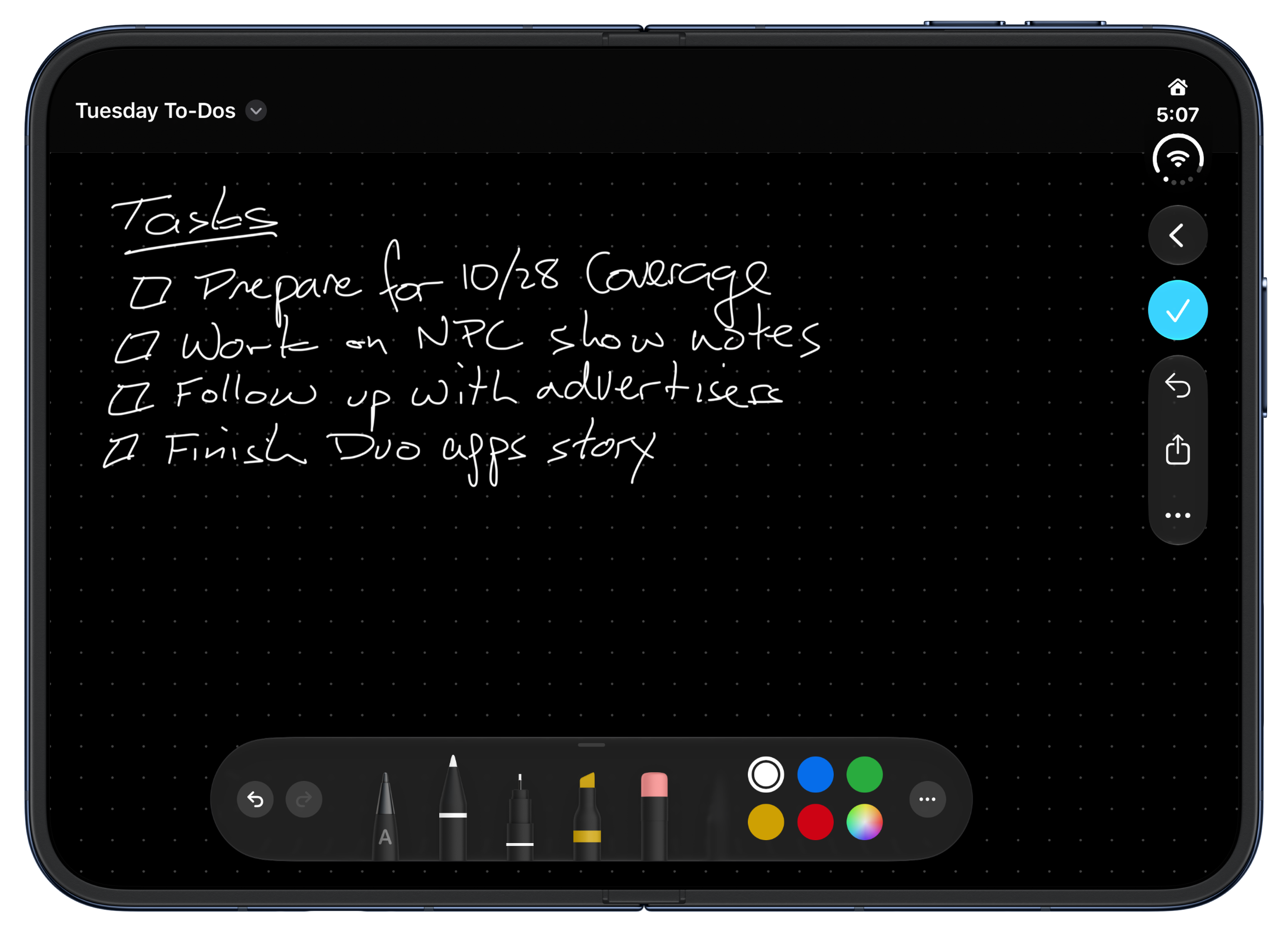
The iPhone Duo now supports the Apple Pencil (USB-C).

The iPhone Duo now supports the Apple Pencil (USB-C).

It’s been just six weeks since iOS and iPadOS 27 were released, but Apple just introduced version 27.2, which packs a surprisingly long list of new features, some of which were first announced back in June at WWDC, while others support the iPhone Duo. Let’s take a look at the highlights.

The iPhone Duo already has a couple of great updates. The first is support for the Apple Pencil (USB-C). That’s the model that reveals a USB-C port when you pull on the end of it. I played around with the Duo’s Apple Pencil support over the weekend and think a lot of people are going to love it. The Duo feels so much like a tiny notebook already that writing with the Pencil is very natural whether you’re using Apple’s Notes or Freeform, or one of the many new skeuomorphic note-taking apps that have been released for the Duo.
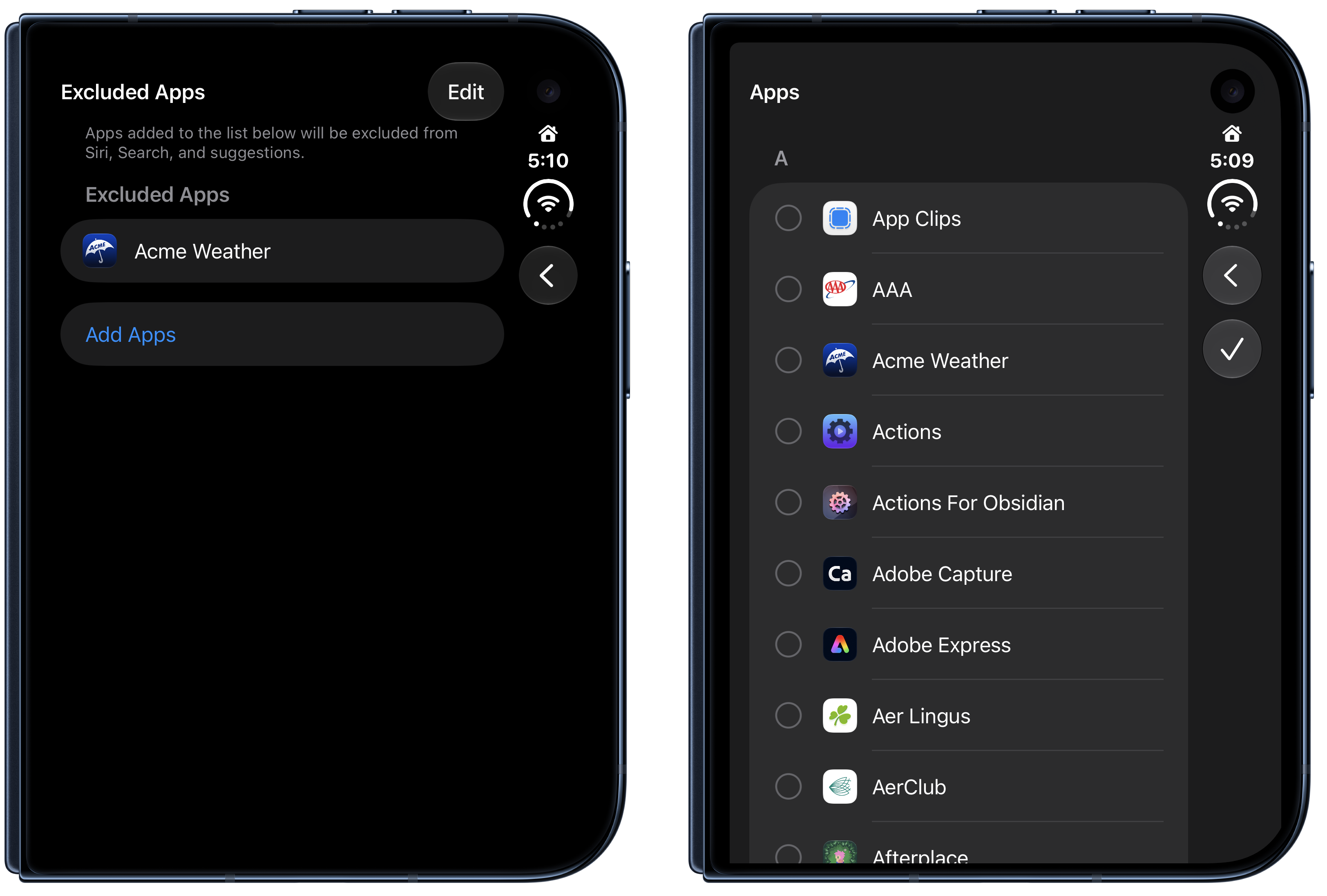
Excluding apps from Siri AI.

Excluding apps from Siri AI.

The Duo also gained support for Edge Light, which frames your Duo’s screen in a faux ring light, illuminating your face when you’re on a video call or filming yourself with the front-facing camera.

One of the limitations of the initial beta release of Siri AI was its lack of access to past conversations. With iOS and iPadOS 27.2, Siri can recall past conversations (English only), which is great, especially if you use Siri a lot. Siri has added new data sources too, like images attached in the Messages app, voicemail, and Calendar event attendees, along with better browsing history and Reading List results. Siri AI has also added a centralized setting for excluding apps from its results, along with beta support for French, Japanese, Korean, Portuguese, and Spanish.
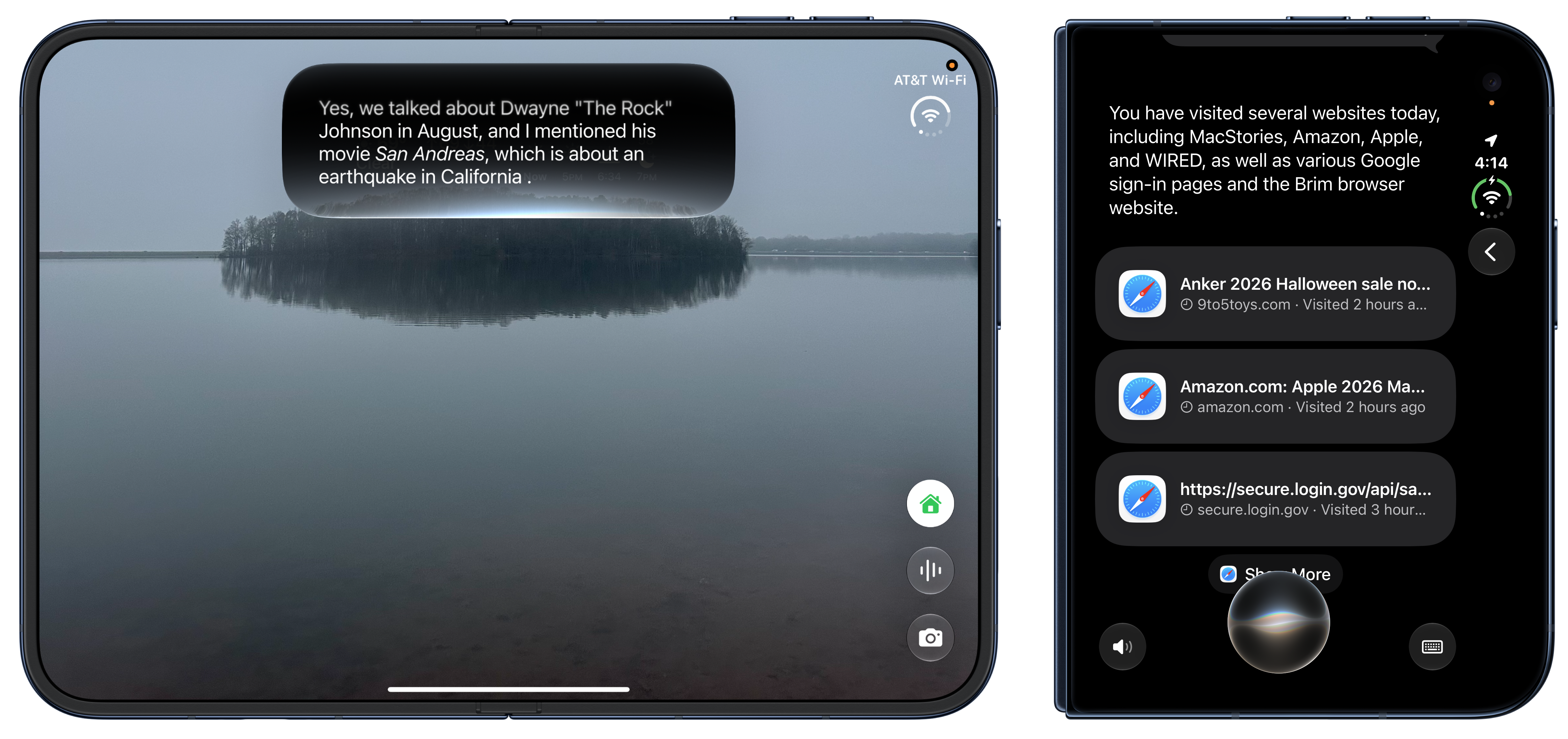
Recalling past Siri conversations.

Recalling past Siri conversations.

FaceTime has added new features too. Dual Capture, which streams the front and rear cameras of recent iPhones at the same time, now works in Group FaceTime calls. Third-party sign language interpreters or live captioners can be added to a call too, an accessibility feature that I first saw demoed back in May.

Messages has added suggested actions, like adding an event to Calendar, that draw on the context of your conversation. The feature showed up over the summer during the public beta but didn’t make the final release of iOS 27. It’s not a feature I use a lot, but for quickly capturing information in other apps when you’re pressed for time, it can really be handy.

Other iOS and iPadOS 27.2 updates include:

  • Shared Albums in Photos include reminders before they expire, so you can save photos and videos before the deadline. The feature also adds caption and comment editing.
  • Podcasts’ Up Next section has been organized into New Episodes and Continue Playing, to help differentiate active from untouched episodes.
  • Games has added context on friend suggestions and now shows what friends are playing on their player pages.
  • Apple TV’s Multiview has expanded to the iPhone, allowing you to watch four Apple TV sporting events at once, an especially nice option for the iPhone Duo.

Of these, I expect that I’ll use the Apple Pencil support for the iPhone Duo and Apple Podcasts’ Up Next categories the most, but given the variety of the release, I suspect there’s a little something for most users here.

Today’s updates are available by navigating to Settings > General > Software Update.


Today on AppStories: iPhone Duo First Impressions and Apps→

Today on AppStories, Federico and I share our first impressions of the iPhone Duo and share our experiences in New York and London, where we learned more about the Duo and met with developers for demos and conversations about their apps. It’s an excellent episode and just the start of a lot of iPhone Duo coverage we have planned for the coming weeks.

Preorder chaos, lines at Apple Stores, strong opinions for and against the Duo, and of course, a huge number of new apps tailored to the device all point to one thing: This is Apple’s most interesting devices in a while. There’s a lot to take in and this episode of AppStories is just the start. We’ll have more on the Duo hardware soon, as well as ongoing coverage of the over 500 Duo apps we’re working our way through. So keep an eye out for more on MacStories this week and in the coming weeks.

Permalink

The New iPad mini Adds OLED with a Larger 8.5-Inch Display

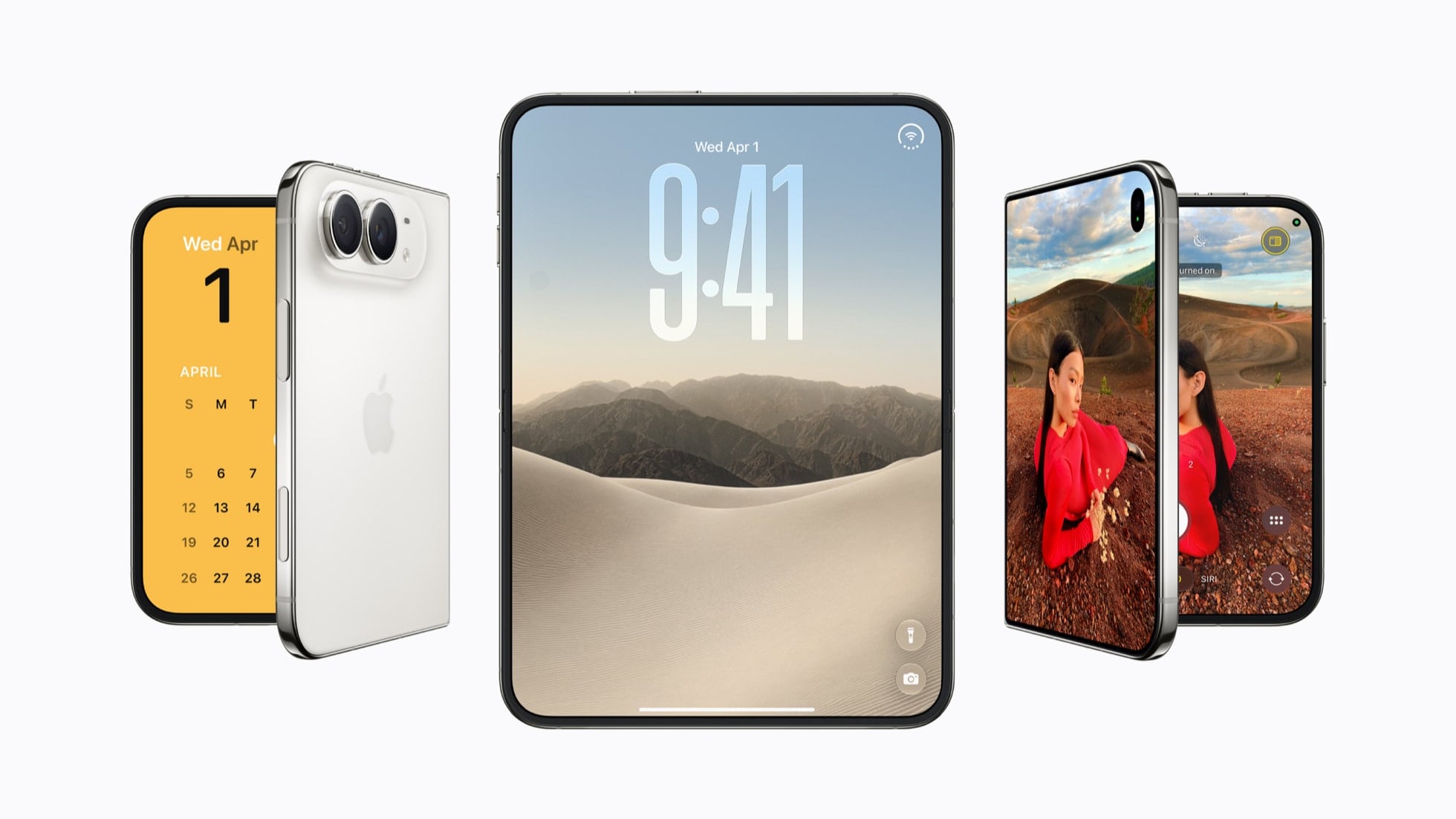
Source: Apple.

Source: Apple.

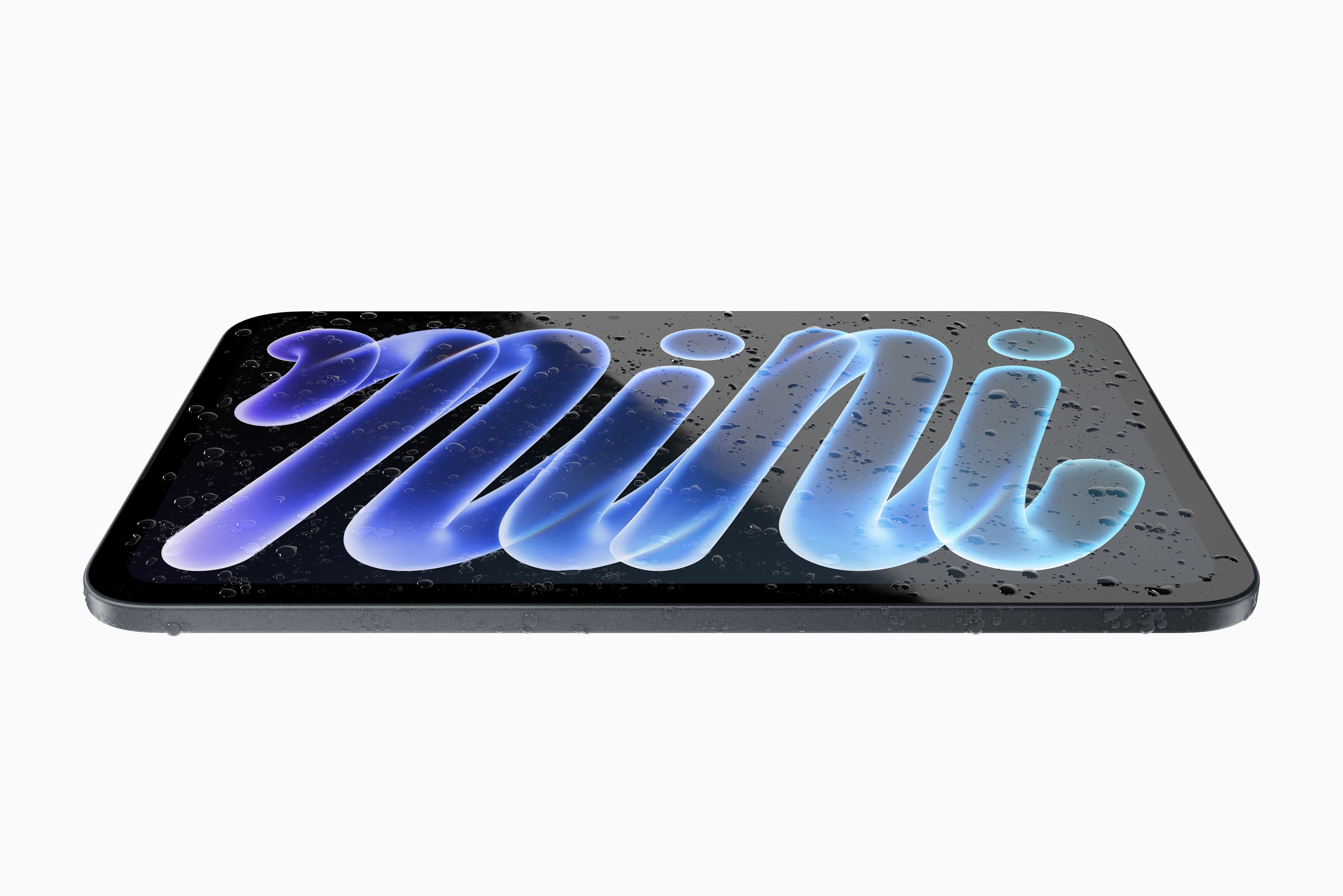
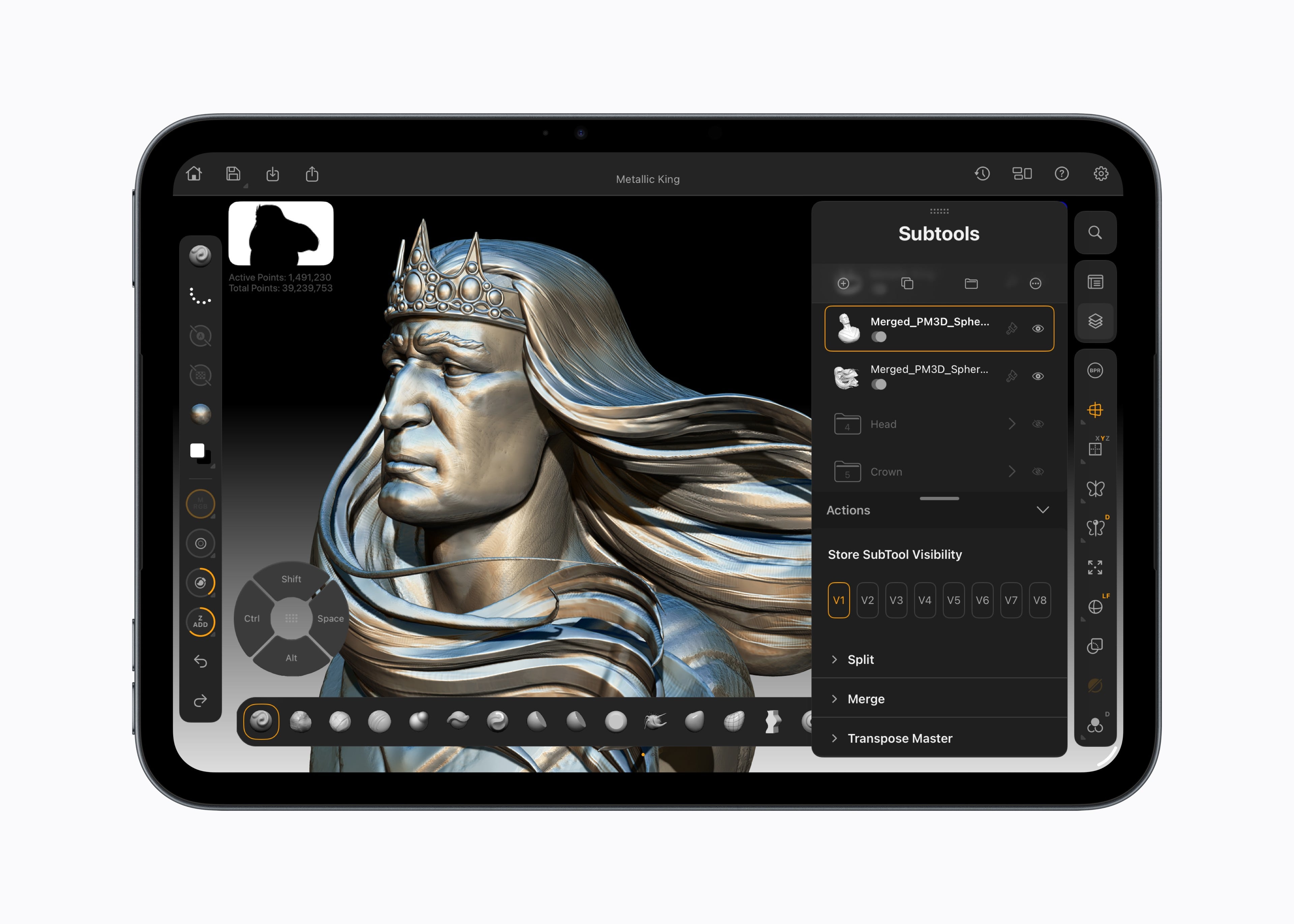
Apple today announced an update to the iPad mini, one of my favorite iPads. The new mini features an 8.5-inch OLED display, a landscape Center Stage camera, and many other updates throughout. This is a big update, so let’s dig into the details.

The revised iPad mini has a similar, but slightly smaller, overall footprint at 5.4mm thin, but the bezels around the screen are 24% thinner, allowing for the larger 8.5-inch Super Retina XDR screen. That enables a peak brightness of 1200 nits with 600 nits full-screen brightness, which is brigher than the model it replaces. The display is also capable of as little as 1 nit of brightness, supports P3 wide color, and can be ordered with an optional nano-texture finish on the 256GB and 512GB models. However, the new mini’s display is not a 120Hz ProMotion display.

Source: Apple.

Source: Apple.

The chip that drives the new mini is from the A20 Pro line, which is the same chip family that powers the iPhone 18 Pro. The mini also has an N1 networking chip that supports Wi-Fi 7 and a C2 modem chip for users who order the cellular model. The mini also features up to six CPU cores, a 7-core GPU with Neural Accelerators for each core, and a Dual 16-core Neural Engine in the 512GB model.

The 12MP Center Stage front-facing camera is on the long edge of the iPad mini. The rear camera is a 12MP Wide camera that includes Smart HDR 4 and Adaptive True Tone flash and can shoot 4K video at up to 60 fps.

Other details include IP67 water and dust resistance, a new TechWoven Smart Folio case, and continued support for both the Apple Pencil Pro and Apple Pencil (USB-C).

Among Apple’s speed claims are:

  • up to 4.5x faster AI performance,
  • up to 2.7x faster graphics performance,
  • up to 60% faster multithreaded CPU performance,
  • 2x Neural Engine processing power on the 512GB model,
  • more than a 2x increase in unified memory bandwidth,
  • up to 50% faster cellular data speeds, and
  • more than 2x higher peak brightness.

The new iPad mini comes in Midnight and Starlight colors (fewer than before) and starts at $699, which is less than some rumors suggested, and can be configured up to $1,249 before accessories. Apple also packs a polishing cloth in the box for the polishing fans out there.


This looks like an excellent update. I’m a huge fan of the iPad mini for writing, other lightweight productivity tasks, reading, watching videos, and playing games. Based on the specs, the new mini should be more capable than ever. I’m looking forward to trying it myself.


Goodnotes: Take Your Architectural Ideas from Desk to Job Site [Sponsor]

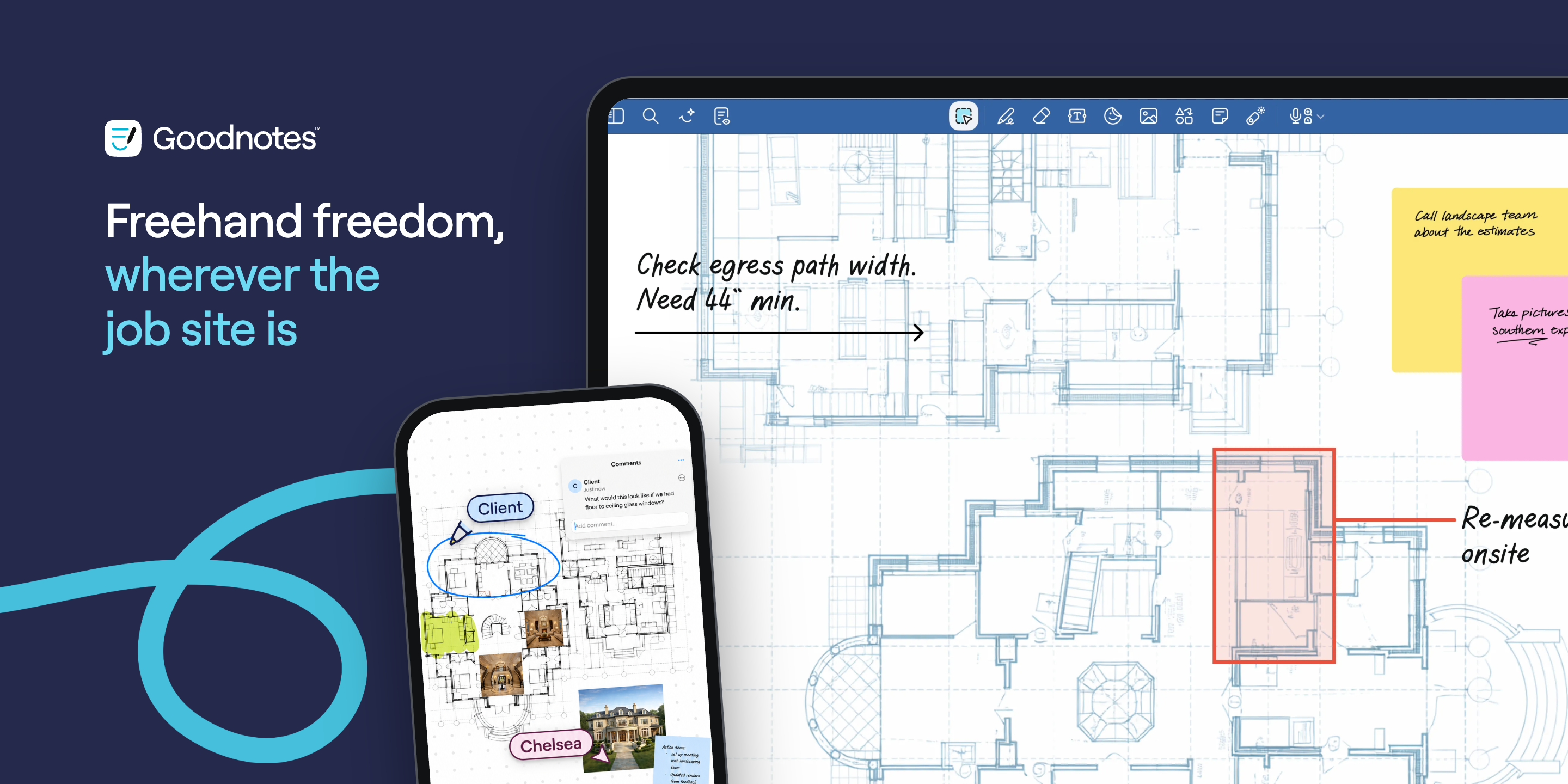
Goodnotes architectural plans, site photos, and annotations on iPad and iPhone

Goodnotes architectural plans, site photos, and annotations on iPad and iPhone

Many architects still think best with a pencil in hand. A floor plan starts as a sketch, an elevation changes after a client meeting, and tricky details get worked out during site visits. Goodnotes gives architects the freedom of pencil and paper, with every project on one device.

Begin a floor plan or elevation on a grid template, or import an existing drawing and mark it up with your Apple Pencil. The page scrolls without changing scale, so you can work on a large drawing that will still fit on your iPad. Adjust the pencil’s line weight as you go, and double-tap Apple Pencil to switch between drawing and erasing.

Then, when a design changes, you can continue without missing a beat. Simply select a wall and drag it somewhere else instead of redrawing the whole page. That makes it incredibly easy to try different layouts before committing to them.

Goodnotes keeps all of the context behind those decisions in the same place, too. Add photos from the job site right next to your plans, circle the area that needs attention, and jot down what happens next. With drawings, photos, and handwritten notes all on one page, it’s easy to return to a project later and understand its history and evolution.

When it’s time to work on site, Goodnotes also means you can leave rolls of plans behind. Every project lives on your device, and Goodnotes works offline, which is key to working on the go. Once you’re connected again, all of your changes sync across iPad, desktop, and the web, so the office, your clients, and the construction site can all work from the latest version of your plans.

The same workflow carries through the entire build. Engineers use Goodnotes to work up calculations on reusable templates and mark up details live in meetings, while site teams keep blueprints, annotated photos, and daily logs together and synced for those back in the office.

To see the workflow in action, watch architect Steve Giannetti sketch a house in Goodnotes:

Give your next project room to grow, from the first pencil stroke to the last site visit. Try Goodnotes for free.

Our thanks to Goodnotes for sponsoring MacStories this week.


Apple Investigating Options for Extending Web Content Under iPhone Duo’s Safari Controls→

Jen Simmons, writing at the official WebKit blog:

Safari 27.1 does bring one change to users. Now, when someone holds iPhone Duo partially folded like a book while looking at a PDF on the web, Safari 27.1 automatically shows PDFs as two pages side by side. When they open the screen flat or close it fully, Safari switches back to one page.

I didn’t know about that, likely because I prefer saving and reading PDFs offline. The most interesting tidbit from this otherwise (very) technical blog post, however, is the fact that Apple is actively looking into ways to let web developers extend their websites’ content underneath the Safari controls shown on the right side of the iPhone Duo’s screen:

You might have noticed the outer display of iPhone Duo is wider and shorter than other iPhone displays. To give content more vertical space, iOS moves controls to the side.

In Safari 27.1, web content does not currently extend to fill the space behind these controls. Just like on other platforms, Safari looks at the web page and extends its background color to fill the space.

We would like to give web designers and developers the ability to design and use that space in more creative ways. Perhaps you want to extend your header background across the full width of the display, for example. It might seem like there’s just one obvious way to make this possible, but really there are many possibilities.

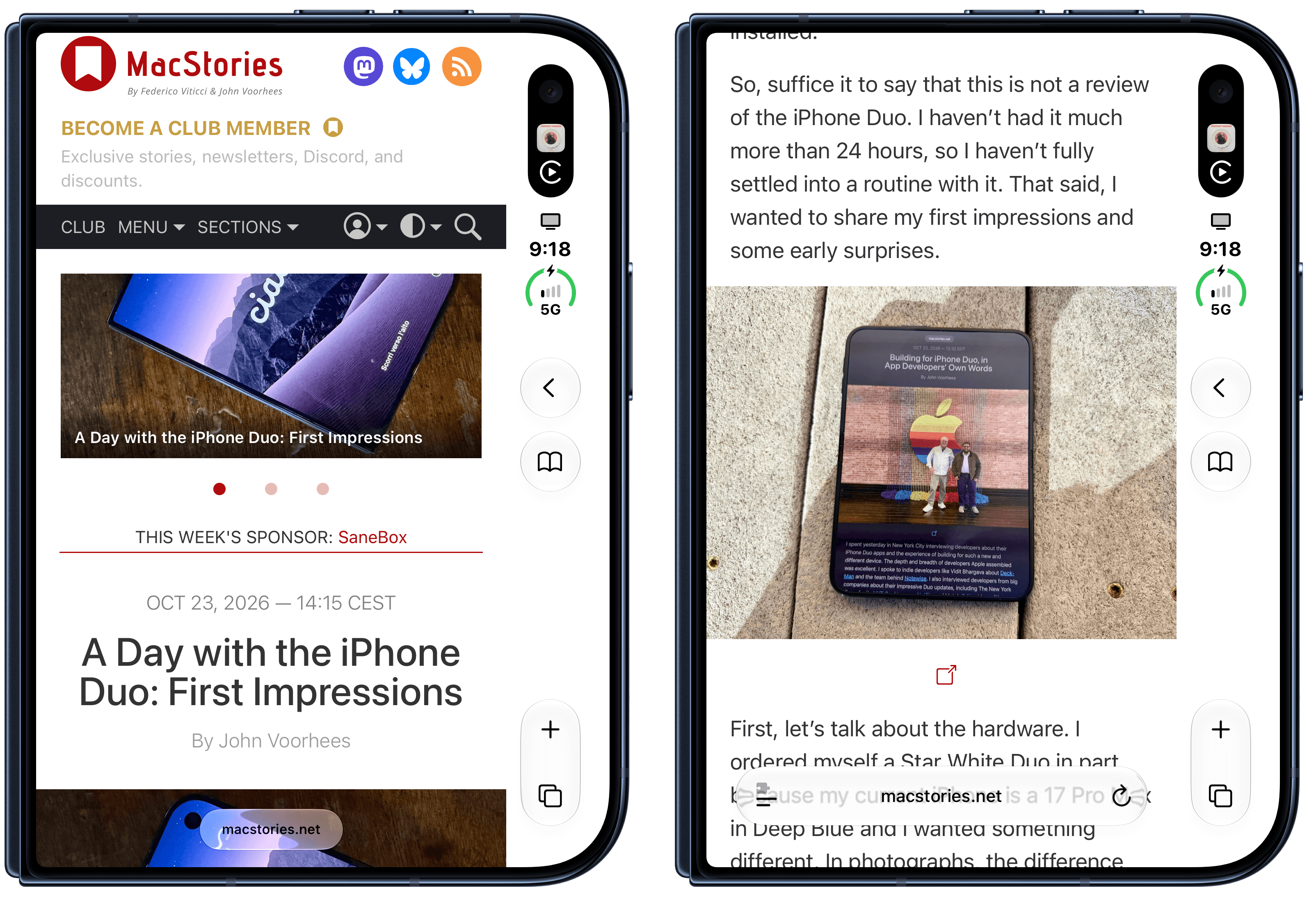
Since getting my iPhone Duo review unit yesterday, this is what has annoyed me the most. I dislike how all kinds of websites are simply cut off on the right side of Safari on the outer display. You can see this in action on MacStories itself: while we have fully updated our website to take advantage of the iPhone Duo’s new viewport sizes, there’s nothing we can do to extend the toolbar and other elements under Safari’s controls on the right side of the display. The result looks like a poor implementation on our end, but it isn’t.

MacStories on the iPhone Duo's outer display.

MacStories on the iPhone Duo’s outer display.

I hope Apple’s Safari and WebKit teams can figure this out; once they do, we’ll update MacStories for the iPhone Duo again.

Permalink

A Day with the iPhone Duo: First Impressions

I spent Wednesday in New York, interviewing developers about their iPhone Duo apps. It was like a little slice of WWDC dropped among Manhattan’s skyscrapers, which was wonderful. There’s nothing I enjoy about what we do at MacStories more than talking to developers about their apps and the stories behind them.

I left the city with a much better appreciation for what it’s like to build apps for the Duo, which will be incredibly valuable as Federico and I work our way through the enormous list of Duo apps that developers have shared with us. I also left New York with a 512GB Night Sky iPhone Duo for testing. As I left the press event, I suddenly had a phone to set up, but hadn’t done anything to prepare and had no fast Wi-Fi to download gigabytes of apps and files. Long story short (listen to MacStories Unwind for the long version), I headed to the airport and by the time I boarded the plane, I was on the iOS 27.2 beta and had the core system apps installed.

So, suffice it to say that this is not a review of the iPhone Duo. I haven’t had it much more than 24 hours, so I haven’t fully settled into a routine with it. That said, I wanted to share my first impressions and some early surprises.

Read more


Building for iPhone Duo, in App Developers’ Own Words

I spent yesterday in New York City interviewing developers about their iPhone Duo apps and the experience of building for such a new and different device. The depth and breadth of developers Apple assembled was excellent. I spoke to indie developers like Vidit Bhargava about Deck-Man and the team behind Notewise. I also interviewed developers from big companies about their impressive Duo updates, including The New York Times for its NYT Cooking app, Netflix, and Meta’s Edits video editing app. Plus, I met Mark Otero from Azra Games, whose team poured their hearts into UnGodly, one of the best-looking games I’ve seen on iOS in a while.

A few things struck me about my conversations with developers. First, every one of them was excited about the design challenges posed by the iPhone Duo and the many orientations and ways it can be used. Second, every one of them came away impressed by how smooth Apple has made the development process. That’s not to say the design challenges weren’t real, but getting from a design idea to an app that worked on the Duo went better than anyone expected. Third, after months of building and testing, everyone was looking forward to seeing which design choices land with users.

But that’s enough of my impressions. I’ll let the developers speak for themselves in this special bonus AppStories video. I came away from New York with some great interviews, which I’ve shared on the MacStories YouTube channel. Apologies for the sometimes rough audio. There’s only so much I can do with recordings made in a room packed with press and developers, but if you’re into apps, design, and how things are built, these interviews are for you.

Also, I left New York with a Night Sky 512GB iPhone Duo that I’ve only just set up and begun testing. I’ll be writing about the Duo soon, and we’ll start covering the best of the more than 300 Duo-optimized apps that developers have sent Federico and me. Stay tuned, because the busy fall season at MacStories is just going to keep rolling.


iPhone Duo Review Roundup: Great Hinge, Messy Apps, and Everybody Misses Face ID

iPhone Duo reviews are out today, and while I was hoping that this year I’d get to review this hybrid device under embargo, it hasn’t happened (I hope it will, someday!). I’ve spent the past few hours reading, annotating, and watching as many Duo reviews as I could, and I’ve compiled the most interesting bits and common themes in the roundup below.

The broad strokes are consistent across all the reviews: the Duo’s hinge and the matte inner display are terrific; the lack of Face ID and a telephoto camera are serious trade-offs; and most third-party apps aren’t ready yet. But there’s plenty of nuance in the details, and even some disagreement (about the speakers, of all things).

Let’s dive in.

Read more