Aperant, formerly Auto Claude, is an open-source desktop app that coordinates multiple AI coding agents around a Git repository. You can create a feature, bug fix, refactor, or documentation task and let the app handle planning, code changes, QA, and merge review.
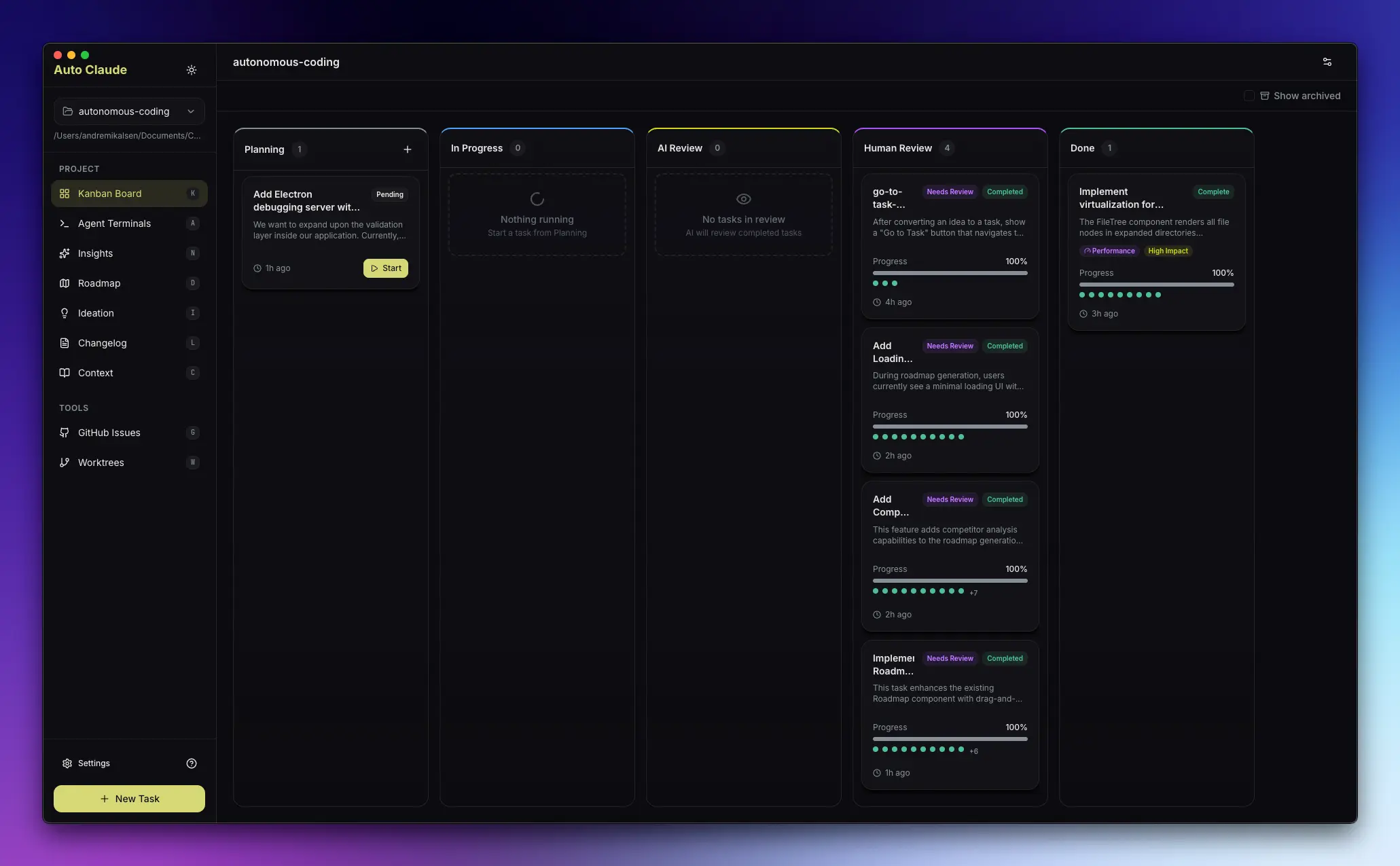
Each coding task runs in an isolated git worktree, so several jobs can run at the same time without editing the same working directory. Aperant also keeps task progress visible through a Kanban board and lets you review the resulting diff before merging changes.
The app supports Windows, macOS, and Linux and is released under the AGPL-3.0 license. Claude Code OAuth requires Claude Pro or Max and the Claude Code CLI, while API-compatible profiles provide another account option for supported providers.
Features
- Autonomous Task Execution. Turns a coding request into requirements, a specification, an implementation plan, code changes, and QA checks.
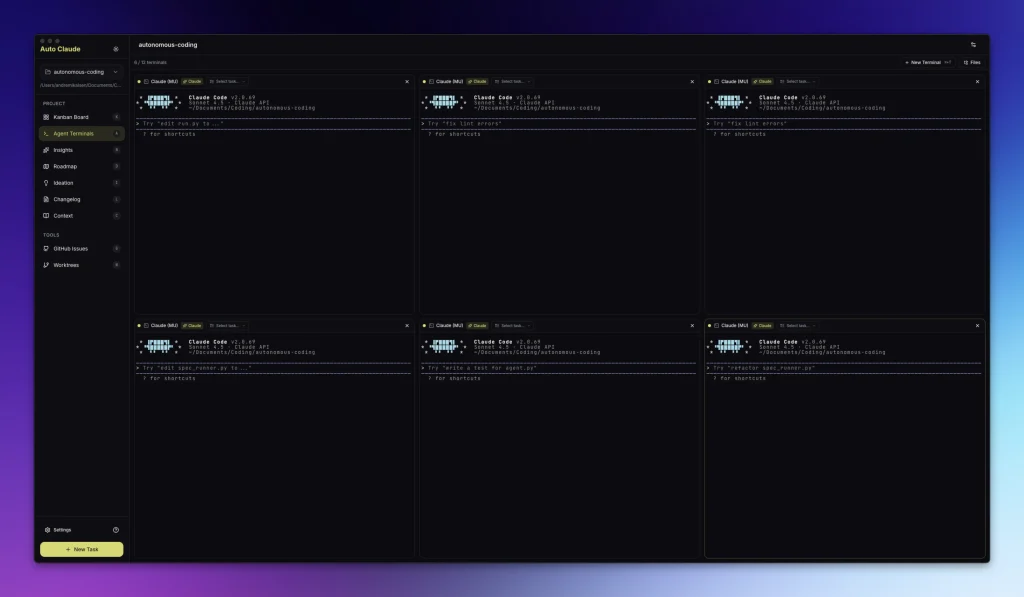
- Parallel Agent Terminals. Runs multiple coding sessions at the same time and supports up to 12 agent terminals.
- Git Worktree Isolation. Runs each autonomous build in its own worktree so concurrent tasks do not share one working directory.
- QA Reviewer and Fixer Agents. Checks completed work against task requirements and can correct reported issues before your review.
- Merge Conflict Handling. Detects conflicts between task branches and the main branch and can use agent assistance for conflicts that need code-level decisions.
- Project Memory. Retains project context across coding tasks so agents can reuse knowledge gathered from the repository.
- Project Analysis and Planning. Inspects the codebase before implementation and creates task requirements and planning steps from repository context.
- Claude OAuth and API Profiles. Supports Claude Code account access and API-compatible provider profiles with account switching and credential management.
- Kanban Task Board. Tracks coding tasks through planning, implementation, review, and completion.
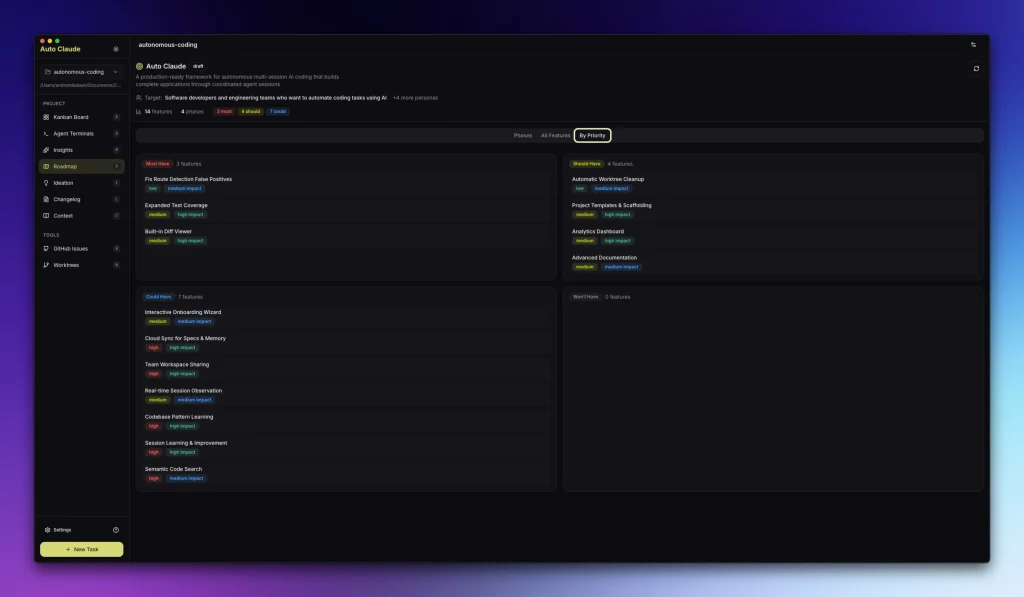
- Roadmap and Ideation Tools. Identifies possible features, refactors, performance work, security issues, and documentation tasks from the codebase.
- GitHub and GitLab Integration. Imports issues, investigates repository tasks, creates pull or merge requests, and supports code review.
- Changelog Generation. Creates release notes from completed tasks or commit history.
- Cross-Platform Desktop Builds. Runs on Windows, macOS, and Linux.
Use Cases
- Feature Development. Create a task for authentication, permissions, dashboards, exports, or other repository-level features and review the completed implementation before merge.
- Parallel Bug Fixes. Run unrelated fixes in isolated worktrees and review each change independently.
- Code Refactoring. Inspect a repository for refactor opportunities and turn selected ideas into coding tasks.
- Documentation Work. Create API documentation, onboarding material, inline comments, and release notes from repository context.
- Multiple Active Features. Keep independent feature tasks running at the same time when each change can live in its own worktree.
How to Use Aperant
1. Download the desktop installer for Windows, macOS, or Linux from the Aperant releases page.
2. Install Claude Code CLI if you plan to connect a Claude Pro or Max account through OAuth.
npm install -g @anthropic-ai/claude-code
3. Initialize Git in the project that Aperant will edit. Autonomous coding tasks use git worktrees.
cd your-project
git init
git add .
git commit -m "Initial commit"
4. Open Aperant, select the repository, and connect Claude through OAuth or configure an API-compatible provider profile.
5. Create a task from the Kanban board. Include the engineering request, acceptance criteria, affected areas, and any restrictions the agents need to follow.
6. Start the task and follow its progress through planning, implementation, and QA. Other jobs can run at the same time in their own worktrees.
7. Inspect the completed diff and run your project tests from the task worktree. Merge approved changes into your main branch or discard the worktree when the result needs another attempt.
Pros
- Runs several coding tasks at the same time.
- Keeps autonomous builds isolated with git worktrees.
- Includes specification, planning, implementation, QA, and merge review.
- Supports Claude OAuth and API-compatible provider profiles.
- Integrates with GitHub and GitLab repositories.
- Provides desktop builds for Windows, macOS, and Linux.
Cons
- Claude OAuth requires a paid Pro or Max account and Claude Code CLI.
- Autonomous coding tasks depend on Git and worktrees.
- Running several local agents can consume significant CPU and memory.
- Agent-generated changes require code review and project tests before merge.
Alternatives & Related Resources
- The Ultimate Claude Code Resource List. Find agents, skills, plugins, commands, and other resources for Claude Code.
- Best CLI AI Coding Agents. Compare terminal coding agents and related developer tools.
- Aperant Releases. Desktop installers for Windows, macOS, and Linux.
- Claude Code Documentation. Installation, authentication, commands, and configuration for Claude Code.
- Git Worktree Documentation. Git reference material for working with multiple worktrees.
FAQs
Is Aperant the same project as Auto Claude?
Yes. Aperant is the current name for the project originally released as Auto Claude.
Do I need Claude Pro or Max to use Aperant?
Claude Code OAuth requires Claude Pro or Max and the Claude Code CLI. Aperant also supports API-compatible provider profiles with their own credentials and usage costs.
How does Aperant differ from Claude Code?
Claude Code is Anthropic’s coding agent for the terminal. Aperant organizes coding-agent tasks in a desktop app with planning, parallel terminals, git worktrees, QA review, and merge management.
Does Aperant edit my main branch directly?
Autonomous coding tasks use git worktrees. Generated changes stay in an isolated working directory until you review and merge them. Run your own tests and inspect the diff before merge.
Last Updated: Aug 30, 2026