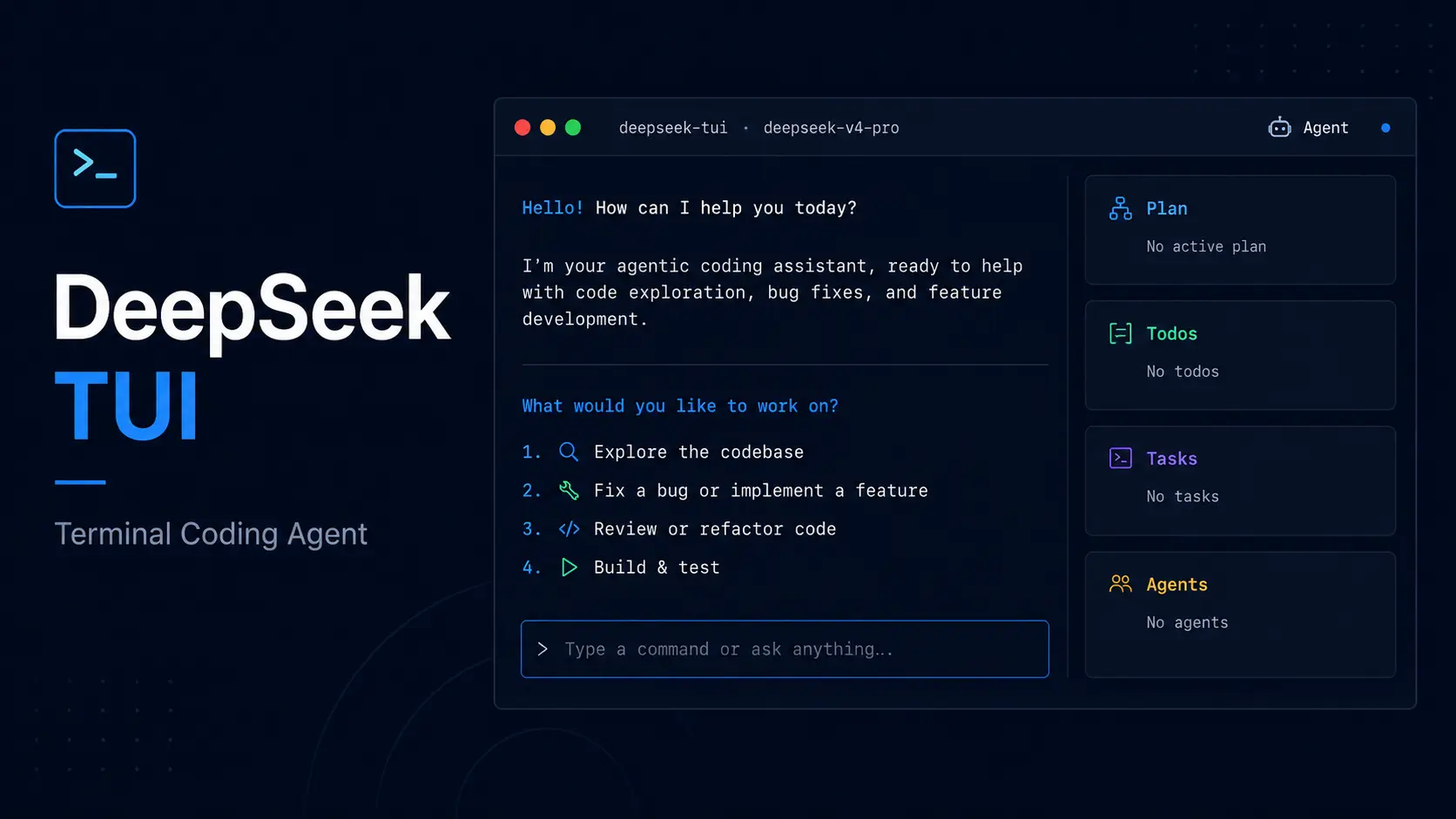
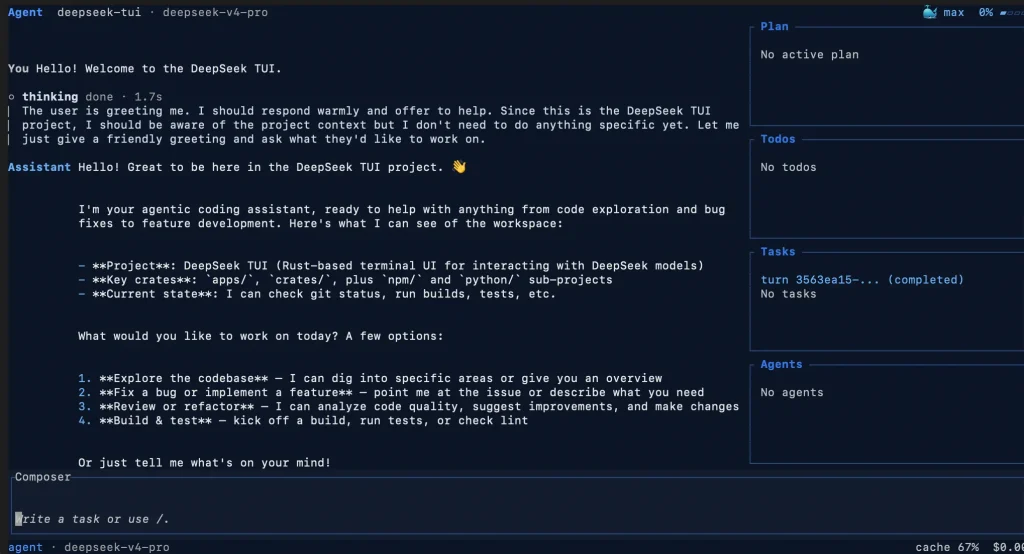
Codewhale, formerly DeepSeek TUI, is a free and open-source coding agent for the terminal.
It can inspect a repository, edit files, run commands, and check the result with DeepSeek or another hosted or local model.
You can choose the model behind each coding session, control what the agent can change or execute, and extend it with MCP servers, skills, and Fleet agents.
DeepSeek is the default AI provider, and the provider picker can switch to other hosted services or local runtimes such as Ollama, vLLM, and SGLang.
Features
- Runs interactively in the terminal or headlessly.
- Reads and edits repository files, runs shell commands, and checks changes.
- Uses Plan, Work, and Operate modes with Ask, Auto-Review, and Full Access permission postures.
- Connects to DeepSeek, hosted providers, OpenAI-compatible endpoints, and local runtimes.
- Saves sessions and workspace snapshots outside the repository’s own
.gitdirectory. - Coordinates multi-agent work with Fleet and Workflow.
- Loads reusable skills, hooks, plugins, and MCP servers.
- Runs through a loopback web client, Runtime API, ACP adapter, and local automation.
- Runs LSP diagnostics after edits with compatible language servers.
Use Cases
- Inspect an unfamiliar repository in read-only Plan mode.
- Implement, test, and review code changes in Work mode with the approval posture you choose.
- Coordinate longer or parallel tasks with Fleet members and saved Workflow phases.
- Run inference through a hosted provider or local Ollama, vLLM, or SGLang.
Codewhale vs Claude Code
Both products can inspect repositories, edit files, run commands, and handle multi-step coding work. Codewhale is an MIT-licensed agent that can use hosted providers or local models. Claude Code is Anthropic’s coding agent and uses Claude models.
| Codewhale | Claude Code | |
|---|---|---|
| Product type | Open-source terminal coding agent | Anthropic coding agent |
| Models | Hosted providers + local models | Claude models through Anthropic or supported cloud platforms |
| Clients | TUI, headless exec, local web, Runtime API | Terminal, IDE, desktop, web |
| Controls | Plan, Work, Operate + permission postures | Permissions, hooks, subagents, skills, plugins |
How to Use It
Installation
# macOS or Linux
curl -fsSL https://codewhale.net/install.sh | sh
# npm
npm install -g codewhale
# Cargo
cargo install codewhale-cli --locked
# Homebrew
brew install Hmbown/deepseek-tui/codewhale
# Direct-release installs
codewhale update --check
codewhale update
Migrating from DeepSeek TUI
The rename started with v0.8.41. New installs use the codewhale command, the codewhale npm package, and ~/.codewhale/ for product-owned state. Legacy ~/.deepseek/ configuration, sessions, skills, tasks, MCP settings, and DEEPSEEK_* environment variables are read during migration. Run codewhale doctor after upgrading to inspect the active state root, provider configuration, local dependencies, and migration issues.
| Before | Now | Migration Note |
|---|---|---|
| DeepSeek TUI | Codewhale | Use the Codewhale name for new installs and documentation. |
deepseek / deepseek-tui | codewhale / codew | The old binary shims were removed in v0.9.0. |
deepseek-tui npm package | codewhale | The legacy package is deprecated and receives no new releases. |
~/.deepseek/ | ~/.codewhale/ | Legacy state is read as a fallback during migration. |
.deepseek/config.toml | .codewhale/config.toml | The Codewhale project overlay takes precedence when both exist. |
Authentication
Codewhale opens before a model credential is configured. Model replies begin after you connect a hosted provider or local runtime. Use /provider or F3 in the TUI, save a provider credential, or connect Ollama, vLLM, or SGLang. A key saved with auth set takes precedence over the matching environment variable.
codewhale auth set --provider deepseek
codewhale auth status
# Environment variable alternative
export DEEPSEEK_API_KEY="YOUR_KEY"
codewhale auth clear --provider deepseek
codewhale doctor
codewhale doctor --json
Starting a Session
First run opens directly to the composer. Until a model is connected, the launch screen reports that no model is connected. Open Codewhale in the repository you want it to inspect, use /provider or F3 to connect a provider, and use /model to choose the active model.
codewhale                                      # open the interactive TUI
codew                                          # short alias
codewhale exec "fix this test failure"         # run a headless task
codewhale -c                                   # continue the latest saved session here
codewhale resume <SESSION_ID>                  # resume a saved session
codewhale web                                  # open the loopback web client
Auto Routing
--model auto uses a local provider-aware heuristic by default. An [auto.router] provider and model can enable classifier-based routing. If the classifier fails, Codewhale returns to the local heuristic.
Select a fixed model when you need repeatable comparisons or a strict provider boundary.
Modes and Permissions
When the composer is empty, Tab cycles Plan, Work, and Operate. Shift+Tab cycles Ask, Auto-Review, and Full Access. Ctrl+T changes reasoning effort. Plan blocks file mutation and shell execution. /mode act is a compatibility alias for Work. Full Access belongs only in a trusted, recoverable workspace.
| Mode | Behavior | Use |
|---|---|---|
| Plan | Read-only repository investigation | Explore and prepare a change |
| Work | Normal coding through the active permission posture | Edit, test, and review work |
| Operate | Goal-oriented work with Fleet and Workflow coordination | Parallel or long-running tasks |
Reasoning Effort
Reasoning effort belongs to the selected model configuration. Ctrl+T cycles the available level, and each provider exposes only the reasoning levels its models accept.
Session Management
Press Ctrl+R to open the session picker and r to rename a selected session. Codewhale stores saved sessions in its managed state area. Explicit exports can use a path you choose.
Workspace rollback checkpoints also live in Codewhale-managed state outside your repository’s .git directory. /restore list shows available snapshots, and /restore or revert_turn can roll back file changes from a selected turn.
codewhale sessions                # list saved sessions
codewhale -c                       # continue the latest session in this folder
codewhale resume <SESSION_ID>      # resume a selected session
codewhale fork <SESSION_ID>        # branch from saved work
Goals, Receipts, Fleet, and Workflow
Use /goal to create or inspect the active objective. The mode and permission posture stay unchanged.
Fleet stores reusable worker roles and execution state for delegated tasks. Workflow defines ordered phases and gates, and saved *.workflow.js files can appear as slash commands. Completed work leaves receipts with the provider/model used, actions taken, and available verification details.
Useful Commands
| Command | Purpose |
|---|---|
codewhale | Open the interactive TUI. |
codewhale exec "prompt" | Run a headless task. |
codewhale -c | Continue the latest saved session in the current folder. |
codewhale sessions | List saved sessions. |
codewhale web | Open the local browser client. |
codewhale doctor | Inspect configuration and local readiness. |
codewhale config | Inspect or change settings. |
codewhale mcp list | List configured MCP servers. |
codewhale update --check | Check a direct-release install for updates. |
Keyboard Shortcuts
| Key | Action |
|---|---|
Tab | Complete menus or cycle Plan, Work, and Operate when the composer is empty. |
Shift+Tab | Cycle Ask, Auto-Review, and Full Access. |
Ctrl+T | Cycle reasoning effort. |
F1 | Open help. |
Ctrl+R | Open the saved session picker. |
Alt+R | Search prompt history. |
@path | Attach file or directory context. |
Provider Configuration
Use /provider inside the TUI for normal setup. The CLI also accepts saved credentials and OpenAI-compatible or local endpoints.
DeepSeek API calls use DeepSeek billing. Check the latest DeepSeek API pricing before long agent sessions.
# DeepSeek
codewhale auth set --provider deepseek
# Anthropic
codewhale auth set --provider anthropic --api-key "YOUR_ANTHROPIC_API_KEY"
# OpenRouter
codewhale auth set --provider openrouter --api-key "YOUR_OPENROUTER_API_KEY"
# Generic OpenAI-compatible endpoint
OPENAI_BASE_URL="http://localhost:8000/v1" codewhale --provider openai --model YOUR_MODEL
# Local runtimes
codewhale --provider ollama --model YOUR_MODEL
VLLM_BASE_URL="http://localhost:8000/v1" codewhale --provider vllm --model YOUR_MODEL
SGLANG_BASE_URL="http://localhost:30000/v1" codewhale --provider sglang --model YOUR_MODEL
Key Environment Variables
| Variable | Purpose |
|---|---|
CODEWHALE_HOME | Override the Codewhale state directory. |
CODEWHALE_CONFIG_PATH | Use a different configuration file. |
DEEPSEEK_API_KEY | Set the DeepSeek provider credential. |
OPENAI_BASE_URL | Point the generic OpenAI-compatible provider to another endpoint. |
OLLAMA_BASE_URL | Set a custom Ollama endpoint. |
VLLM_BASE_URL / SGLANG_BASE_URL | Set self-hosted vLLM or SGLang endpoints. |
Config File
New installations store product-owned state under ~/.codewhale/. A project-level overlay at <workspace>/.codewhale/config.toml can override non-sensitive settings.
Legacy ~/.deepseek/ and <workspace>/.deepseek/config.toml paths are read as fallbacks, and the Codewhale project overlay takes precedence when both exist.
Skills
Each skill is a directory with a SKILL.md file. Codewhale scans its workspace and user skill roots and can read compatible agent skill directories.
Use /skills to open the manager and /skills inspect to review an installed skill before using it.
MCP Integration
Configure MCP server connections in ~/.codewhale/mcp.json. Codewhale can consume tools from connected servers and expose its runtime through codewhale mcp.
codewhale mcp list
codewhale mcp validate
Web, Runtime API, and ACP
codewhale web opens a loopback-only browser client over the authenticated Runtime API. It can display transcripts, start or steer turns, handle approvals, and recover pending questions after a tab reload. Runtime tokens stay out of URLs and browser storage.
The local web client has fewer controls than the TUI and Fleet views. ACP connects compatible editors such as Zed. The Runtime API serves local applications and automation that need thread, event, and approval control.
codewhale web
codewhale serve --http
codewhale serve --acp
Pros
- Free and MIT-licensed.
- Hosted and local models.
- Resumable sessions with rollback checkpoints.
- Fleet and Workflow orchestration.
- TUI, headless, local web, and Runtime API.
- MCP, skills, hooks, and plugins.
Cons
- Hosted model costs use provider billing.
- No Codewhale OS command sandbox on Windows.
Alternatives & Related Resources
- The Ultimate Claude Code Resource List 2026: Agents, Skills, Plugins & More
- 10 Best CLI AI Coding Agents in 2026: Open-Source & Commercial
- Reasonix: Free DeepSeek Coding Agent for CLI, Desktop & VS Code
- DeepSeek Harness: Open-Source Plugin-Based AI Agent Harness
- How to Use DeepSeek in Claude Code With an API Key
FAQs
Q: What is the difference between codewhale and codewhale-tui?
A: Since v0.9.5, codewhale contains the terminal UI in one compiled runtime. There is no second TUI executable to install. Cargo installs codewhale-cli; release, npm, and Homebrew installs also provide the byte-identical codew alias. codewhale-tui is used only as an internal crate and compatibility release filename.
Q: Does Codewhale send project code to a Codewhale service?
A: No mandatory Codewhale relay handles model requests. A hosted model provider receives the context needed for each request. A local Ollama, vLLM, or SGLang endpoint keeps model inference local. Anonymous telemetry is enabled by default and sends aggregate usage, feature, and error counts; it excludes conversations, code, prompts, files, credentials, and model content.
Q: How should I protect a repository?
A: Begin unfamiliar work in Plan, keep Ask or Auto-Review active for changes, and commit important work before large edits. Full Access belongs only in a trusted workspace with a tested recovery plan.
Last updated: Sep 27, 2026