



Why you’ll love Push Notification
How to Use ?
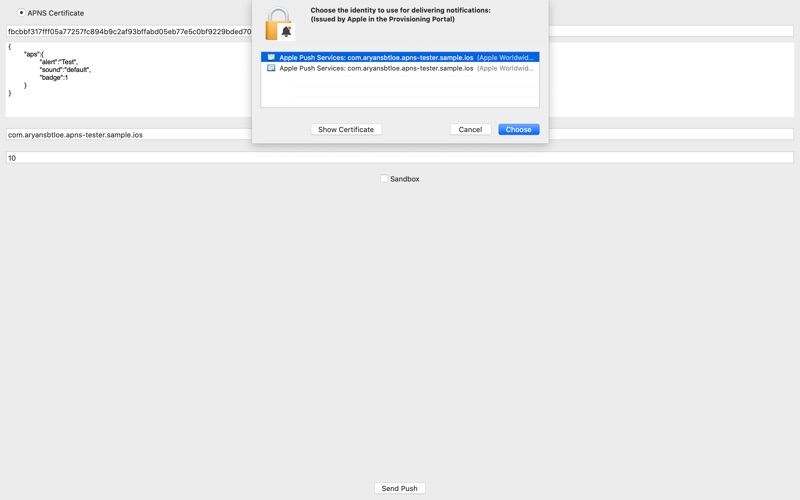
1: Get Push Notification Certificates (Ask the iOS Developer)
2: Install Certificates on your Mac KeyChain
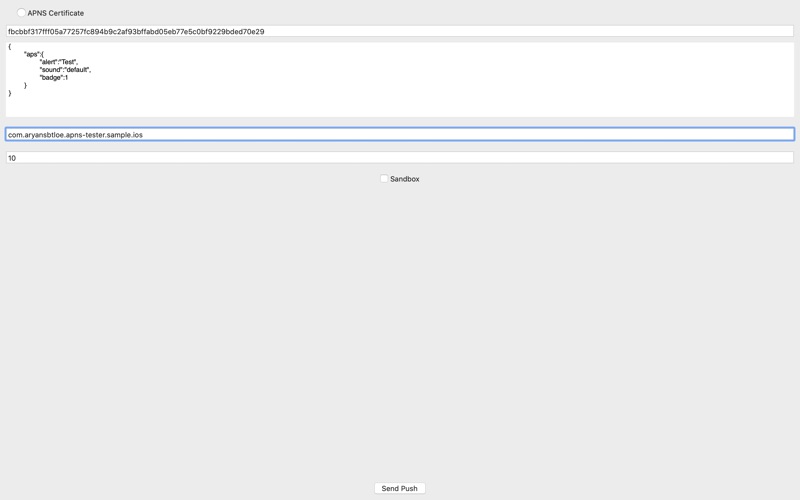
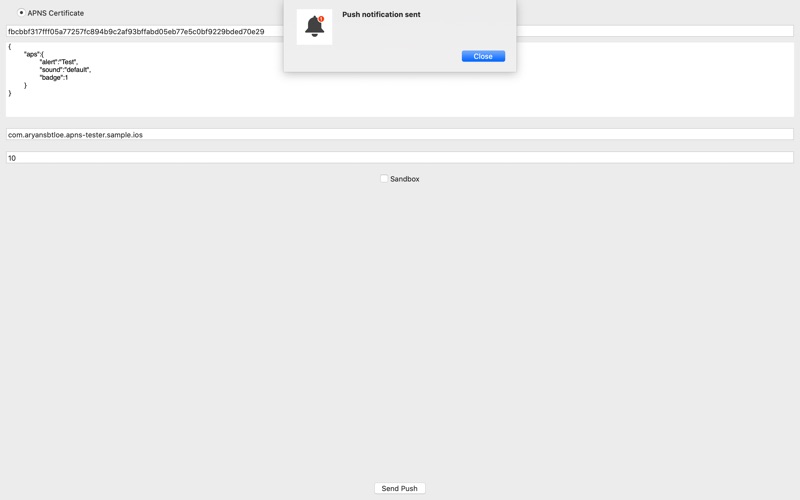
3: Choose Certificate and fill other details and tap 'Send Push'
1. Send push notifications to APNS (Apple Push Notification Service) easily with out any dependency of your backend server.
2. Select the push-certificate right from your keychain.
Getting started with Push Notification
Install it on your Mac
Download Push Notification - Tester free from the Mac App Store and open it.
Add your push certificate
Get the app's APNs push certificate from your iOS developer and install it in your Mac's Keychain.
Send a test push
Choose the certificate, paste the device token, pick the Development or Production environment, edit the JSON payload and click Send Push.
App privacy
Your privacy matters. Push Notification is built to keep your data on your device wherever possible. The app may show ads (Google AdMob) and use basic, anonymous analytics to improve the experience. Push Notification does not sell your personal data.
Terms of Use and Privacy Policy
Terms of Use (EULA): https://www.apple.com/legal/internet-services/itunes/dev/stdeula/
Our Terms of Use: https://bestlatestapps.com/apps/push-notification/terms
Privacy Policy: https://bestlatestapps.com/apps/push-notification/privacy
Frequently asked questions
Is Push Notification free?
Yes, Push Notification is free to download on the App Store.
What is Push Notification?
A simple application to test Apple Push Notification Service (APNS). Where developers can use for Push Notification Testing of apps right from their Mac.
What devices does Push Notification support?
Push Notification runs on Mac. It requires macOS 14.6 or later.
When was Push Notification last updated?
The latest version is 2026.10.03, released on 2026-10-13.
Explore more about Push Notification
Reviews, comparisons and guides.
Push Notification details
What’s new (v2026.10.03)
- Bug fixes and enhancements.
From the blog
Guides and build notes about this app, written by Alok Singh.
Finding push certificates in the Keychain, importing .p12 files, answering APNs's client-certificate challenge in URLSession, building the exact request…
The Device Side of APNs: Building a Push Notification Test Client in SwiftPermission, registration, device tokens, foreground presentation and payload inspection, plus the exact HTTP/2 request your backend needs to send
How to Test iOS Push Notifications Without a Server (2026 Guide)Test iOS push notifications with no backend: simctl push and .apns files, drag-and-drop to Simulator, Apple's Push Notifications Console, curl with a .p8 key…
Get Push Notification today
Download Push Notification on the App Store and start in seconds.

