
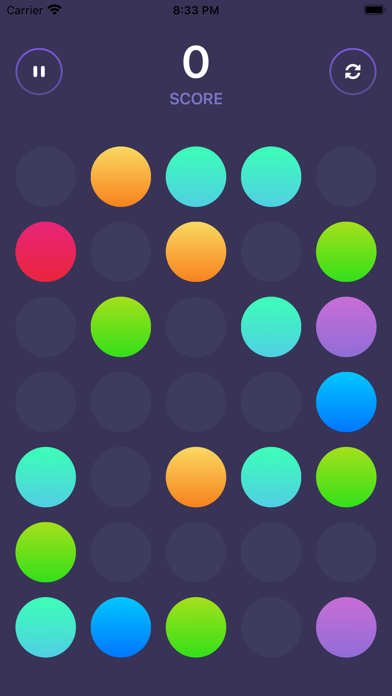
Why you’ll love Speck Match
Match coloured dots and challenge yourself in this addictive puzzle game!
Easy to learn, hard to master
Tap and drag to connect matching dots
Clear dots to score points and make room for new ones
Game gets faster and more challenging as you progress
Earn points for every match you make
Getting started with Speck Match
Install Speck Match
Download Speck Match free from the App Store on your iPhone and open it.
Connect matching dots
Tap and drag to connect dots of the same colour and clear them from the board.
Play fast to score high
Match quickly as new dots appear faster, and compare your high score on the Game Center leaderboards.
Speck Match on iPad

App privacy
Your privacy matters. Speck Match is built to keep your data on your device wherever possible. The app may show ads (Google AdMob) and use basic, anonymous analytics to improve the experience. Speck Match does not sell your personal data.
Terms of Use and Privacy Policy
Terms of Use (EULA): https://www.apple.com/legal/internet-services/itunes/dev/stdeula/
Our Terms of Use: https://bestlatestapps.com/apps/speck-match/terms
Privacy Policy: https://bestlatestapps.com/apps/speck-match/privacy
Frequently asked questions
Is Speck Match free?
Yes, Speck Match is free to download on the App Store.
What is Speck Match?
Match coloured dots and challenge yourself in this addictive puzzle game! HOW TO PLAY Tap and drag dots to match them by colour.
What devices does Speck Match support?
Speck Match runs on iPhone and iPad. It requires iOS 15.6 or later.
When was Speck Match last updated?
The latest version is 2026.01.15, released on 2026-01-16.
Speck Match details
What’s new (v2026.01.15)
- Fixed Game Center leaderboard display issue
- Improved app stability and performance
- Bug fixes and enhancements
From the blog
Guides and build notes about this app, written by Alok Singh.
A dot-matching board drawn with Canvas and TimelineView, drag gestures that chain same-colour dots, speed-based scoring and rising difficulty, pause and…
Game Center on iPhone: How to Sign In, Add Friends and Compare Scores on LeaderboardsA practical guide to Apple's Game Center: signing in, setting up your profile and nickname, adding friends, finding leaderboards in games, privacy settings…
Get Speck Match today
Download Speck Match on the App Store and start in seconds.

