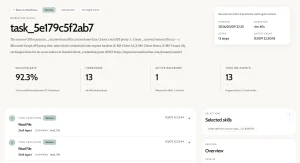
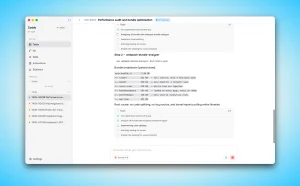
Kimi K3.1 Pro can run inside Codex and Claude Code using either a Kimi Code membership or the pay-as-you-go Kimi API. Both coding agents retain their file editing, terminal commands, and project workflows, with Kimi handling the model requests.
You can connect directly through Kimi’s native API endpoints. Each access method has its own credentials and model IDs, with different settings for context length and reasoning effort.
Choose How to Access Kimi K3.1 Pro
Kimi Code uses membership quota and keys from the Kimi Code Console. Plus (legacy Moderato) members can use K3.1 Pro with a 256K-token context limit. Pro (legacy Allegretto) and higher tiers unlock up to 1M tokens and K3.1 Pro Highspeed. Kimi Open Platform uses its own API keys, usage-based billing, and a 1M-token context window for K3.1 Pro.
On Kimi Open Platform, K3.1 Pro costs $2 per million input tokens and $10 per million output tokens. K3.1 Pro Highspeed costs $4 per million input tokens and $20 per million output tokens.
| Access method | Account and usage | Key source |
|---|---|---|
| Kimi Code membership | Membership limits: rolling 5-hour and monthly quotas; weekly for legacy plans | Kimi Code Console |
| Kimi Open Platform | Pay-as-you-go API billing and platform rate limits | Kimi Open Platform API Keys |
What You Need
Install the coding agent you plan to use, create the key for your chosen route, and open a terminal in a project you can safely inspect. Keep API keys out of repositories, screenshots, and shared configuration files.
Configure Kimi K3.1 Pro in Codex
Codex stores personal settings in ~/.codex on macOS and Linux or %USERPROFILE%\.codex on Windows. Back up an existing configuration, preserve unrelated settings, and keep each top-level key or provider table only once.
Codex with a Kimi Code membership
Kimi Code uses its own model IDs. The example below configures
k3.1-prowith a 256K context limit for Plus and legacy Moderato members. Higher-tier members can change the context values to 1M.
Create ~/.codex/models.json, or %USERPROFILE%\.codex\models.json on Windows. If you already have a K3 model catalog, insert the K3.1 Pro object into its existing models array and retain the older models. This example shows a complete catalog for a new setup.
{
  "models": [
    {
      "slug": "k3.1-pro",
      "display_name": "K3.1 Pro",
      "description": "K3.1 Pro, 256K context",
      "default_reasoning_level": "max",
      "supported_reasoning_levels": [
        {
          "effort": "low",
          "description": "Light reasoning"
        },
        {
          "effort": "high",
          "description": "Enhanced reasoning"
        },
        {
          "effort": "max",
          "description": "Deep reasoning"
        }
      ],
      "shell_type": "shell_command",
      "apply_patch_tool_type": "freeform",
      "visibility": "list",
      "supported_in_api": true,
      "priority": 0,
      "base_instructions": "",
      "supports_reasoning_summaries": true,
      "default_reasoning_summary": "none",
      "support_verbosity": false,
      "truncation_policy": {
        "mode": "bytes",
        "limit": 10000
      },
      "context_window": 262144,
      "max_context_window": 262144,
      "effective_context_window_percent": 95,
      "supports_parallel_tool_calls": true,
      "experimental_supported_tools": [],
      "input_modalities": [
        "text",
        "image"
      ]
    }
  ]
}
For Pro, legacy Allegretto, and higher members using the regular K3.1 Pro model, change both context_window and max_context_window to 1048576. To use Highspeed, change the model slug to k3.1-pro-highspeed, set its display name to K3.1 Pro Highspeed and description to K3.1 Pro Highspeed, 1M context, and use 1048576 for both context fields. Set the same selected slug in config.toml.
Add the Kimi Code provider settings
Open ~/.codex/config.toml, or %USERPROFILE%\.codex\config.toml on Windows. Use the overseas Kimi Code endpoint below. For the China endpoint, substitute https://api.kimi.com/coding/v1. Update existing top-level model settings and retain unrelated options.
model = "k3.1-pro"
model_provider = "kimi"
web_search = "live"
model_catalog_json = "~/.codex/models.json"
[model_providers.kimi]
name = "Kimi"
base_url = "https://api.kimi.ai/coding/v1"
env_key = "KIMI_API_KEY"
wire_api = "responses"
[desktop]
enabled-reasoning-efforts = ["low", "high", "max"]
Set the Kimi Code key for the current session
Make the Kimi Code Console key available in the terminal that will start Codex.
echo "Paste your Kimi Code key and press Enter (input is hidden):"
read -s KIMI_API_KEY
export KIMI_API_KEY
Windows PowerShell
$kimiSecret = Read-Host "Paste your Kimi Code key" -AsSecureString
$env:KIMI_API_KEY = [System.Net.NetworkCredential]::new('', $kimiSecret).Password
Remove-Variable kimiSecret
Codex with the Kimi Open Platform API
This uses a Kimi Open Platform API key and the Open Platform model ID
kimi-k3.1-pro. A Kimi Code membership key will not authenticate against this endpoint.
Open ~/.codex/config.toml, or %USERPROFILE%\.codex\config.toml on Windows. Update existing top-level model settings and add the provider table once while preserving unrelated options.
model = "kimi-k3.1-pro"
model_provider = "kimi"
model_context_window = 1048576
[model_providers.kimi]
name = "Kimi"
base_url = "https://api.moonshot.ai/v1"
env_key = "KIMI_API_KEY"
wire_api = "responses"
Set the Open Platform key for the current session
echo "Paste your Kimi Open Platform key and press Enter (input is hidden):"
read -s KIMI_API_KEY
export KIMI_API_KEY
Windows PowerShell
$kimiSecret = Read-Host "Paste your Kimi Open Platform key" -AsSecureString
$env:KIMI_API_KEY = [System.Net.NetworkCredential]::new('', $kimiSecret).Password
Remove-Variable kimiSecret
Verify Codex
Close any running Codex session. Start Codex from the terminal where you set the key, then send hello. The startup display should show your configured provider and model.
cd "/path/to/your/project"
codex
Configure Kimi K3.1 Pro in Claude Code
Claude Code loads personal connection values from ~/.claude/settings.json, or %USERPROFILE%\.claude\settings.json on Windows. Its env object overrides variables with matching names from your terminal. Back up the file, preserve unrelated settings, and remove old Kimi endpoint, credential, or model entries before adding one complete route.
If Claude Code has never completed its first-run flow, Kimi’s setup requires Node.js for a one-time initialization. Run the following command before the first launch.
node --eval "
const fs = require('fs');
const path = require('path');
const os = require('os');
const filePath = path.join(os.homedir(), '.claude.json');
const current = fs.existsSync(filePath)
  ? JSON.parse(fs.readFileSync(filePath, 'utf-8'))
  : {};
fs.writeFileSync(filePath, JSON.stringify({
  ...current,
  hasCompletedOnboarding: true
}, null, 2), 'utf-8');"
Claude Code with a Kimi Code membership
Use a key from the Kimi Code Console. The example below configures k3.1-pro with the 256K context limit for Plus and legacy Moderato members. The key is stored as plaintext in your personal settings file.
Do not commit that file or a backup to a repository.
{
  "env": {
    "ANTHROPIC_BASE_URL": "https://api.kimi.ai/coding/",
    "ANTHROPIC_API_KEY": "YOUR_KIMI_CODE_KEY",
    "ANTHROPIC_MODEL": "k3.1-pro",
    "ANTHROPIC_DEFAULT_FABLE_MODEL": "k3.1-pro",
    "ANTHROPIC_DEFAULT_OPUS_MODEL": "k3.1-pro",
    "ANTHROPIC_DEFAULT_SONNET_MODEL": "k3.1-pro",
    "ANTHROPIC_DEFAULT_HAIKU_MODEL": "k3.1-pro",
    "CLAUDE_CODE_SUBAGENT_MODEL": "k3.1-pro",
    "CLAUDE_CODE_EFFORT_LEVEL": "max",
    "CLAUDE_CODE_AUTO_COMPACT_WINDOW": "262144",
    "CLAUDE_CODE_MAX_CONTEXT_TOKENS": "262144"
  }
}
For Pro, legacy Allegretto, and higher members, use k3.1-pro[1m] for every model-role field, and change both CLAUDE_CODE_AUTO_COMPACT_WINDOW and CLAUDE_CODE_MAX_CONTEXT_TOKENS to 1048576. Pro and higher tiers can choose k3.1-pro-highspeed for faster output. The exact context settings depend on the model and client configuration.
Claude Code with the Kimi Open Platform API
Use an Open Platform API key with Kimi’s Anthropic-compatible endpoint. The model ID is kimi-k3.1-pro, and the API has a 1M-token context window. Replace the placeholder with your Open Platform key and enable Claude Code thinking.
{
  "env": {
    "ANTHROPIC_BASE_URL": "https://api.moonshot.ai/anthropic",
    "ANTHROPIC_AUTH_TOKEN": "YOUR_MOONSHOT_API_KEY",
    "ANTHROPIC_MODEL": "kimi-k3.1-pro",
    "ANTHROPIC_DEFAULT_OPUS_MODEL": "kimi-k3.1-pro",
    "ANTHROPIC_DEFAULT_SONNET_MODEL": "kimi-k3.1-pro",
    "ANTHROPIC_DEFAULT_HAIKU_MODEL": "kimi-k3.1-pro",
    "ANTHROPIC_DEFAULT_FABLE_MODEL": "kimi-k3.1-pro",
    "CLAUDE_CODE_SUBAGENT_MODEL": "kimi-k3.1-pro",
    "CLAUDE_CODE_AUTO_COMPACT_WINDOW": "1000000",
    "CLAUDE_CODE_EFFORT_LEVEL": "max"
  }
}
Verify Claude Code
Restart Claude Code after saving the file. Open your project, launch Claude Code, and enter /status. For Kimi Code, confirm https://api.kimi.ai/coding/ and k3.1-pro, or k3.1-pro[1m] if you configured the higher context limit. For Open Platform, confirm https://api.moonshot.ai/anthropic and kimi-k3.1-pro. Send hello to check authentication and model responses.
cd "/path/to/your/project"
claude
Which Kimi Model Should You Use?
For new coding sessions, k3.1-pro is the current flagship model. Plus and legacy Moderato members have a 256K context limit, and Pro and legacy Allegretto members and higher can use up to 1M. On Kimi Open Platform, select kimi-k3.1-pro for the regular model or kimi-k3.1-pro-highspeed for faster output. The latter uses the Open Platform API billing rates, not membership quota.
k3.1-pro-highspeed on Kimi Code is approximately 2–3 times faster than the regular model and consumes about twice the membership quota. It requires Pro, legacy Allegretto, or a higher tier. The regular K3.1 Pro model is the default example in this tutorial.
Existing K3 configurations can continue using k3 and k3-256k on Kimi Code. The k3 model has a 256K context limit on Plus/Moderato and up to 1M on Pro/Allegretto and higher, while k3-256k always uses 256K. At 256K context, the latter has the same K3 model behavior but uses approximately half the membership quota of full-context K3. Open Platform’s older model IDs include kimi-k3 for Codex and kimi-k3[1m] for Claude Code. Keep the original provider endpoint and account-specific API key if you continue using K3.
What the Kimi Configuration Settings Mean
Codex connects through the Responses API. wire_api = "responses" selects that format, base_url identifies the correct Kimi service, and env_key names the environment variable that holds the secret. The Kimi Code model catalog supplies model metadata that Codex does not bundle.
Claude Code sends Anthropic-compatible Messages API requests. Its model-role variables select models for the main conversation, task tiers, and subagents. Setting every role prevents a background task from falling back to a Claude model name that Kimi does not recognize.
An environment variable is a named value inherited by a program. The session-only key commands disappear when that terminal closes. For persistent Codex access, add the variable through your private shell profile or Windows user environment settings. Shell profiles and user environment variables store the value in plaintext.
Context settings tell each coding agent how much input context it can assign to a session. Kimi Code Plus/Moderato uses 262144 for K3.1 Pro. Pro/Allegretto and higher can use 1048576; in Claude Code, this configuration also requires k3.1-pro[1m]. Kimi Open Platform K3.1 Pro has a 1M-token context window.
K3.1 Pro supports low, high, and max reasoning effort. The Codex model catalog and Claude Code examples here explicitly select max. K3.1 Pro requires thinking mode. Start a new session when changing from K3 to K3.1 Pro to avoid stale context and reduced cache hits.
Try Kimi K3.1 Pro on Your First Coding Task
Inspect your repository
A greeting checks the connection. A read-only repository request confirms that the coding agent can inspect your actual project and return file-specific findings.
Inspect this repository without changing any files. Explain its main components, identify the application entry points, and find the existing build and test commands. Name the files that establish those commands. If you cannot determine something, say what is missing.Make one small change
After checking the result, try one limited edit. Replace the bracketed text with a real issue and a result you can verify.
Fix this issue: [describe one concrete problem].
The change is successful when: [describe the expected behavior].
Inspect the relevant code first and propose a short plan. Wait for my approval before editing. Keep the change limited to this issue. Run the relevant existing checks after the edit and report the files changed, what passed, and anything you could not verify.
Troubleshooting
A 401 authentication error appears
Check the API key and endpoint as a pair. A Kimi Code Console key uses api.kimi.ai/coding (international) or api.kimi.com/coding (China). A Kimi Open Platform key uses api.moonshot.ai. In Claude Code, Kimi Code uses ANTHROPIC_API_KEY, and Open Platform uses ANTHROPIC_AUTH_TOKEN. Remove any leftover ANTHROPIC_API_KEY if you switch Claude Code to Open Platform.
A membership authorization error can indicate that your plan does not include the requested model or context. K3.1 Pro requires Plus, legacy Moderato, or higher. Its 1M context option and Highspeed version require Pro, legacy Allegretto, or higher.
The endpoint or model is rejected
Check the URL suffix and model ID. Kimi Code uses k3.1-pro and k3.1-pro-highspeed, with the [1m] suffix for 1M Claude Code membership setups. Open Platform uses kimi-k3.1-pro and kimi-k3.1-pro-highspeed. The Open Platform K3.1 Pro ID does not need the bracketed suffix. Older K3 IDs are listed in the model selection section.
K3.1 Pro returns a 400 thinking-mode error
K3.1 Pro rejects requests that disable thinking. Turn thinking on in Claude Code or remove a no-thinking setting, and choose low, high, or max reasoning effort. A 400 response with thinking disabled is a model setting error, not an API key failure.
Configuration changes do not take effect
Restart the coding agent and confirm that you edited the personal configuration file. Check for duplicate TOML keys, invalid JSON commas, launch flags, selected profiles, and old environment values. Claude Code’s env object overrides matching shell variables. Codex Desktop on macOS may need KIMI_API_KEY injected into the user session because apps opened from Finder do not inherit terminal variables.
launchctl setenv KIMI_API_KEY "YOUR_KEY_FROM_THE_SELECTED_ROUTE"Claude Code background or subagent tasks fail
Confirm that every model-role variable in the selected Claude Code block is present. A successful main conversation does not validate the model used for summarization or subagents. Remove model values left by an older provider configuration.
Context, quota, or rate-limit errors appear
For Kimi Code, confirm that your selected model and context length match your membership tier. New Plus/Pro plans have a rolling five-hour rate window and a monthly total quota, with no weekly reset. Legacy subscriptions retain the seven-day quota refresh and also have the five-hour window and monthly total quota. All logged-in devices and Kimi Code API keys share membership quota. Subscribers can enable Extra Usage to continue making billed requests after subscription quota runs out.
For Open Platform, check the account balance and current rate limits. Reduce concurrent work or wait for the applicable limit to reset.
FAQ
Can one Kimi Code API key work in both Codex and Claude Code?
Yes. Both clients can connect to Kimi Code with a key from the Kimi Code Console. The two clients use different configuration variable names, and their requests count against your shared Kimi membership quota. Kimi Open Platform keys use a different billing account and endpoint.
Does K3.1 Pro Highspeed accelerate terminal commands and tests?
Highspeed accelerates the model’s output generation by approximately 2–3 times compared with regular K3.1 Pro. Reading files, running shell commands, and executing tests still take their normal time. The speed improvement is most noticeable during long model responses.
Related Resources
- The Ultimate Claude Code Resource List: Agents, Skills, Plugins & More
- How to use DeepSeek V4 Pro or Flash in Codex and cut API costs
- Kimi Model Timeline: Kimi K3.1 Pro Release Dates and Version History
- Kimi Code CLI: Open-Source AI Coding Agent with Skills & MCP Support