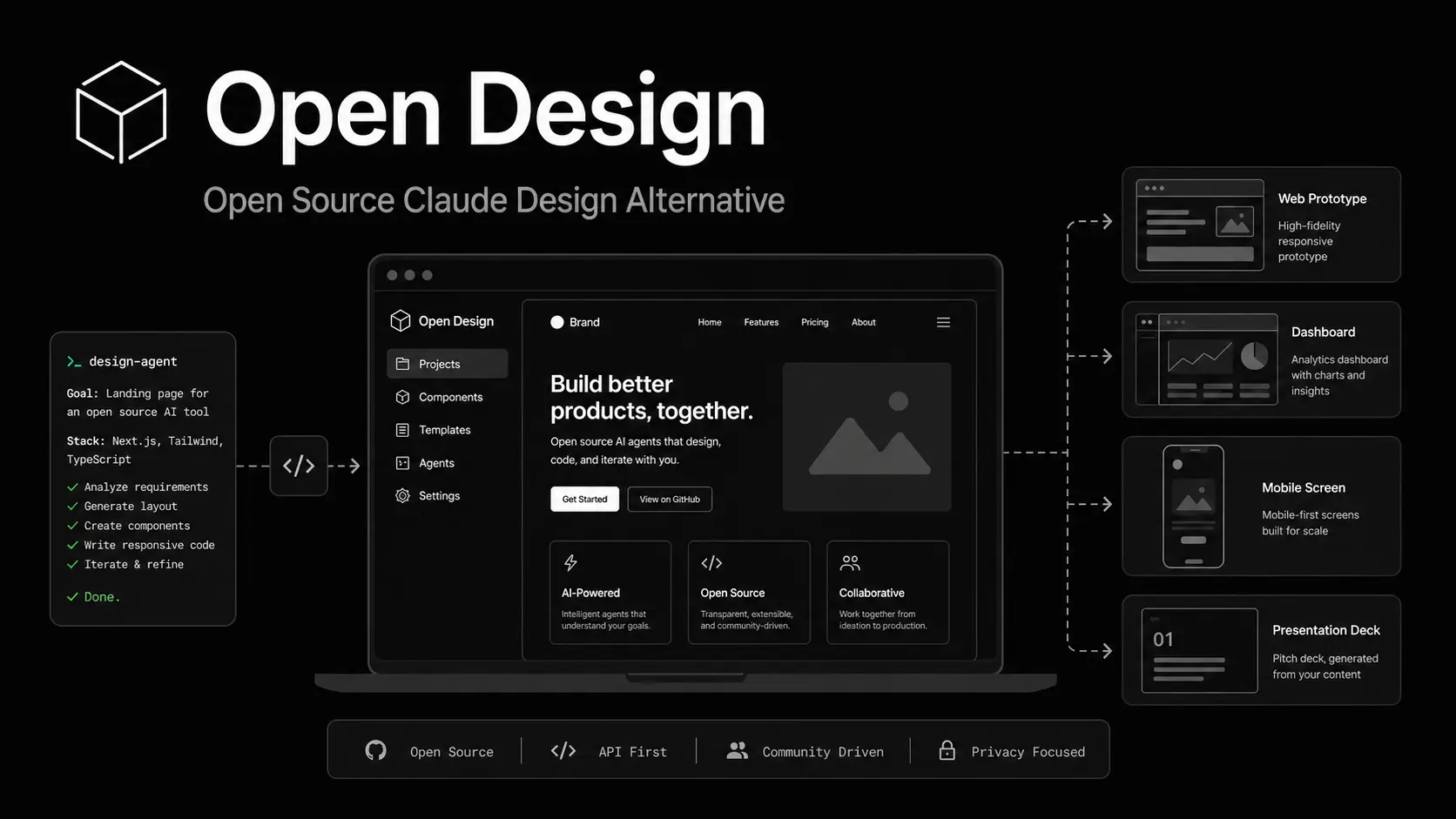
OpenDesign is a free, open-source AI design workspace for creating prototypes, landing pages, dashboards, decks, documents, images, and video with coding agents or your own model provider.
As a local-first Claude Design alternative, OpenDesign keeps project files on your device and can run generation through Claude Code, Codex, local CLIs, BYOK providers, or OpenDesign Cloud.
OpenDesign vs Claude Design
OpenDesign and Claude Design both turn a brief and design context into artifacts you can review and revise.
Claude Design is an Anthropic beta included with Pro, Max, Team, and Enterprise plans and is not available on the Free plan. OpenDesign is released under Apache-2.0 and supports desktop use, coding-agent CLIs, BYOK providers, source builds, Docker, and OpenDesign Cloud.
| OpenDesign | Claude Design | |
|---|---|---|
| Source | Apache-2.0 | Proprietary |
| Price | Free* | Paid plans |
| Models / agents | Claude Code, Codex, BYOK | Claude |
| Project files | Local | Claude-managed |
| Self-hosting | Yes | No |
| Design systems | DESIGN.md | Imported context |
*External model, cloud, or hosting costs can apply.
Key Features
- Runs as a desktop app with project files stored on your machine.
- Detects installed coding-agent CLIs through
PATH. - Connects BYOK model providers from the app.
- Uses reusable skills, plugins, templates, and
DESIGN.mddesign systems. - Streams generated files into a sandboxed preview for revision.
- Exports HTML, PDF, PPTX, MP4, and project files.
- Runs from source or Docker for self-hosted deployments.
- Includes OpenDesign Arena for comparing model results and cost across design tasks.
What You Can Create
- Web, desktop, and mobile prototypes.
- Landing pages and marketing pages.
- Dashboards and live artifacts.
- Pitch decks, presentations, and one-page documents.
- Images, video, and motion graphics.
- Project handoff files for continued coding-agent work.
How OpenDesign Works
The OpenDesign daemon detects compatible coding-agent CLIs from PATH and lists them as project runtimes. A filesystem-backed agent works inside the project directory with the selected skill, template, and DESIGN.md package. OpenDesign updates the preview as the agent writes project files.
BYOK mode connects a configured model provider through the app, including Google Gemini and supported OpenAI-compatible endpoints. Gemini CLI is not included in the current set of shipped local runtimes.
Each project can store its brief, references, design rules, generated files, comments, and conversation history. The generated artifact stays in project files that a coding agent can continue editing after the design session.
How to Use OpenDesign
Download the Desktop App
Download desktop installers for macOS Apple Silicon, macOS Intel, and Windows x64 from its GitHub Releases page.
Linux users can run OpenDesign from source or Docker.
After launch, choose a detected local coding agent, configure a BYOK provider, or select OpenDesign Cloud. Local CLI and BYOK projects can start from Home.
Run OpenDesign From Source
Running OpenDesign from source requires Node.js 24.x and pnpm 10.33.x. Corepack selects the pnpm version pinned by the repository.
git clone https://github.com/nexu-io/open-design.git
cd open-design
corepack enable
corepack pnpm --version
pnpm install
pnpm tools-dev run web
Run the Desktop Shell From Source
Run the daemon, web app, and desktop shell together.
pnpm tools-devRun OpenDesign With Docker
The Docker deployment requires Docker Desktop and Docker Compose v2. It listens on http://127.0.0.1:7456 by default.
Copy the environment template, generate a token, place that value after OD_API_TOKEN= in .env, and start the containers.
If the browser shows a sign-in dialog, use open-design as the username and the OD_API_TOKEN value as the password.
git clone https://github.com/nexu-io/open-design.git
cd open-design/deploy
cp .env.example .env
openssl rand -hex 32
# Paste the generated value into OD_API_TOKEN= in .env
docker compose up -d
Start a Design Project
- Open the desktop app or local web app.
- Choose an installed coding agent, a configured BYOK provider, or OpenDesign Cloud.
- Select a skill or design template for the artifact.
- Select a
DESIGN.mddesign system or your project design rules. - Enter the brief and attach relevant reference files.
- Review the artifact in the sandboxed preview and revise it with prompts, comments, or editing controls.
- Export the finished artifact or continue editing the project files with a coding agent.
Skills, Plugins, and Design Systems
A skill is a file-based set of work instructions built around SKILL.md and any required assets. Plugins package reusable OpenDesign extensions for distribution and can contain skills, design-system references, configuration fields, previews, and project assets.
A design-system package uses DESIGN.md as its main design contract. Packages can contain token files, components, assets, manifests, and provenance data. During generation, the selected agent reads these files as project rules for typography, color, spacing, components, and brand details.
Pros
- Apache-2.0 source code.
- Local project files.
- Multiple coding-agent runtimes.
- BYOK model providers.
- Portable
DESIGN.mdsystems. - Self-hosted Docker deployment.
Cons
- Agent, provider, and hosting choices require configuration.
- Local runtime choices depend on installed CLIs.
- Linux currently requires a source or Docker setup.
FAQs
Q: Do I need a Claude subscription to use OpenDesign?
A: No. OpenDesign can use other local coding agents, BYOK providers, or OpenDesign Cloud. A Claude subscription is relevant when you select a Claude product that requires one.
Q: Does OpenDesign require an account?
A: No OpenDesign Cloud account is required for local CLI or BYOK projects. OpenDesign Cloud and external providers use their own authentication.
Q: Can OpenDesign use Google Gemini?
A: Yes. Google Gemini is available through BYOK mode. Gemini CLI is not included in the current set of local runtimes.
Q: Does OpenDesign keep all project data on my device?
A: Project files and the local daemon can stay on your machine. Hosted coding agents, BYOK APIs, OpenDesign Cloud, and connected services receive the data required for their requests. A fully local configuration needs a local model endpoint.
Alternatives and Related Resources
- Google Stitch: Free AI Vibe Design Tool with Agent and Web Export
- Penpot: Open-Source Figma Alternative for UI Design and AI Workflows
- Free AI-Native Design Editor (Figma Alternative) – OpenPencil
- Free AI Tool Extracts Design System (Design.md) from Any Website
- 10 Best CLI AI Coding Agents: Open-Source & Commercial
- 7 Best & Open-Source Claude Cowork Alternatives
- The Ultimate Claude Code Resource List: Agents, Skills, Plugins & More
Last Updated: Sep 21, 2026