SuperHumanizer is an AI text humanizer for rewriting drafts from ChatGPT, Claude, Gemini, Jasper, and other writing models. Its free web editor accepts up to 1,200 words per run without an account and includes Super Lite and Super Ultra modes, purpose presets, sentence-level alternatives, and an internal AI score.
The AI tool is useful when an AI-assisted draft feels repetitive, stiff, or too uniform and you want another version to work from. Super Lite keeps the rewrite lighter, Super Ultra changes sentence structure more aggressively, and individual sentences can be regenerated when only part of the draft needs attention.
I tested SuperHumanizer with a technical Clawdbot passage to see how well it changed the wording without losing the original meaning. The rewrite produced several useful alternatives and also showed where manual editing becomes important. The results below help clarify what SuperHumanizer does well, how its modes differ, and where a final review is worth the extra minute.
Features
- Rewrite up to 1,200 words at a time in the free web editor.
- Use the public editor without creating an account.
- Choose Super Lite for lighter editing or Super Ultra for deeper restructuring.
- Select a purpose preset to guide the rewrite toward the type of text you are editing.
- Regenerate individual sentences after the full draft has been processed.
- Check an internal AI score inside the editor.
- Use SuperHumanizer through the web, Chrome, mobile apps, or its developer API.
Super Lite vs. Super Ultra
Super Lite is the safer choice when the draft already contains precise wording, names, numbers, or technical terms. Super Ultra is better suited to generic copy that needs greater changes to sentence rhythm and construction.
| Mode | What It Does | Best Choice For |
|---|---|---|
| Super Lite | Applies a faster, lighter rewrite with fewer structural changes. | Emails, captions, short articles, product copy, and drafts that already contain the right information. |
| Super Ultra | Restructures the text more heavily and changes more of the sentence construction. | Rigid, repetitive, or generic drafts that need a stronger rewrite. |
Where You Can Use SuperHumanizer
The web editor is the easiest option for occasional rewrites. It works directly in the browser and accepts up to 1,200 words per run without requiring an account.
The Chrome extension puts the humanizer closer to browser-based writing workflows. SuperHumanizer also has iPhone and Android apps for mobile use.
Developers can use the SuperHumanizer API for automated rewriting inside their own applications and workflows. The API has its own usage allowances and pricing, separate from the public web editor.
How To Use SuperHumanizer
- Open SuperHumanizer and paste the text you want to revise.
- Choose a purpose that matches the draft.
- Select Super Lite for a lighter edit or Super Ultra for stronger restructuring.
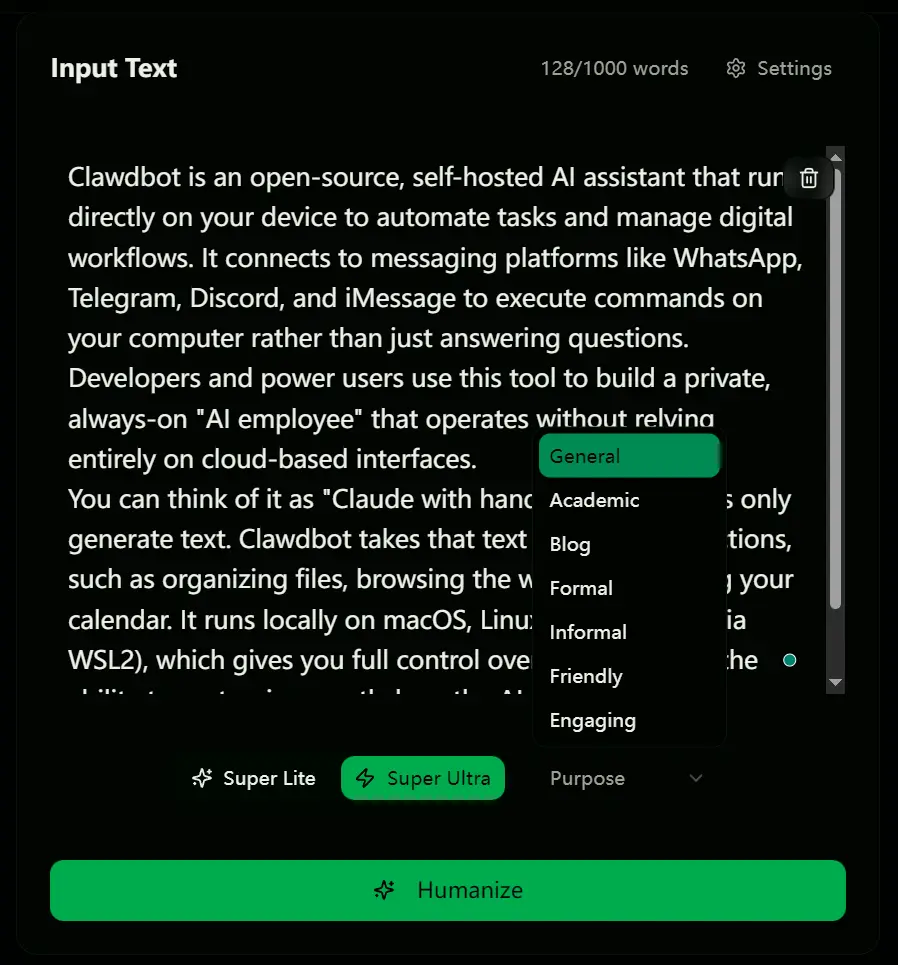
- Click Humanize and read the complete output.
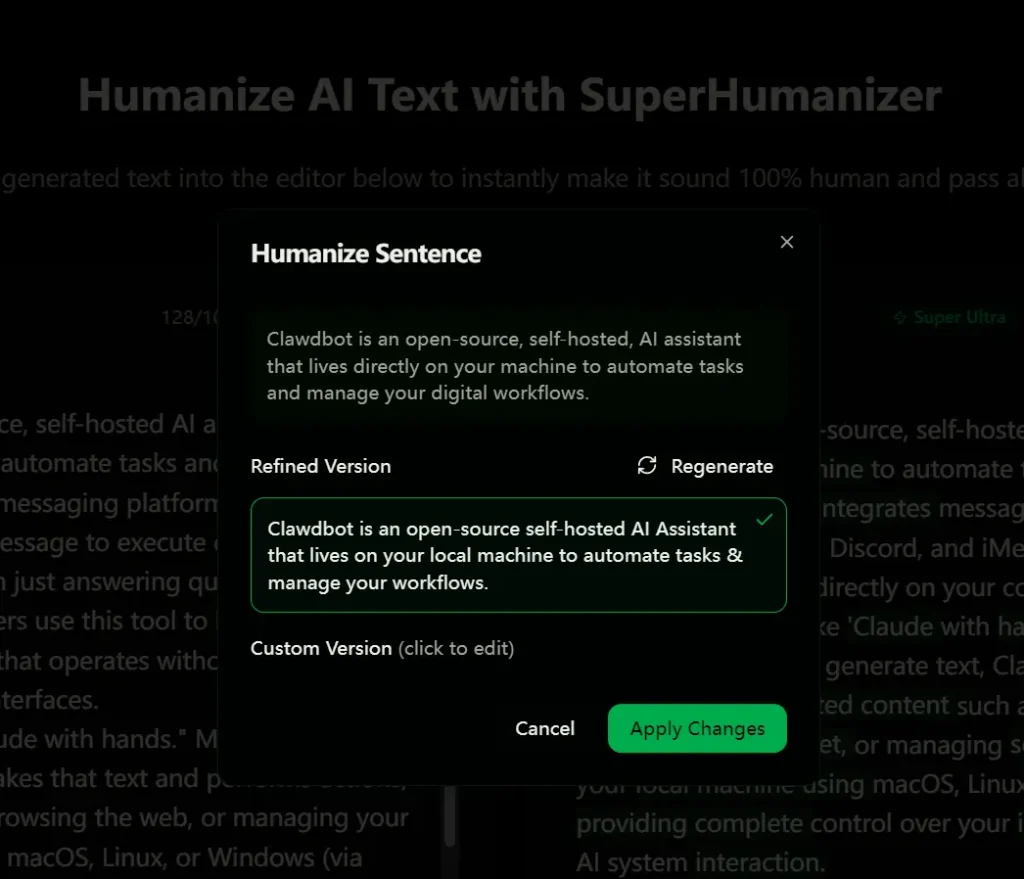
- Click any weak sentence to request another version.
- Check names, numbers, quoted text, product details, technical terms, and factual claims against the source.
- Edit the version you want to keep and restore any detail that changed during rewriting.
What SuperHumanizer Does Well
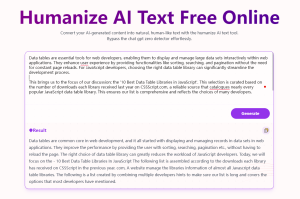
SuperHumanizer keeps the editing process simple. Paste a draft, select a purpose and rewrite mode, and the revised text appears directly in the editor. The public web version requires no signup, so a paragraph, email, caption, product description, or short article section can be tested immediately.
The sentence-level alternatives are especially useful. A full rewrite is unnecessary when most of a draft already works. Clicking one weak sentence lets you request another version and keep the surrounding text intact.
The two rewrite modes also serve different editing needs. Super Lite works well for text that already has the right facts and structure but needs less repetitive phrasing. Super Ultra applies a deeper rewrite when the original draft feels rigid or formulaic.
Where SuperHumanizer Is Most Useful
- Rework repetitive ChatGPT, Claude, or Gemini drafts before a final manual edit.
- Try alternate sentence openings when a paragraph repeats one rhythm throughout.
- Loosen stiff emails, captions, product descriptions, and short marketing copy.
- Generate another version of a sentence when the idea is correct but the wording feels awkward.
- Process short sections of a longer article without changing the rest of the draft.
My Rewrite Test
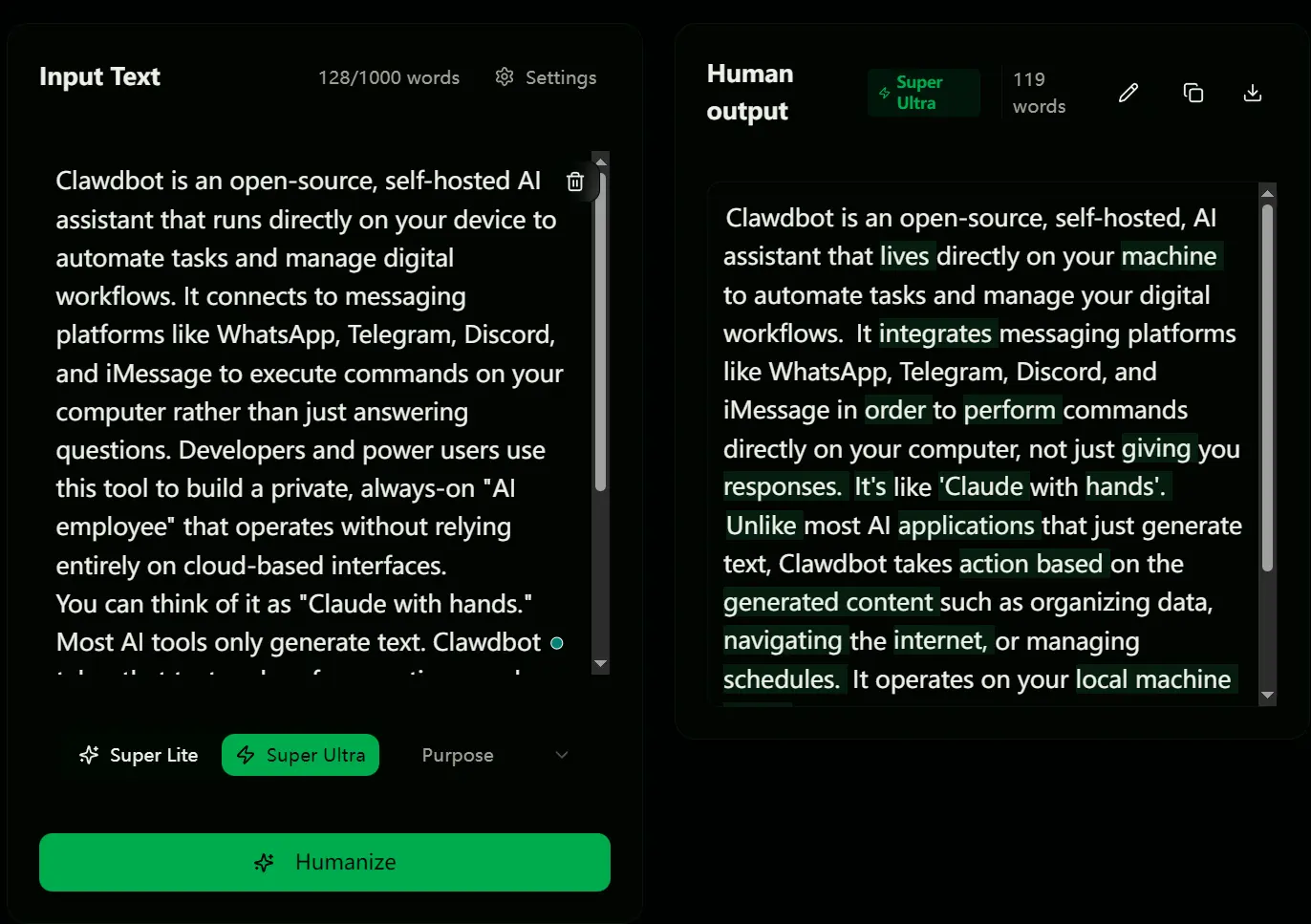
I ran a technical description of the open-source assistant Clawdbot through SuperHumanizer. Technical copy is a useful test because a rewrite has to improve phrasing without changing platform names, product behavior, or the meaning of specific terms.
Original AI Draft
“Clawdbot is an open-source, self-hosted AI assistant that runs directly on your device to automate tasks and manage digital workflows. It connects to messaging platforms like WhatsApp, Telegram, Discord, and iMessage to execute commands on your computer rather than just answering questions. Developers and power users use this tool to build a private, always-on ‘AI employee’ that operates without relying entirely on cloud-based interfaces. You can think of it as ‘Claude with hands.’ Most AI tools only generate text. Clawdbot takes that text and performs actions, such as organizing files, browsing the web, or managing your calendar. It runs locally on macOS, Linux, or Windows (via WSL2), which gives you full control over your data and the ability to customize exactly how the AI interacts with your system.”
SuperHumanizer Output
“Clawdbot is an open-source, self-hosted, AI assistant that lives directly on your machine to automate tasks and manage your digital workflows. It integrates messaging platforms like WhatsApp, Telegram, Discord, and iMessage in order to perform commands directly on your computer, not just giving you responses. It enables developers and advanced users to create an invisible, always-available ‘AI employee’ that doesn’t completely depend on cloud interfaces. It’s like ‘Claude with hands’. Unlike most AI applications that just generate text, Clawdbot takes action based on the generated content such as organizing data, navigating the internet, or managing schedules. It operates on your local machine using macOS, Linux, or Windows (via WSL2), providing complete control over your information and tailored AI system interaction.”
What the Rewrite Changed
The rewrite does what SuperHumanizer is designed to do: it changes sentence rhythm, swaps repeated wording, and produces a noticeably different version of the paragraph. Phrases such as “lives directly on your machine” feel more conversational, and the output avoids copying the source sentence structure line for line.
The deeper changes also need review in technical copy. “Integrates messaging platforms” loses the required word “with,” “perform commands” is less precise than “execute commands,” and “invisible” introduces a detail that was not present in the source. The closing phrase “tailored AI system interaction” is also less clear than the original sentence.
For this sample, I would keep some of the alternate phrasing and restore the technical wording where accuracy matters. That is also the most useful way to approach SuperHumanizer: use the rewrite as editable material rather than accepting every substitution automatically.
What About AI Detector Scores?
SuperHumanizer includes an internal AI score and markets its rewriting around more human-sounding text. Detector results can vary by passage, rewrite mode, source model, detector, and later edits.
The built-in score is useful as a quick signal, but it does not predict the exact result from GPTZero, Turnitin, Originality.ai, Copyleaks, or a private institutional system.
My Recommendation
SuperHumanizer is worth trying if you regularly edit AI-assisted text and want fast alternate phrasing without creating an account. The free 1,200-word web editor is easy to test, the two modes provide useful control over rewrite depth, and sentence-level regeneration saves time when only a few lines need work.
I would use Super Lite for most factual or technical drafts and Super Ultra for generic copy that needs stronger restructuring. The Clawdbot test shows that a deeper rewrite can produce useful wording changes along with occasional mistakes. A short final review is enough to decide which changes deserve to stay.
Alternatives & Related Resources
- AI Humanizer: Free Open-Source AI Rewriter to Bypass GPTZero
- Make Your AI Text Undetectable And 100% Original – Humanize AI
- 7 Best Free AI Content Detectors: Real Accuracy Data & Rankings
- I Tested 10 Free AI Humanizers: All Failed GPTZero Detection
- 10 Best Free AI Writing Tools (Tested & Compared)
FAQs
Is SuperHumanizer free?
Yes. The public web editor accepts up to 1,200 words per run without an account. SuperHumanizer also has paid products and usage options for people who need more access.
What is the difference between Super Lite and Super Ultra?
Super Lite applies a lighter rewrite with fewer structural changes. Super Ultra changes more of the sentence construction and is better suited to rigid or generic drafts that need a stronger edit.
Does SuperHumanizer have an API?
Yes. SuperHumanizer offers a developer API for automated text humanization. New API accounts receive 1,000 free words to try the service, and API usage has separate pricing and limits from the public web editor.
Does SuperHumanizer preserve the original meaning?
It often preserves the main idea, especially with lighter rewriting, but individual substitutions can change technical wording or small details. Review the final text when names, numbers, terminology, or factual precision are important.
Can SuperHumanizer bypass GPTZero or Turnitin?
No detector result is guaranteed. Scores vary across services and texts, and SuperHumanizer’s internal score does not predict the exact result from an external detector.
Read More: I Tested 10 Free AI Humanizers: All Failed GPTZero Detection
Does SuperHumanizer store pasted text?
SuperHumanizer states that text is not stored by default unless you choose to save it in account history. The service also collects technical and usage data and relies on third-party providers for parts of its operation.