
The DROP DATABASE statement in PostgreSQL is used to permanently delete an existing database from the PostgreSQL server.
- Removes the database along with all its tables, views, functions and other objects.
- Frees the storage space occupied by the database.
- The database cannot be dropped while users are connected to it.
Syntax
DROP DATABASE database_name;- database_name: The name of the database to be deleted.
Steps to Drop a Database
Below, for demonstration purposes, we will delete an existing database that is no longer in use.
Step 1: List Available Databases
Before deleting a database, check the list of databases available on your PostgreSQL server using the following command:
Query
\l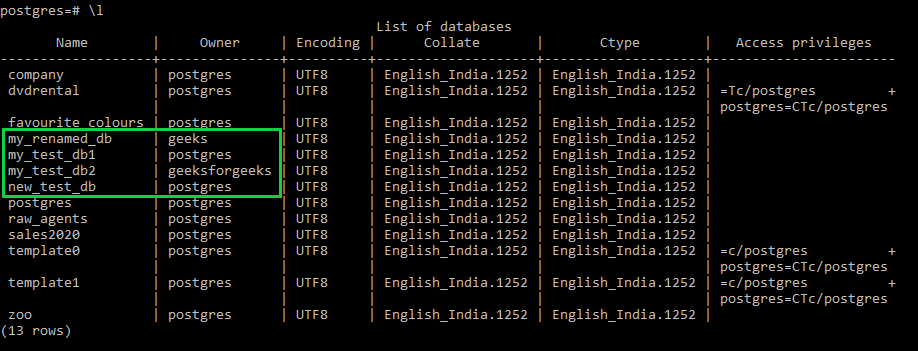
Here we will be deleting the highlighted databases namely:
- "my_renamed_db"
- "my_test_db1"
- "my_test_db2"
- "new_test_db"
We will delete these databases as they are no longer in use.
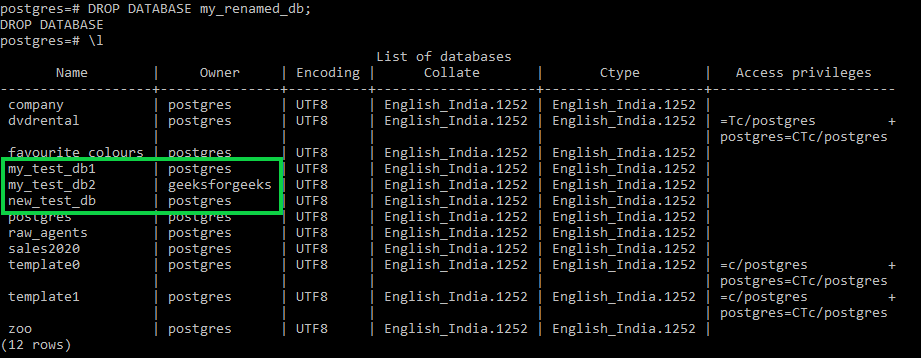
Step 2: Drop the Database
To delete the Test database, use the DROP DATABASE statement.
Query:
DROP DATABASE Test;Output:
The Test database is permanently removed from the PostgreSQL server.
Step 3: Deleting Multiple Databases
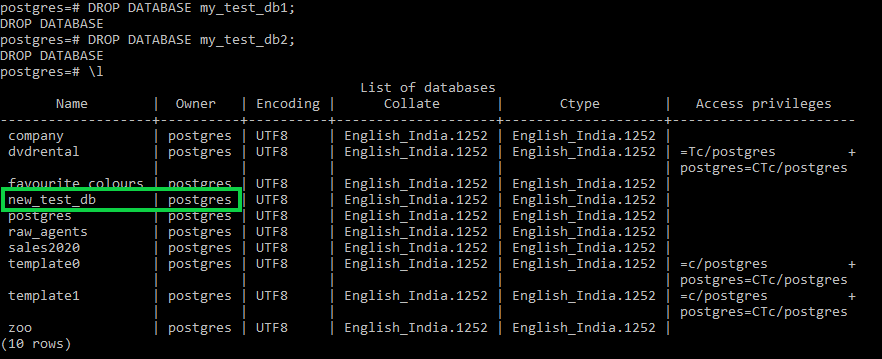
Now we will be deleting two databases namely 'my_test_db1' and 'my_test_db2' using the below commands:
DROP DATABASE my_test_db1;
DROP DATABASE my_test_db2;
Step 4: Deleting the Final Database
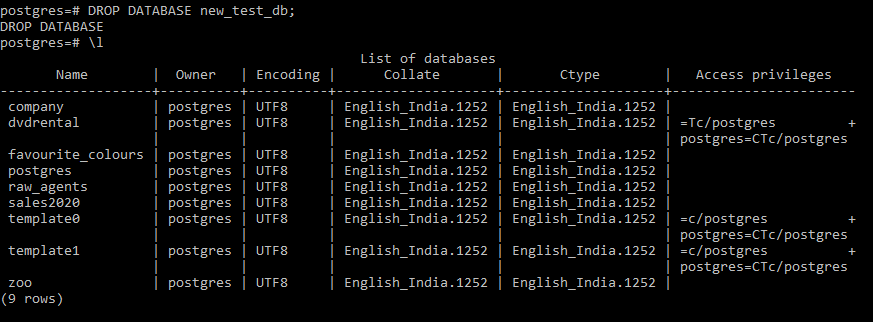
Now we will finally delete the last unused database using the below command:
DROP DATABASE new_test_db;As we check our list of databases we have managed to delete all four of them as intended.
Using IF EXISTS with DROP DATABASE
The IF EXISTS clause prevents PostgreSQL from throwing an error if the specified database does not exist. Instead, PostgreSQL displays a notice and continues execution.
Syntax:
DROP DATABASE IF EXISTS database_name;Where:
- database_name: The name of the database to be deleted if it exists.
Example
The following query deletes the Test database only if it exists.
Query:
DROP DATABASE IF EXISTS Test;- If the database exists, it is deleted successfully. If it does not exist, PostgreSQL displays a notice instead of an error.
Using the dropdb Utility Program
PostgreSQL provides the dropdb utility, which allows you to delete a database directly from the command line. It performs the same operation as the DROP DATABASE SQL statement.
Syntax
dropdb database_nameExample
The following command deletes the Test database.
Query:
dropdb TestThe Test database is permanently removed from the PostgreSQL server.
Cannot Drop the Current Database
PostgreSQL does not allow you to drop the database to which you are currently connected. Before deleting a database, you must connect to a different database (such as postgres) and then execute the DROP DATABASE command.
Example
If you are connected to the Test database, the following command will fail.
Query:
DROP DATABASE Test;Output:
ERROR: cannot drop the currently open databaseSolution
First, connect to another database.
\c postgresThen execute:
DROP DATABASE Test;The Test database will be deleted successfully.
