Loading a database in PostgreSQL refers to importing data from a file or backup into a PostgreSQL database. It is commonly used to restore databases, migrate data or populate tables with existing datasets.
- Useful for populating tables with large datasets.
- Supports data management and database maintenance tasks.
Methods to Load a Database in PostgreSQL
The following are common methods used to load a database in PostgreSQL:
- Using pg_restore
- Using psql
- Importing data from CSV files
- Using pgAdmin
Loading a Database Using pg_restore
The pg_restore utility is used to restore databases from custom-format or tar-format backup files.
Step 1: Create a New Database
CREATE DATABASE dvdrental;Step 2: Restore the Database
Open Command Prompt and navigate to PostgreSQL's bin directory.
pg_restore -U postgres -d dvdrental C:\Users\sample_database\dvdrental.tar- -U postgres specifies the PostgreSQL user.
- -d dvdrental specifies the target database.
- dvdrental.tar is the backup file to restore.
Verifying the Database Load
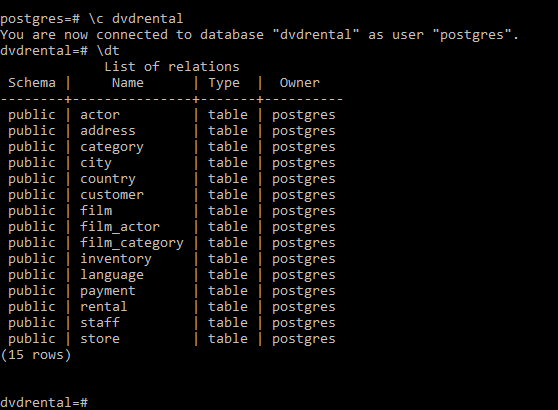
Connect to the database:
\c dvdrentalList all tables:
\dtLoad the DVD Rental database using the pgAdmin
pgAdmin provides a graphical interface for restoring PostgreSQL databases from backup files.
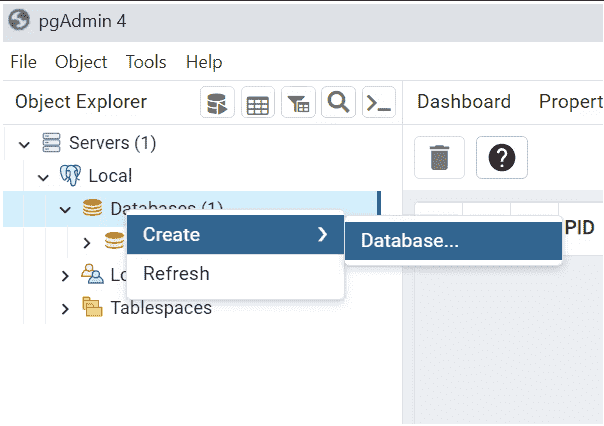
Step 1: Launch pgAdmin, connect to your PostgreSQL server and create a new database named dvdrental by selecting Databases → Create → Database.'
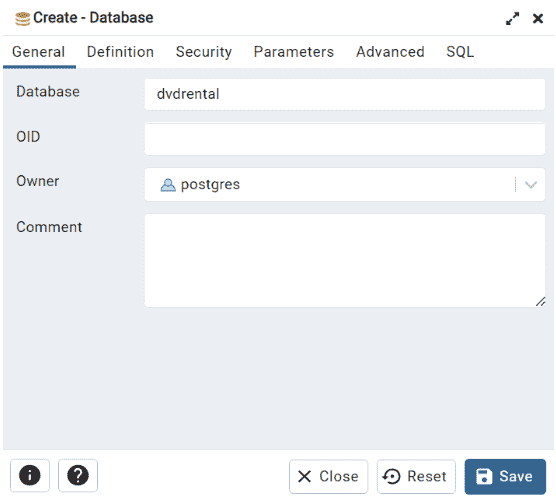
Step 2: Enter dvdrental as the database name and click Save.
Step 3: Right-click the newly created database.
Step 4: Select the dvdrental.tar backup file and configure the restore settings.
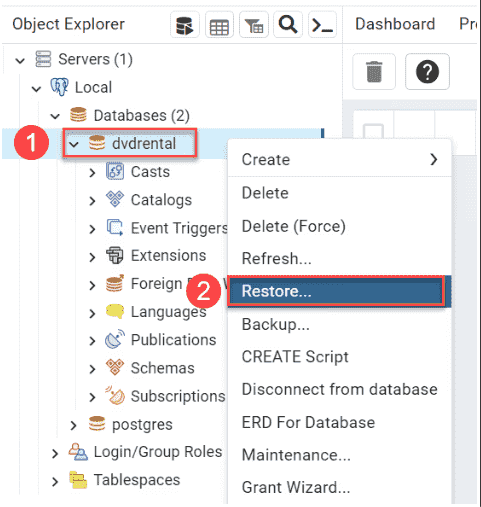
Step 5: Enter the path to the sample database file such as c:\sampledb\dvdrental.tar and click the Restore button:
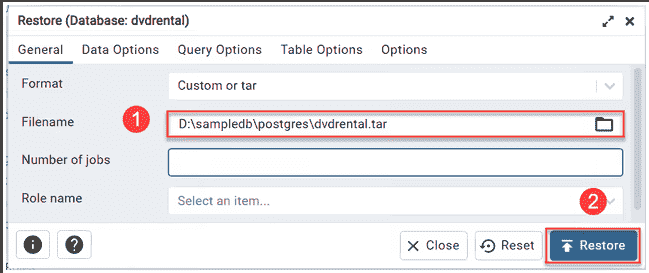
Step 6: Click Restore and wait for the process to complete successfully.

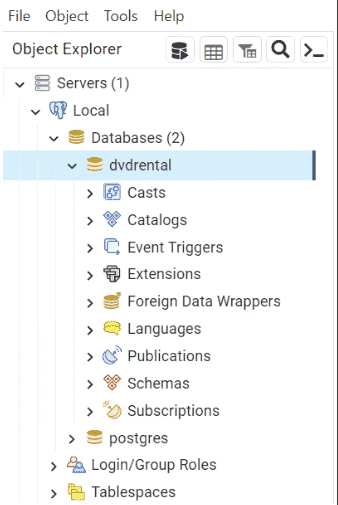
Step 7: Expand the database and verify that the tables and other objects have been imported.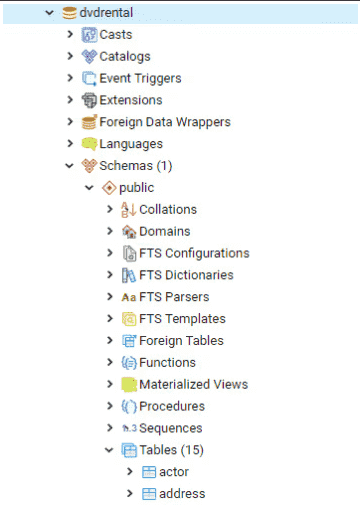
The Sample Database
The DVD Rental database is a sample PostgreSQL database representing a DVD rental store.
Database Objects
- 15 tables
- 1 trigger
- 8 functions
- 1 domain
- 7 views
- 13 sequences
ER Model of the sample Database:
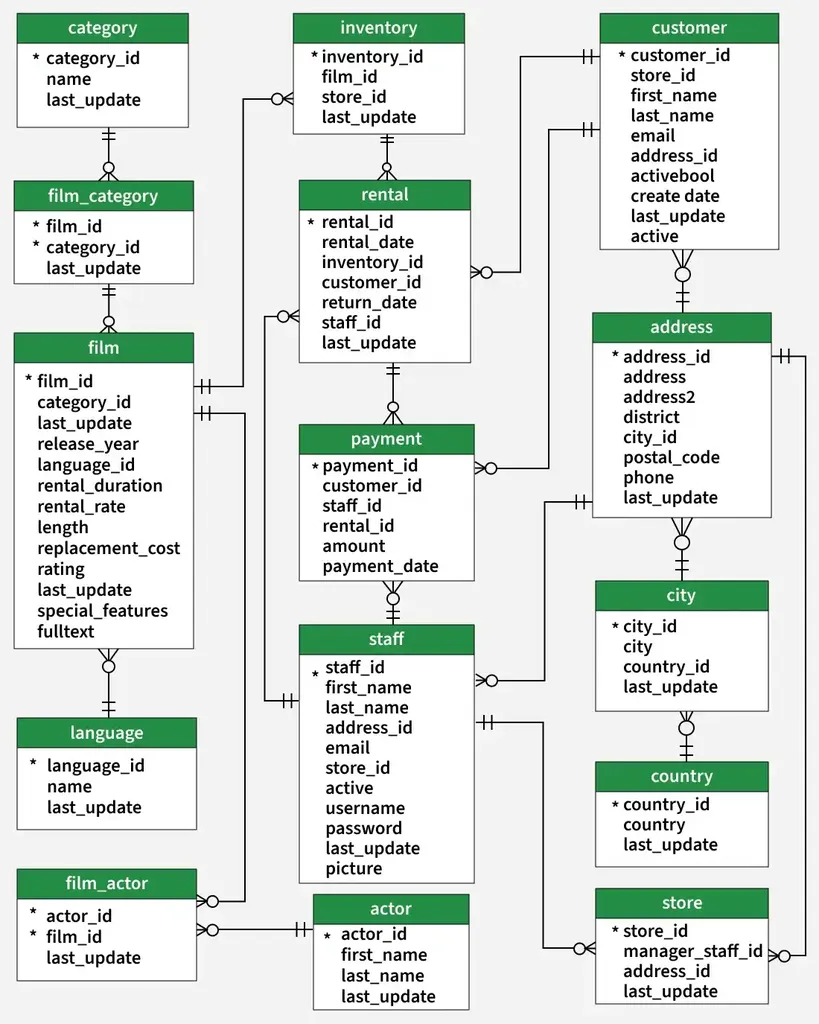
So now we know everything about our sample DVD rental database, let us move on to loading the same database to the PostgreSQL database server. The steps to which are listed below:
Step 1: Open SQL Shell (psql) and enter your PostgreSQL credentials
Server [localhost]:Database [postgres]:Port [5432]:Username [postgres]:Password for user postgres:
Create a new database named dvdrental.
Step 2: Restore the Sample Database
Copy the dvdrental.tar file to your system, open Command Prompt and navigate to the PostgreSQL bin directory. Then use the pg_restore command to import the database into dvdrental.
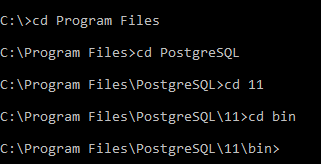
Use the pg_restore command to load the backup file into the dvdrental database:
pg_restore -U postgres -d dvdrental C:\Users\sample_database\dvdrental.tarThe command output will look similar to the image shown below.

Now enter your database user Password and your sample database will be loaded.
Verify Database Load
Now if you need to verify if the sample database is loaded, use the below command to get into the database in SQL shell:
\cNow to list all the tables in the database, use the below command:
\dtThe result should look like below: