
Non-functional testing checks how well a software system performs rather than what functions it performs. It evaluates quality attributes such as performance, security, usability, reliability, and scalability to ensure the application works efficiently under real-world conditions. It helps improve overall software quality and user experience.
- Validates quality attributes like performance, security, and usability.
- Ensures the system works efficiently, reliably, and securely.
- Helps improve user satisfaction and overall software quality.
Objectives of Non-functional Testing
The objectives of Non-Functional Testing focus on improving system performance, reliability, usability, and overall efficiency.
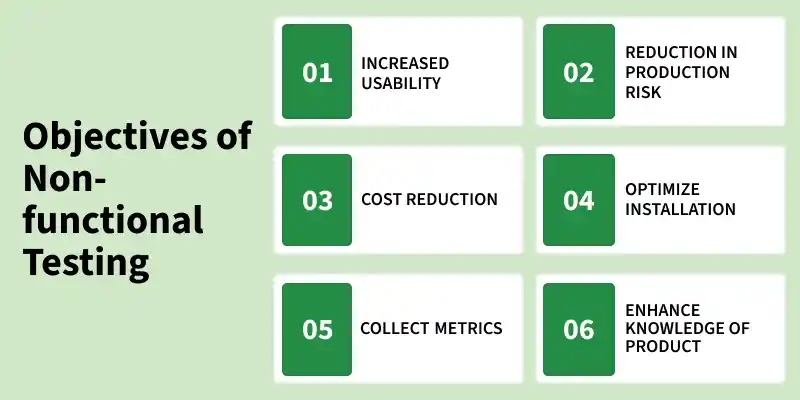
- Increased usability: Enhances the system’s usability, efficiency, maintainability, and portability to ensure a better user experience and easier system management.
- Reduction in production risk: Identifies and minimizes risks related to non-functional aspects (such as performance issues or system failures) before deployment.
- Cost Reduction: Helps reduce costs associated with performance bottlenecks, system downtime, and maintenance by identifying issues early.
- Optimize installation: Ensures smooth installation, execution, and monitoring of the application across different environments.
- Collect metrics: Gathers performance data and metrics to support analysis, decision-making, and continuous improvement in development.
- Enhance knowledge of product: Improves understanding of system behavior, architecture, and underlying technologies through detailed testing and analysis.
Non-Functional Requirements (Quality Attributes)
Non-functional testing parameters define the quality attributes of a software system. These parameters help ensure the system’s performance, reliability, usability and overall effectiveness.
- Security: Measures how well the system is protected against internal and external threats.
- Reliability: Determines the system’s ability to perform its intended functions without failure over time.
- Survivability: Evaluates the system’s ability to recover from failures and continue normal operation.
- Availability: Measures the percentage of time the system remains operational and accessible as per SLA requirements.
- Efficiency: Assesses how effectively the system handles workload, response time, and resource utilization.
- Integrity: Ensures data and source code quality are maintained without unauthorized modification.
- Usability: Evaluates how easily and intuitively users can interact with the system.
- Flexibility: Measures the system’s ability to adapt to changes and uncertain conditions.
- Scalability: Determines the system’s ability to scale up or scale out to meet increased demand.
- Reusability: Indicates how effectively existing components can be reused across applications.
- Interoperability: Verifies that the system works correctly with other systems or components.
- Portability: Assesses how easily the software can be transferred between different environments.
Importance of Non-Functional Testing
Non-functional testing is important because it:
- Ensures the application performs well under real-world conditions Non-Functional Testing Types
- Identifies performance bottlenecks before release
- Improves system reliability and availability
- Enhances user experience and responsiveness
- Strengthens application security against threats
- Reduces production failures and maintenance cost
- Helps meet business goals and SLA requirements
Non-Functional Testing Types
The Non-Functional Testing Techniques and Types mentioned below:
- Performance Testing: Performance testing evaluates the speed, responsiveness, stability and scalability of an application. It helps identify performance bottlenecks, measure system behavior under different workloads and ensure the application can handle the expected number of users or transactions efficiently.
- Load Testing: Load testing determines how an application behaves when multiple users access it simultaneously. It measures system response time, throughput, and resource utilization under varying load conditions to ensure stable performance.
- Security Testing: Security testing ensures that applications and systems are protected against internal and external threats. It identifies vulnerabilities, security risks and weaknesses to prevent unauthorized access, data breaches and other security attacks.
Example: E-Commerce Application
Non-functional testing in an e-commerce application includes:
- Performance Testing: Ensures product pages load quickly
- Load Testing: Checks system behavior during high traffic (e.g., sales or festivals)
- Stress Testing: Tests system under extreme user load
- Security Testing: Protects user data, payments, and transactions
- Usability Testing: Ensures easy product search, cart management, and checkout process
This ensures the system is fast, secure, and user-friendly.
Tools Used for Non-Functional Testing
Non-Functional Testing tools help evaluate system performance, security, usability, and reliability by simulating real-world conditions and identifying potential issues before deployment.
- Apache JMeter: Open-source tool used for load, stress, and performance testing of web applications and APIs.
- LoadRunner: Enterprise-level tool that simulates thousands of users and provides detailed performance analysis.
- NeoLoad: Modern performance testing tool with strong DevOps and CI/CD integration support.
- OWASP ZAP: Free, open-source tool for detecting vulnerabilities in web applications.
- Burp Suite: Advanced tool used for penetration testing and security vulnerability scanning.
- Postman: Widely used tool for API testing, automation, and validating responses.
- Selenium: Automates browser testing and ensures cross-browser compatibility.
- Appium: Used for testing mobile apps on Android and iOS platforms.
- Grafana: Visualizes performance metrics like CPU, memory, and response time.
- Nagios: Monitors servers, networks, and application availability.
Limitations of Non-Functional Testing
- Non-functional testing can be time-consuming because it involves evaluating performance, security, and system behavior under different conditions.
- It may require specialized tools, test environments, and skilled testers, which can increase testing costs.
- Simulating real-world load, stress, or security scenarios can be difficult and complex.
- Expected results for factors such as usability or performance may not always be clearly defined.
Read More: Functional Testing Vs Non-Functional Testing
