
Automation Testing is a software testing approach in which test cases are executed using tools and scripts instead of being performed manually. It helps teams test applications faster, improve accuracy, reduce repetitive effort, and support frequent releases in modern development environments.
- Executes test cases automatically using tools and scripts
- Used for repetitive, stable, and high-value test scenarios
- Commonly applied in regression, smoke, API, and CI/CD-based testing
Example: For a login page, instead of manually entering username and password every time, an automation script can automatically test multiple login combinations and verify expected results in seconds.
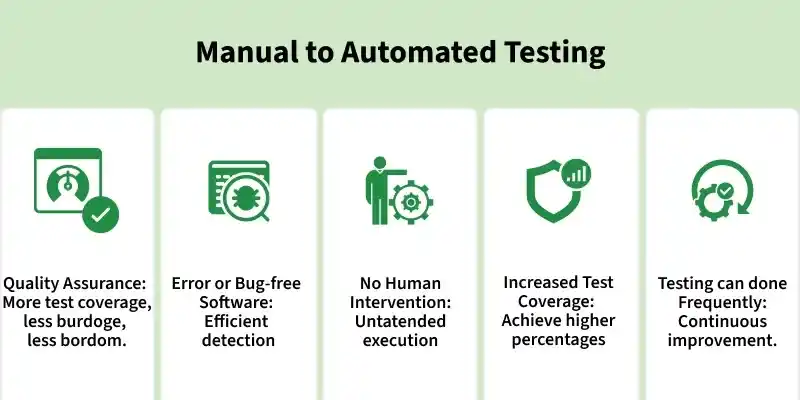
Benefits of Automation Testing
Automation testing is used to improve the efficiency and reliability of software testing. It is especially useful when the same tests need to be executed repeatedly across different builds, environments, or datasets.
- Improved test reliability by executing the same test steps consistently and reducing human error
- Faster bug detection by identifying defects quickly and improving testing efficiency
- Reduced human intervention because automated tests can run unattended with minimal manual effort
- Higher test coverage by allowing more test scenarios to be executed in less time
- Frequent test execution that supports repeated testing during regular builds and continuous integration
Tests Suitable for Automation
Automation should be applied to test cases that provide high value when executed repeatedly and consistently.
- Regression Tests: Existing functionality can be revalidated quickly after code changes.
- Smoke Tests: Critical features can be checked automatically whenever a new build is available.
- Data-Driven Tests: The same test can be executed with multiple input combinations.
- Business-Critical Tests: Important workflows such as login, checkout, or payment should be validated regularly.
- Repetitive Tests: Frequently repeated scenarios are ideal for automation because they save time and effort.
- Deterministic Tests: Test cases with clear expected results are easier to automate and validate.
Tests Better Suited for Manual Testing
Not all test scenarios should be automated. Some testing activities still require human observation, judgment, and creativity.
- Exploratory Testing: Testers explore the application freely to find unexpected defects.
- Usability Testing: Evaluates how easy and intuitive the application is for real users.
- Visual Validation Testing: Checks layout, alignment, color, and user interface appearance.
- Ad-hoc Testing: Quick, informal testing performed without predefined test cases.
Types of Automation Testing
Automation testing includes various types of tests that help ensure software quality, performance, and reliability. Each type focuses on a specific aspect of the application.
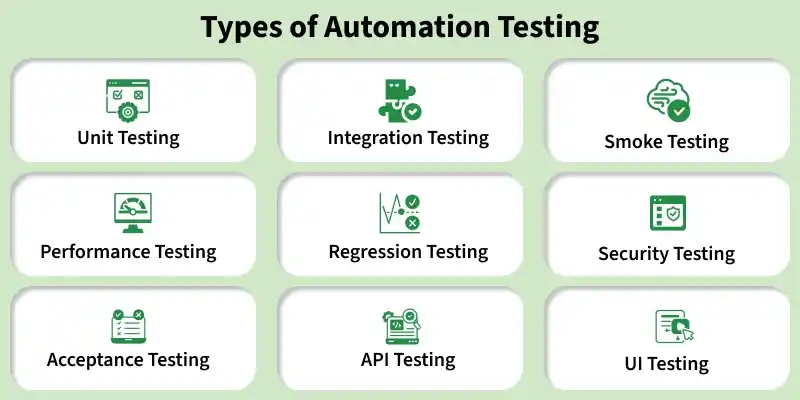
The following are the main types of automation testing:
- Unit testing: Validates individual components or functions in isolation during development.
- Integration testing: Ensures correct interaction and data flow between integrated modules.
- Smoke testing: Performs a quick check to verify that critical functionalities are working properly.
- Performance testing: Evaluates system speed, stability, and responsiveness under different workloads.
- Regression testing: Confirms that recent code changes have not affected existing features.
- Security testing: Identifies vulnerabilities to protect application data and systems.
- Acceptance testing: Verifies that the application meets business requirements and user expectations.
- API testing: Validates API functionality, reliability, security, and performance.
- UI testing: Ensures user interface elements function correctly and display as intended.
Automation Testing Process
Automation testing follows a structured process to identify what should be automated, create scripts, execute them, and maintain them over time.
- Scope Identification: The first step is to identify which test cases are suitable for automation. Stable, repetitive, and high-priority scenarios are usually selected first.
- Tool Selection: Choose automation tools based on project requirements, application type, technology stack, team expertise, and budget.
- Test Planning and Framework Setup: Define the automation strategy, testing scope, framework structure, reporting approach, and environment setup before writing scripts.
- Script Development: Create automated test scripts using selected tools and programming languages. Scripts should be reusable, readable, and easy to maintain.
- Test Execution: Run automated test cases across required environments, browsers, or devices to validate application behavior.
- Result Analysis: Review execution reports, logs, and failed test cases to identify defects or script issues.
- Test Maintenance: Update scripts whenever application workflows, UI elements, test data, or business rules change so that automation remains reliable.
Automation Testing in CI/CD Pipelines
Automation testing is an important part of CI/CD because it helps validate code changes continuously during development and delivery.
- Automated tests can run whenever new code is committed or a build is triggered.
- Smoke, regression, and API tests are commonly executed in CI/CD pipelines.
- Failing tests can stop unstable builds from moving to the next stage.
- Test reports provide quick feedback to developers and testers.
- Continuous execution helps maintain build quality before deployment.
Popular Automation Tools
These are widely used tools in software testing that help automate web, mobile, and performance testing to improve efficiency and accuracy.
- Selenium: Widely used for web automation and Regression testing with support for multiple programming languages and frameworks.
- Quick Test Professional (QTP): A functional automation tool for web and desktop applications using VB scripting.
- Sikuli: A GUI-based tool that automates applications using image recognition.
- Appium: An open-source framework for automating mobile applications across Android and iOS platforms.
- Apache JMeter: An open-source tool used for performance and load testing.
Best Practices for Test Automation
Following good automation practices improves script stability, maintainability, and long-term value.
- Automate stable and frequently executed test cases first.
- Keep test scripts modular, reusable, and easy to understand.
- Avoid hard-coded test data wherever possible.
- Use proper naming conventions and folder structure.
- Separate test data, configuration, and reusable functions from test scripts.
Limitations of Automation Testing
Although automation testing offers many advantages, it also has some limitations.
- Initial setup of tools, frameworks, and scripts can be costly and time-consuming.
- Test scripts require regular maintenance when the application changes frequently.
- Automation is not suitable for exploratory, usability, or visual experience testing.
- Skilled resources are needed to design, write, and maintain automation scripts.
- Some UI or visual issues may still require manual observation.
