


When I bought my 1440p display (the first monitor I ever bought myself), I'd convinced myself that I wouldn't be gaming at 4K for at least a decade, and the little 4K gaming I do, in fact, engage in, would be handled by my PS5 (which later became a Pro). That same thought process informed my purchase of an RTX 4070 Ti instead of an RTX 4080 or higher. Now, however, things have changed, and it's all thanks to DLSS 4.5.
I'd never truly used Nvidia's DLDSR regularly, but paired with DLSS 4.5, it's an absolute game-changer, pun very much intended. This combo may sound niche on paper, but in practice, it's definitely something everyone with an RTX GPU should try.
DLDSR sometimes feels like a cheat code
I render higher than my monitor has any right to allow

If you've ever poked around your display settings in Windows or in-game menus, you'll know that you're hard-capped at your monitor's native resolution, always. A 1440p panel means that it is your ceiling, and you can't game at 4K. Thankfully, Nvidia's Deep Learning Dynamic Super Resolution, or DLDSR, manages to completely sidestep that limitation. It does that by shifting the scaling process away from your display and onto your GPU. Instead of your monitor dictating the final resolution, it's your GPU that renders the game at a much higher resolution, like 4K on a 1440p screen.
Then, it intelligently downsamples it back to fit your display. This way, you're essentially tricking the pipeline, and it works far better than it has any right to. What this means, then, is that the GPU renders far more pixel data than the monitor can show. The result, then, is a noticeably sharper image, cleaner edges, and reduced aliasing. Of course, this entire process is incomplete without DLSS. Even if I upscale aggressively at DLSS Performance after jumping to 4K through DLDSR, the upscaler still has more pixel information to work with internally than it would at 1440p's DLSS Quality preset.
The math is simple. DLSS Quality at 1440p would internally render the game at around 960p (66.6% of native) before upscaling it to 1440p. At 4K, DLSS Performance would still render 1080p (50% of native) of the resolution before upscaling it to 4K. Even with a more aggressive preset two notches down, the DLSS upscaler is getting more pixel information to work with. Thankfully, with the latest DLSS 4.5 update, DLSS Performance at 4K is now a genuinely usable and valid option. Owing to the massive improvements in image quality and temporal stability that the upscaler's latest iteration has brought about, 4K gaming is more accessible than ever, be it on a proper 4K panel or on a downsampled 1440p screen.
How to enable 4K resolution on your 1440p monitor
Turning on DLDSR is a rather simple affair


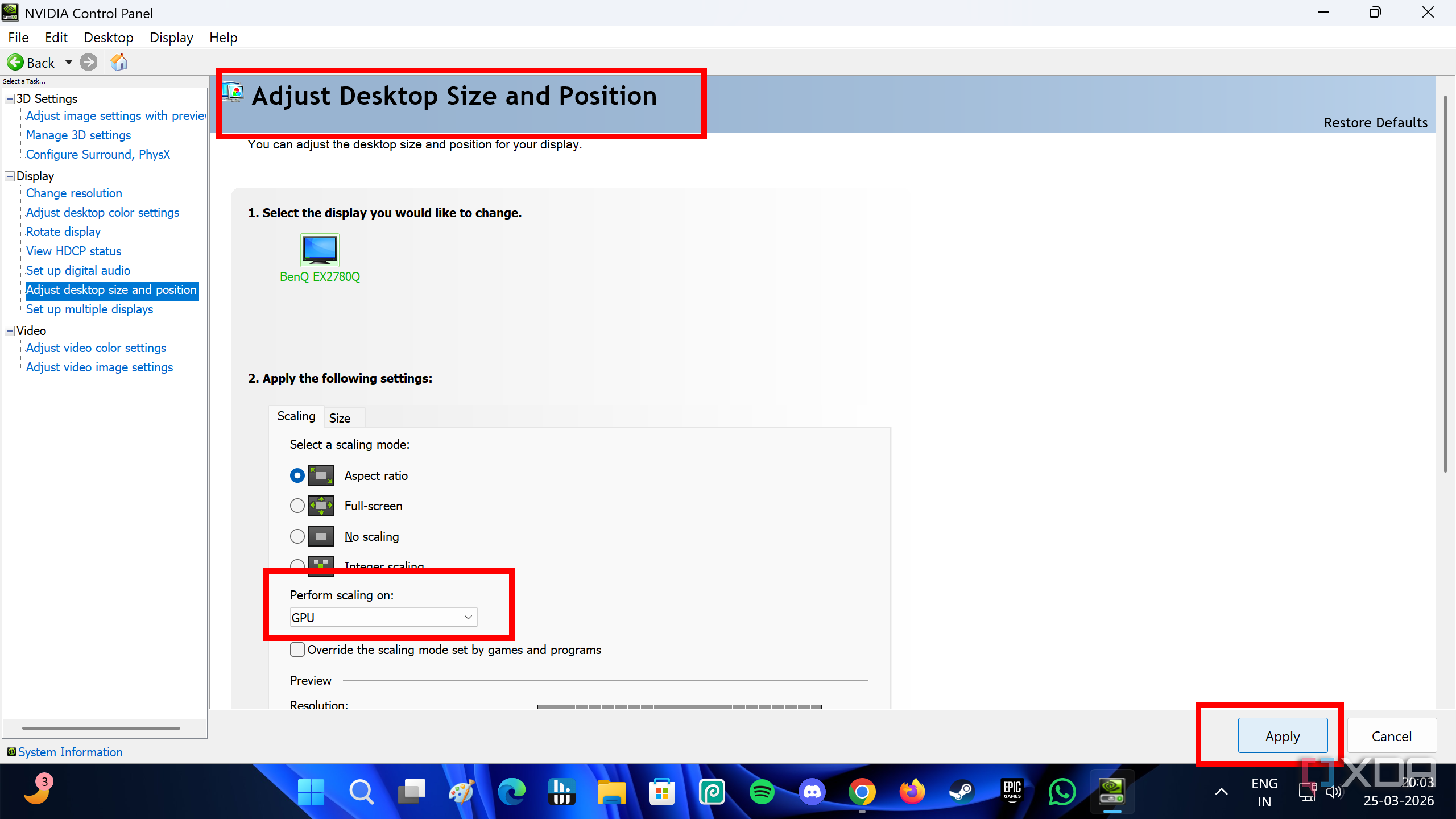
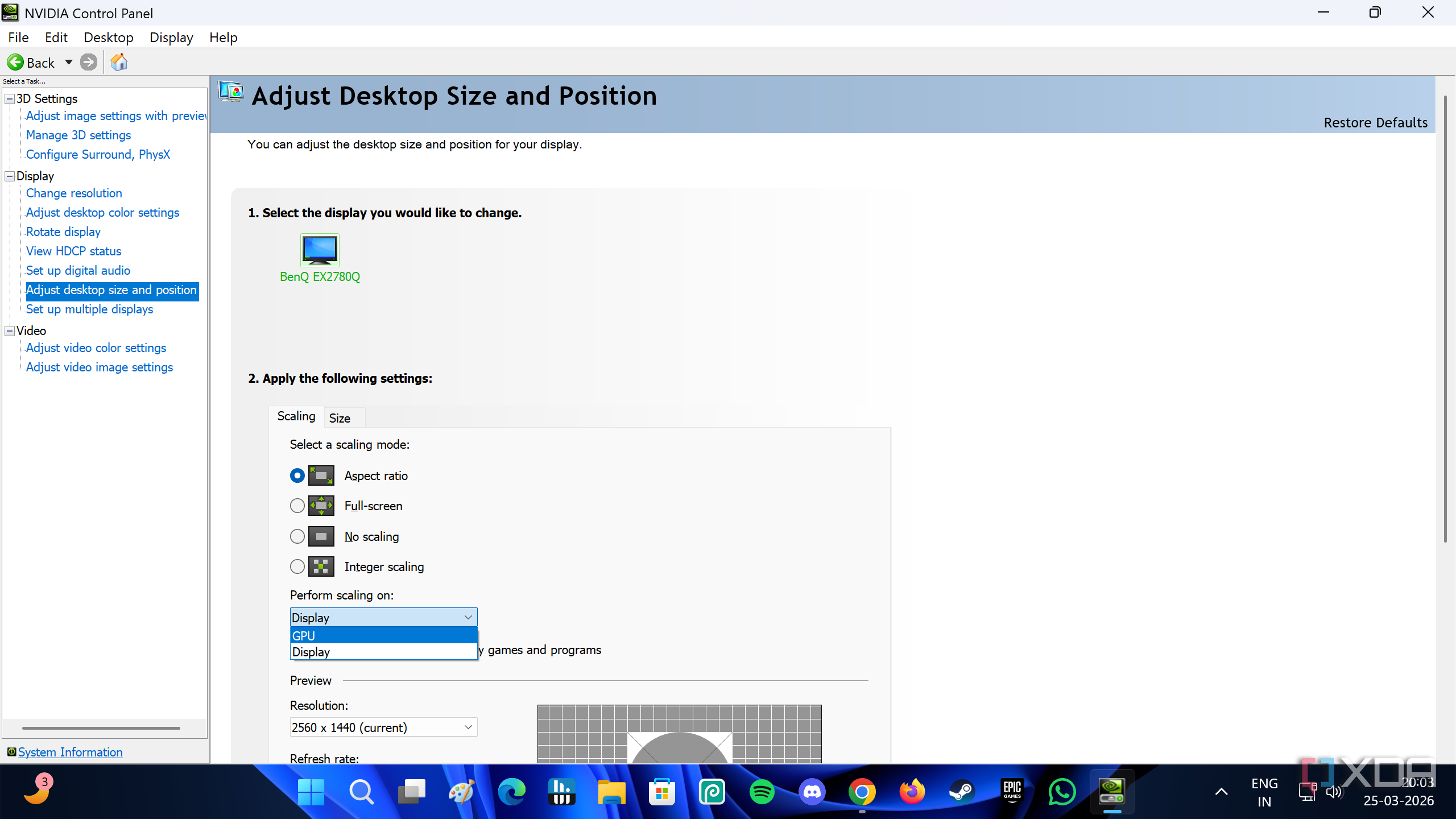
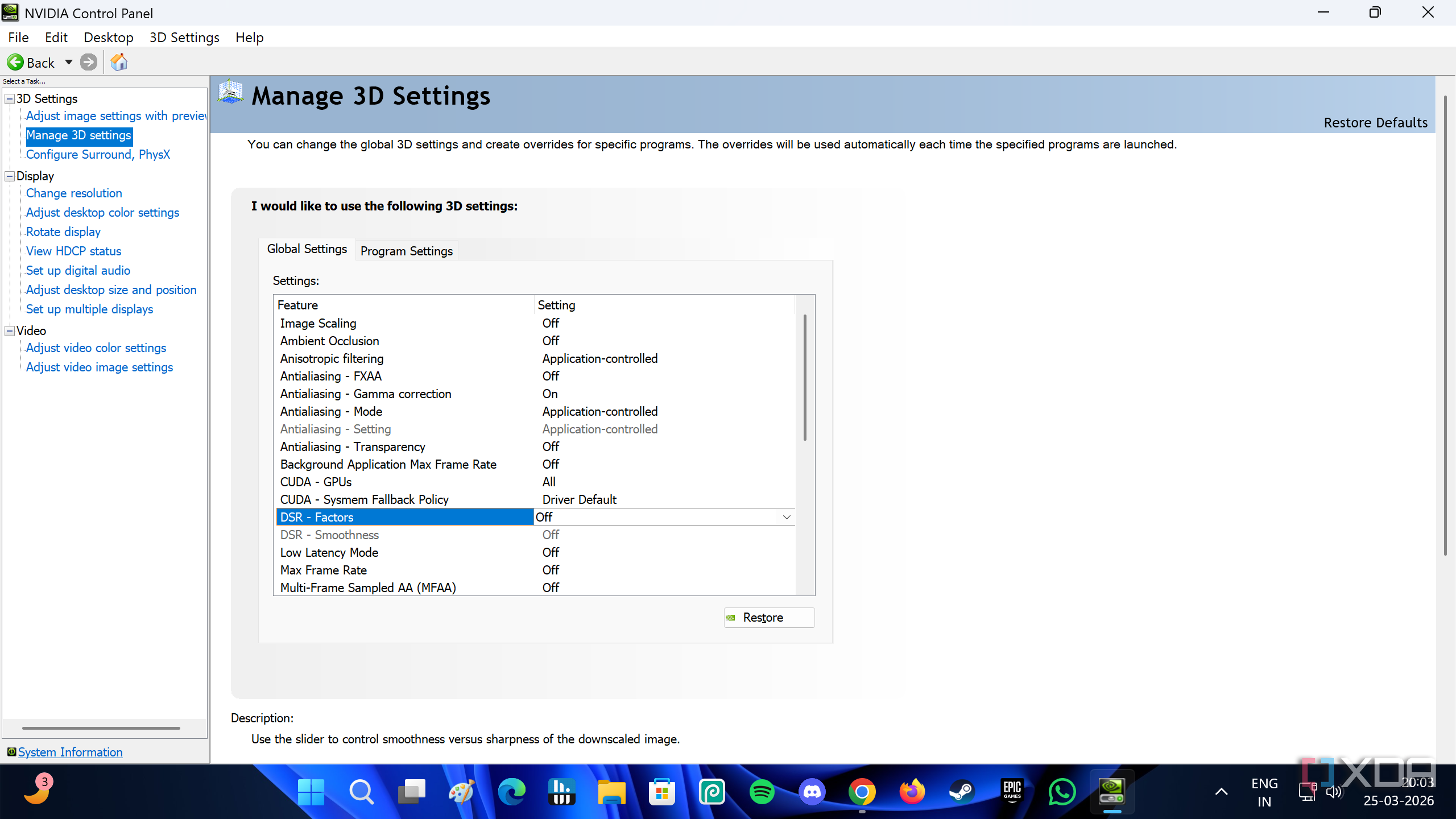
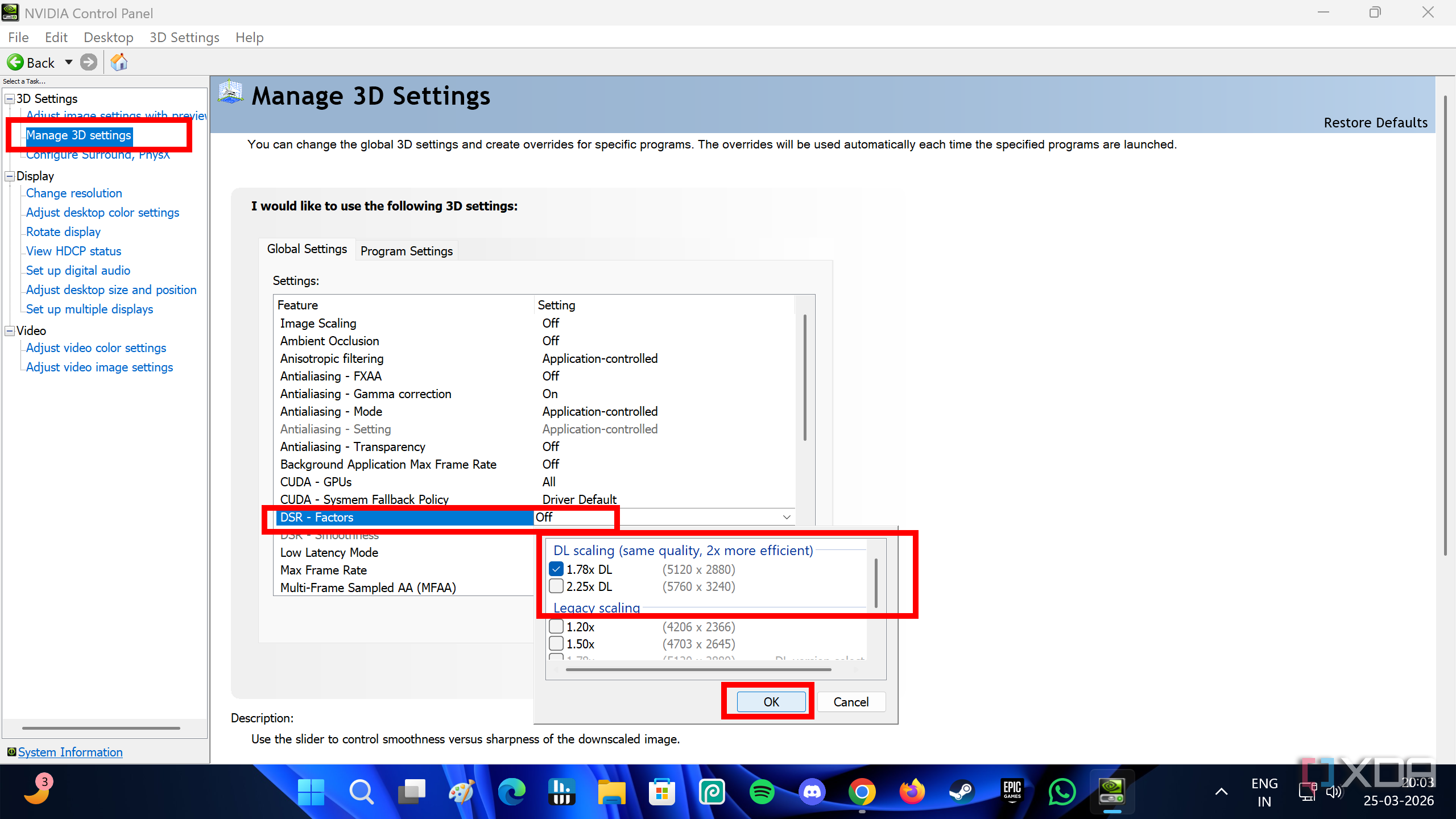
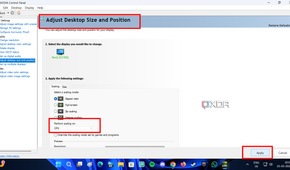
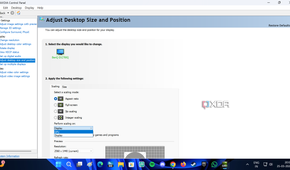
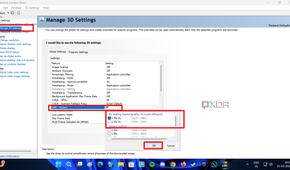
To enable DSR on your Nvidia GPU, head into the NVIDIA Control Panel. Right-click on the desktop, and you should see the option to enter the control panel. From there, the first thing you need to do is go to the Display section on the left-hand side, and select Adjust desktop size and resolution.
While most folks would go straight into DSR settings, it doesn't always work unless you switch some scaling settings in the Display options.
In the desktop size and resolution settings, you'll see an option that says "Perform scaling on." By default, it should be set to Display. Switch it to GPU. Above that, in the scaling mode options, you can either keep Aspect Ratio selected, or select "No scaling" instead. Make sure you hit Apply at the bottom — it's a little too easy to miss.
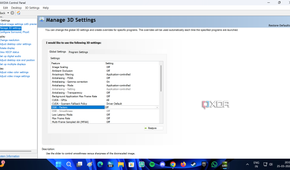
Now, on the left-hand side, click on Manage 3D settings. Here, you'll first be met by the Global Settings tab, which is where you need to stay. Scroll down the list of options in the Global Settings to find DSR - Factors. The default setting should be "Off." Click on it, and select either 1.78x DL or 2.25x DL, depending on just how high you want to go in resolution.
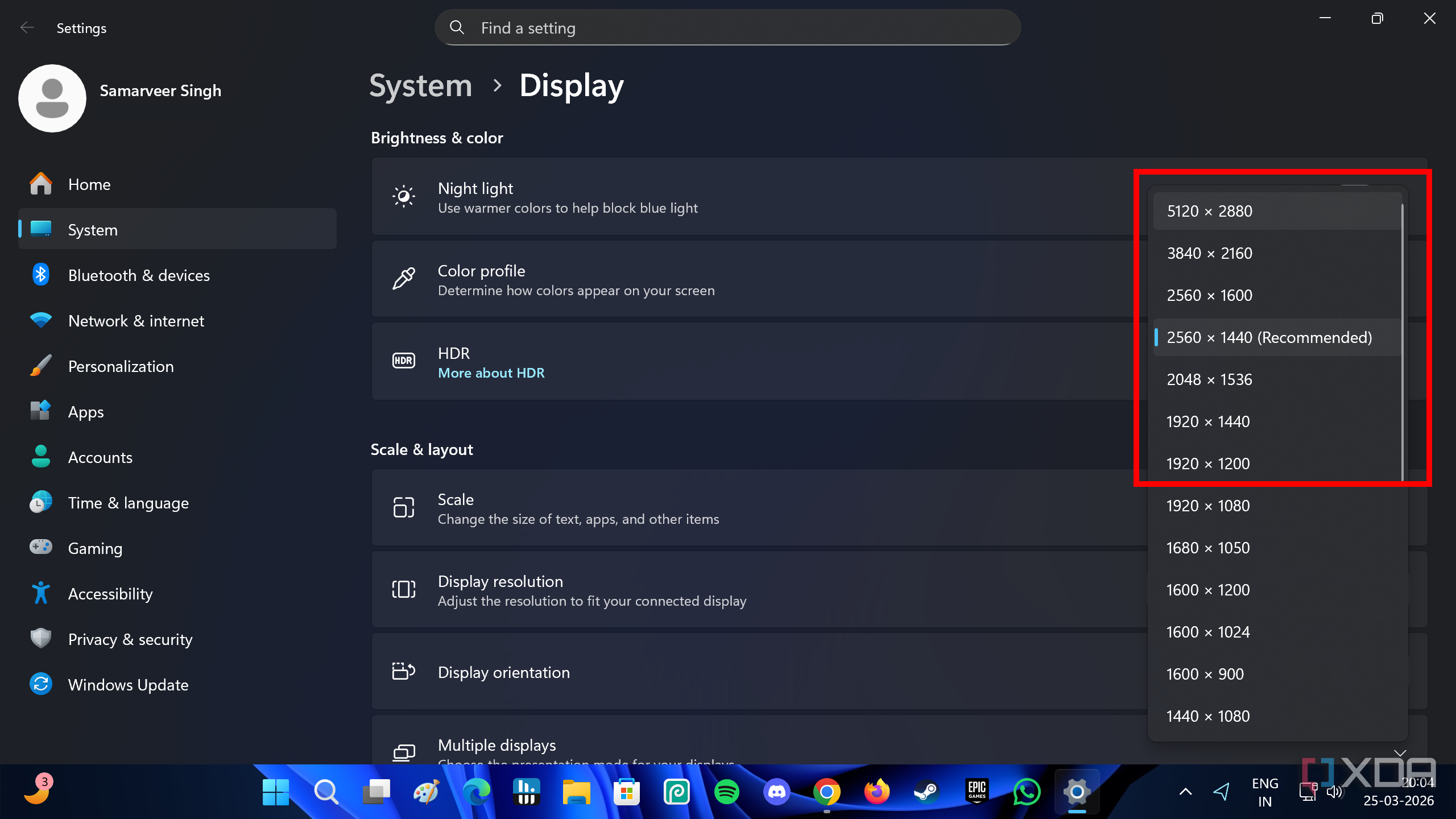
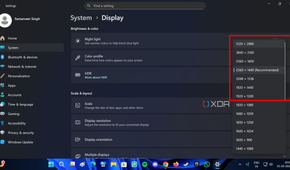
On my 1440p display, I select 1.78x DL to get a maximum of 5120 x 2880 resolution, which covers the 2160p 4K resolution I need. Select OK in the DSR window, and then hit Apply at the bottom. The screen might flicker and flash for a few seconds, but that's nothing to worry about. You will now notice that Windows now lets you go all the way up to 2880p in the display settings for your screen resolution.
The tiny performance loss is worth the image quality
With single-player games, I have zero complaints


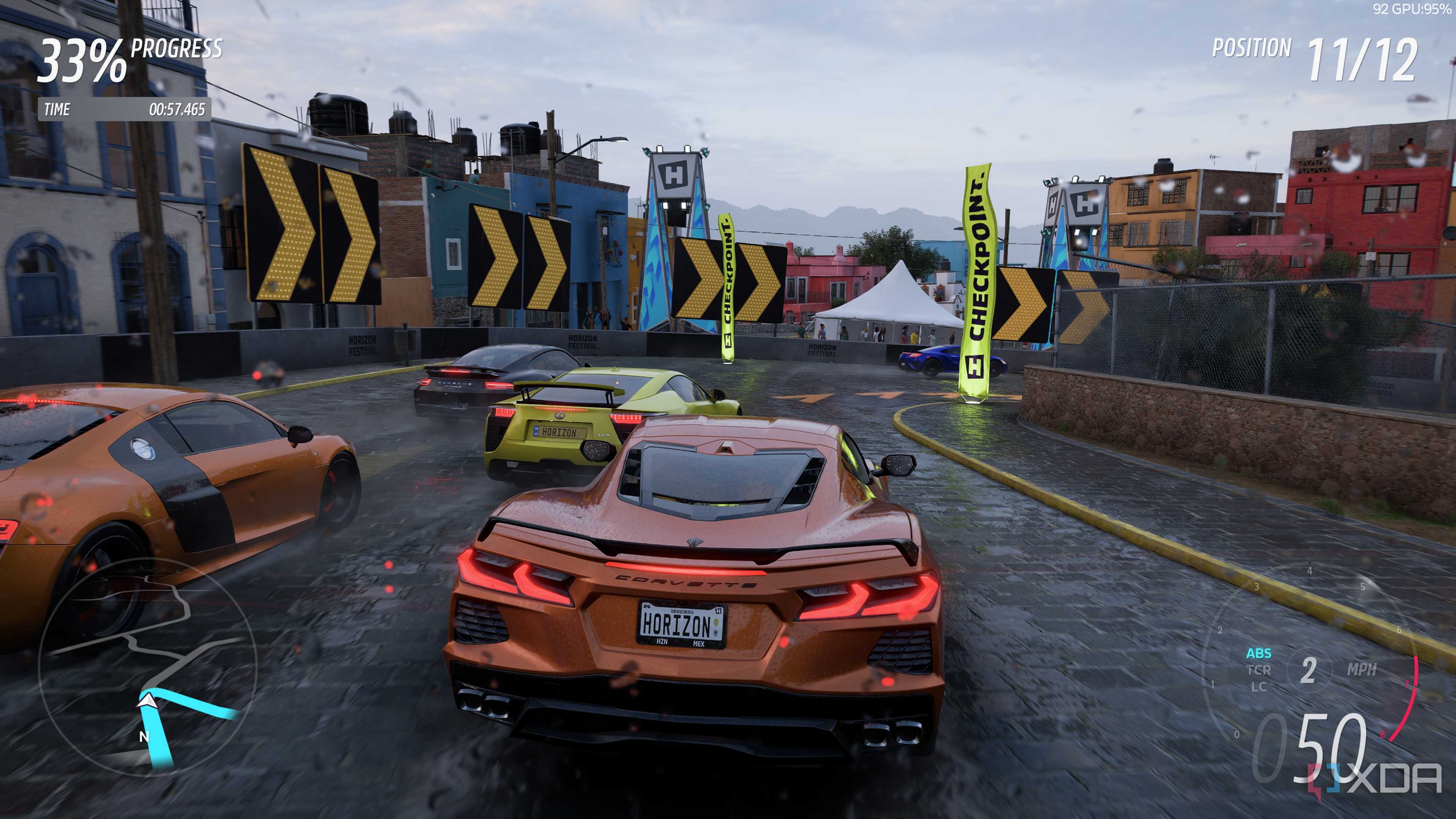
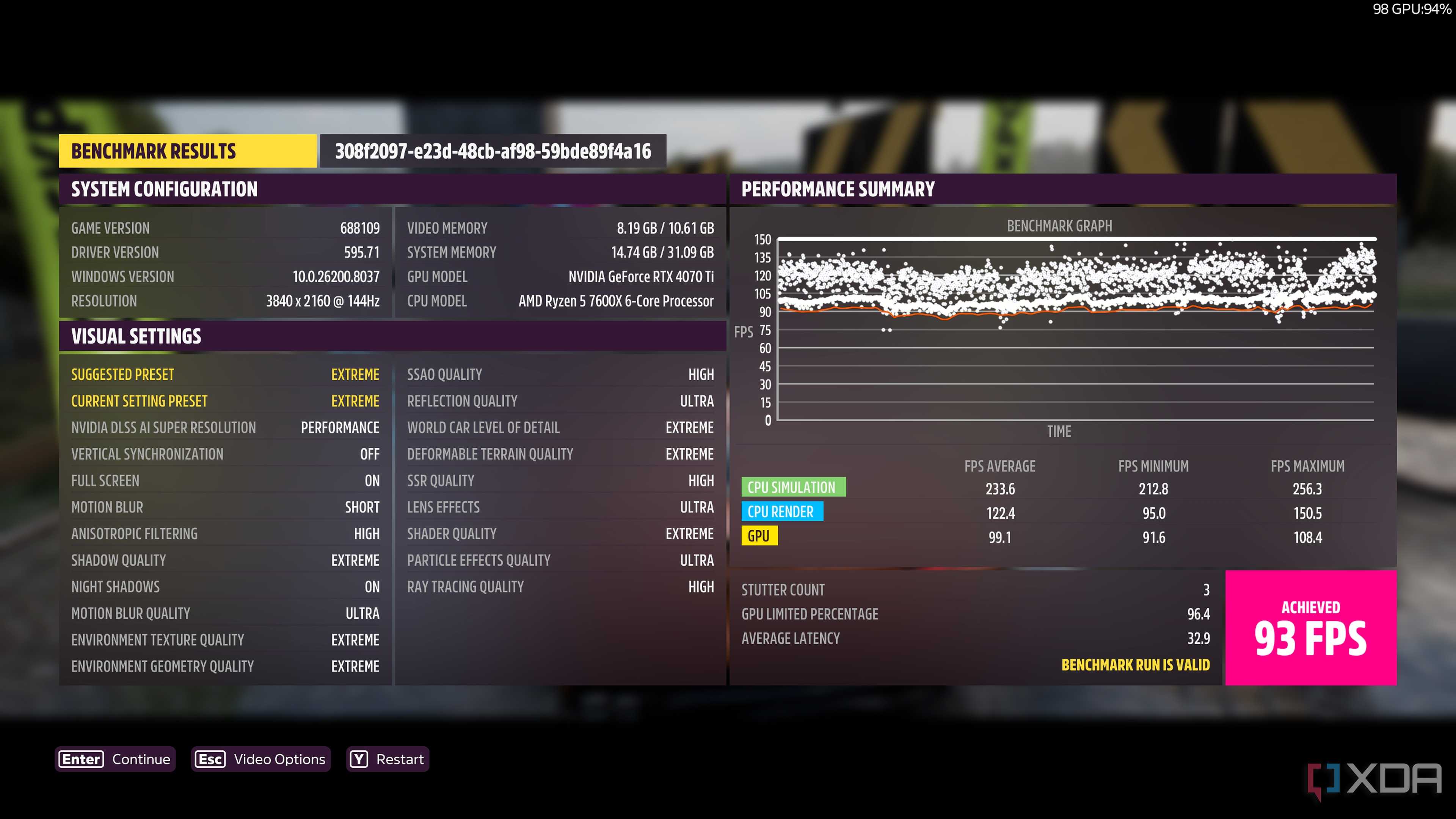
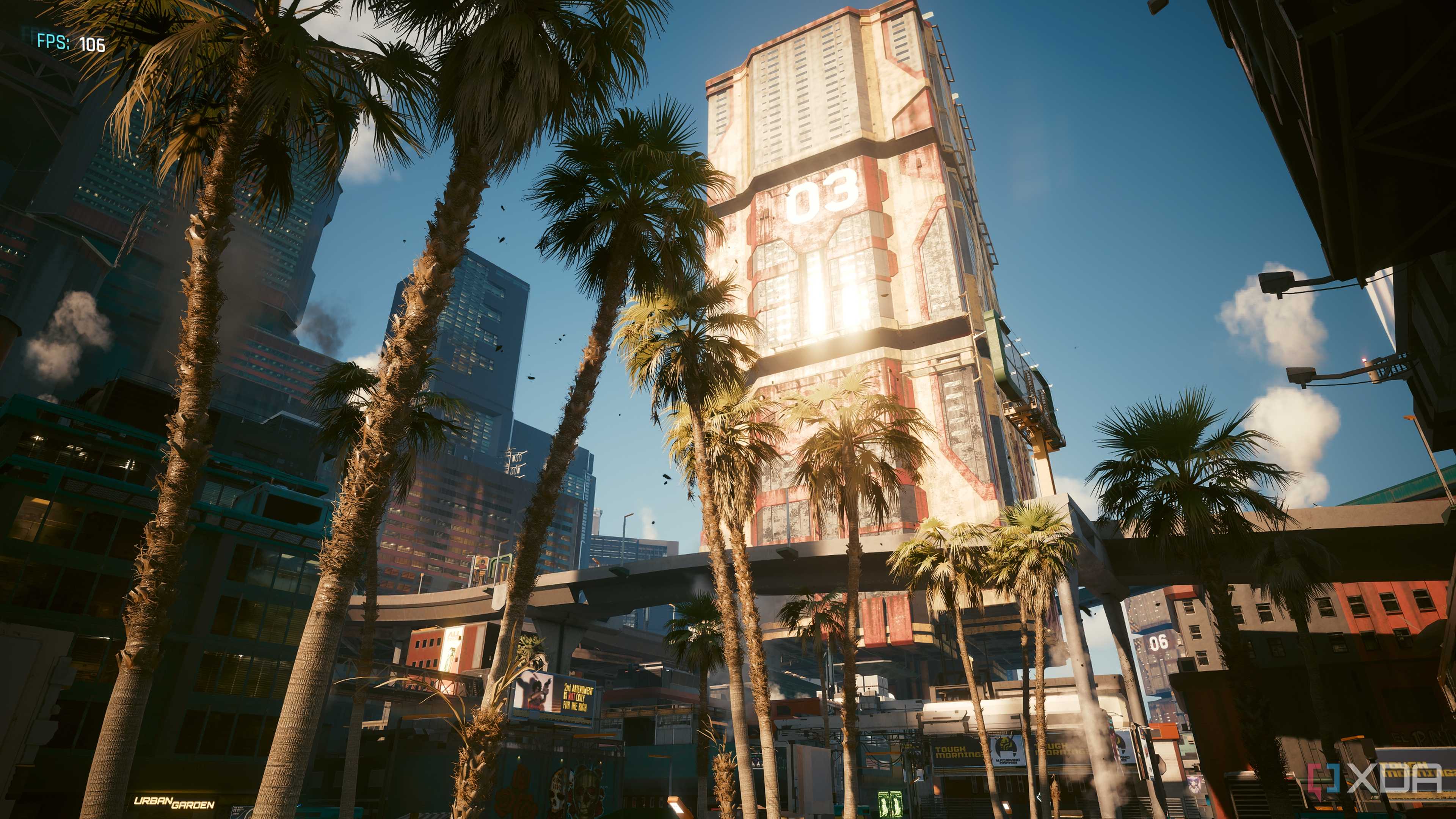
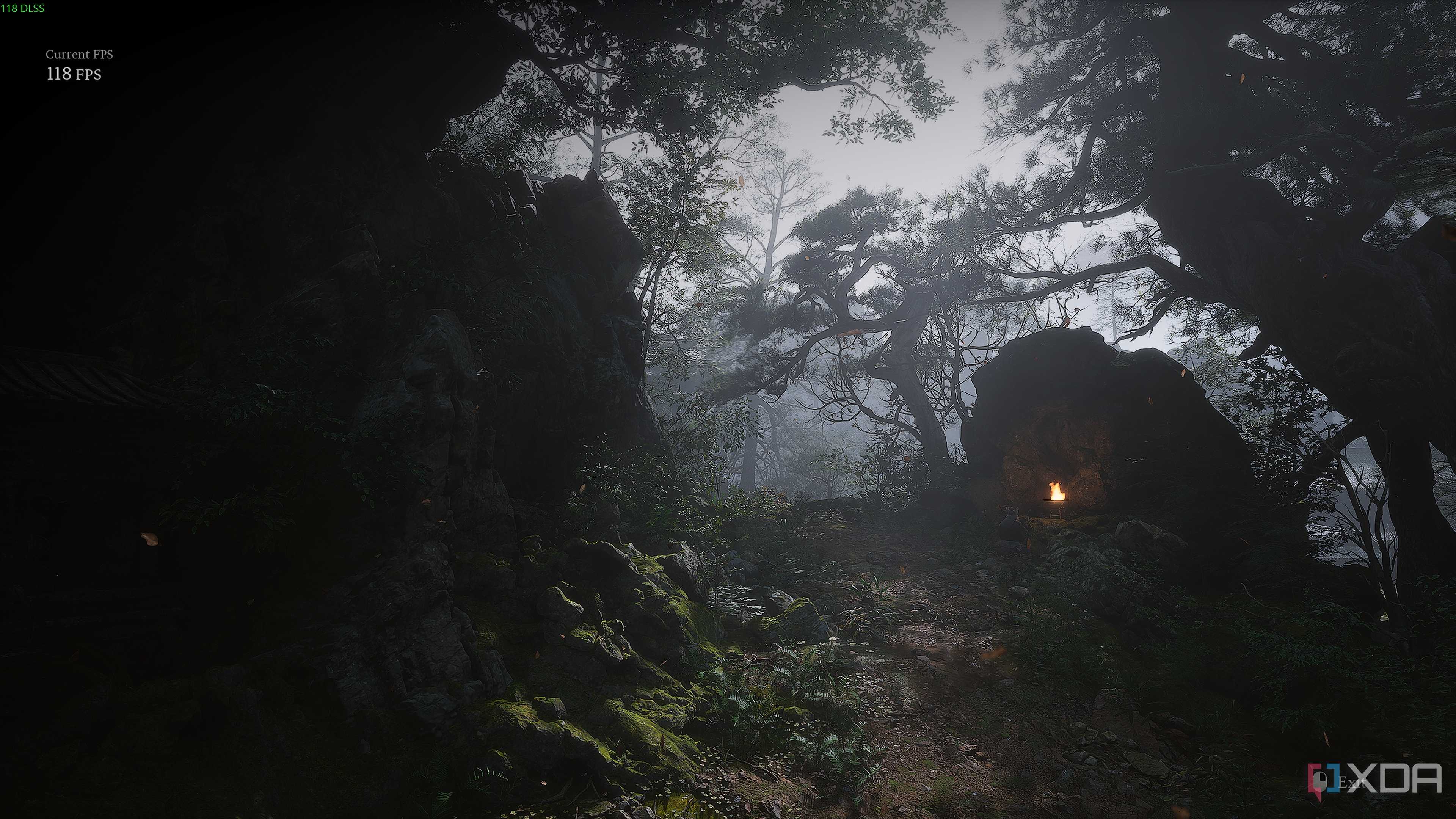
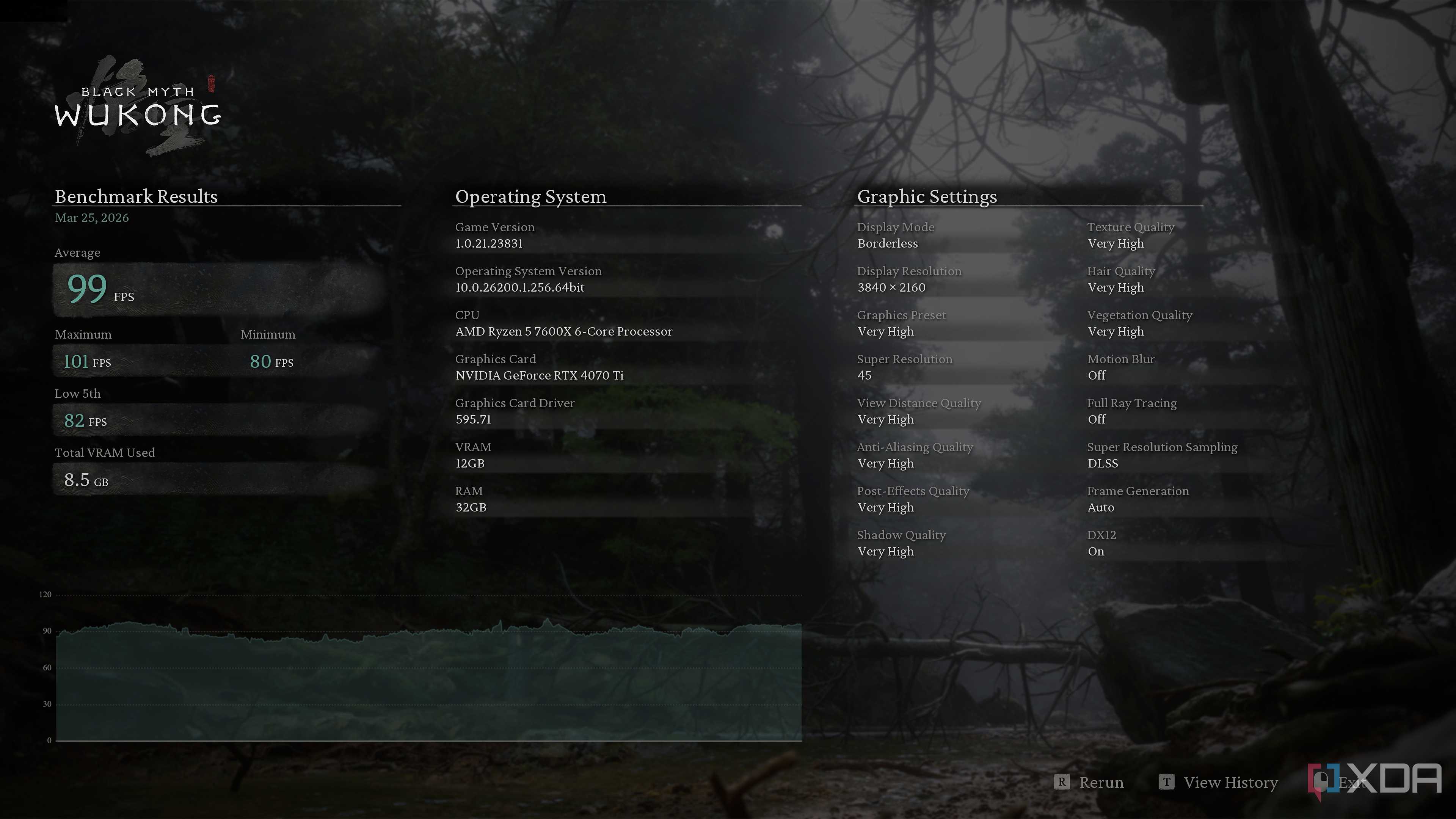
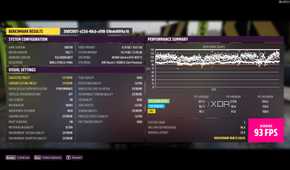

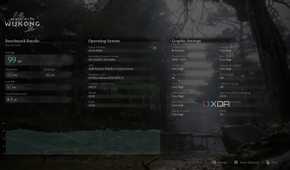
I'm not going to deny that by scaling up to 4K and then using an aggressive preset like DLSS Performance, I still end up losing a little bit of performance. However, it's well worth the jump in image quality I get, especially in single-player games where things aren't moving at a hundred miles per hour. Plus, I'm yet to see anything below 90 fps, and ever since I switched to Preset L with DLSS 4.5, the DLSS Performance upscaling preset hasn't let me down. The image quality remains sharp, there's barely any artifacting, and every single edge on the screen is sharper and cleaner.
|
Game |
Preset |
1440p (DLSS Quality) |
4K (DLSS Performance) |
|
Cyberpunk 2077 |
Max RT + Frame Gen 2x |
116 fps |
98 fps |
|
Black Myth: Wukong |
Very High + Frame Gen 2x |
115 fps |
99 fps |
|
Forza Horizon 5 |
Extreme (No Frame Gen) |
119 fps |
93 fps |
The strange part is just how few people actually use DLDSR, or even talk about it in the same breath as DLSS. It’s almost always treated like this obscure toggle buried in the Nvidia Control Panel, instead of the genuinely transformative feature it can be. I was in the same boat for the longest time — I knew it existed, but never really bothered. And now that I’ve actually used it properly, it feels like I’ve been leaving free image quality on the table this whole time. If you already own an RTX GPU, DLDSR isn’t some experimental gimmick. It’s right there, ready to go.

I can't remember the last time I played at native resolution
Deep Learning DSR is more than just some experimental gimmick, and it's right there, ready to go.
It's strange how few people actually use DLDSR, or even talk about it in the same breath as DLSS. It's almost always treated like the obscure toggle buried in the Nvidia Control Panel, instead of the genuinely transformative feature it can be.
Heck, I myself was in the same boat, since I knew it existed but never really bothered. Now that I've begun actually using it properly, it feels like I've been leaving free image quality on the table this whole time. If you already own an RTX GPU, DLDSR is a lot more than just an experimental gimmick, and it's right there, ready to go.
